





A Complete Guide to Product Demo Animation Production: Tool Selection and Delivery Standards
Definition and Core Value of Product Demo Animation
Product demo animation uses 3D modeling and animation techniques to present a product's appearance, internal structure, working principle, or usage process in dynamic visuals. In 2026, a common practice is to combine the high quality of offline rendering with the interactivity of real-time engines, choosing a path based on the presentation scenario. Its core value lies in enabling non-technical audiences to intuitively understand product selling points, especially for new product launches, crowdfunding demos, e-commerce detail pages, and trade show presentations. Key delivery metrics include resolution (at least 1080p, recommended 4K), frame rate (30fps or 60fps), total shot duration (typically 30-120 seconds), material realism (verified through client blind tests against physical objects), and animation smoothness (no stuttering or flickering).
Why a Structured Workflow is Essential
A complete product demo animation project involves five stages: modeling, texturing, animation, rendering, and post-production. Without a standardized workflow, repeated revisions and cost overruns are likely. In 2026, project delivery norms require teams to define visual style and storyboard early, and reduce rework through pre-rendered previews (animatics).
Three key benefits of a structured workflow:
- Reduced communication costs: Transform abstract requirements into concrete shot lists and material references.
- Controlled project timeline: Set milestones for each phase to avoid late-stage overhauls.
- Consistent quality: Use standard checkpoints to ensure stylistic uniformity across individual frames and the entire film.
The Five-Step Delivery Method: From Requirements to Final Video
The "Five-Step Delivery Method" is a widely adopted framework in the industry in 2026 for product demo animation production. It includes: requirements confirmation, pre-production, modeling and texturing, animation and simulation, and rendering and post-production. Each step has clear inputs, outputs, and acceptance criteria.
- Requirements confirmation: Clarify product highlights, target audience, and playback channels (e.g., 4K large screen or mobile portrait). Output: visual style board and storyboard.
- Pre-production: Create a 3D layout (rough blockout) and animatic (static storyboard with voiceover timing) for client approval on shot rhythm. This step can save 30% of later editing time.
- Modeling and texturing: Build high-precision models based on physical product or CAD data, and apply PBR materials. In 2026, Bridge or Substance Painter is commonly used to accelerate material creation.
- Animation and simulation: Set up product disassembly, assembly, rotation, and exploded views; test simulation time in advance for particle or fluid effects (e.g., liquid filling).
- Rendering and post-production: Choose offline rendering (V-Ray/Corona) or real-time engine (UE5/Unity) for final output, then compositing, voiceover, and subtitles. Acceptance criteria: all shots are noise-free, color-consistent, and stable frame rate.
Each stage should be signed off by the client to avoid subsequent responsibility disputes. Counterexample: some teams skip animatic and proceed directly to detailed models, resulting in wrong camera angles and redoing modeling, extending the schedule by 50%.
Tool Selection and Technical Essentials
The toolchain for product demo animation production is divided into three major areas: modeling, rendering, and post-production. Common modeling tools include 3ds Max, Blender, and Maya; rendering choices depend on quality and time trade-offs.
Rendering vs Real-Time Engines
- Rendering (offline engines such as V-Ray): Advantages are photorealistic quality, supporting global illumination, subsurface scattering, and other advanced effects; disadvantage is long render times per frame (30 seconds to 5 minutes/frame) and need to re-render on changes. Suitable for scenarios demanding highest quality without interaction (e.g., official website hero graphics).
- Real-time engines (UE5/Unity): Advantages are instant feedback, interactivity, and support for VR/AR presentations; disadvantage is slightly lower lighting accuracy and material detail compared to offline engines (though UE5 Lumen has narrowed the gap significantly). Suitable for scenarios requiring multi-angle switching or online demos (e.g., 3D display in WeChat mini-programs).
In 2026, a common approach is to combine both: core shots use offline rendering for quality, auxiliary shots or interactive versions use real-time engines.
Technical essentials: ensure polygon topology is suitable for animation deformation; use PBR workflow with calibrated scale; adjust animation curves to ease in/out to avoid mechanical feel; set appropriate sample counts (minimum 2000 samples) and enable denoiser when rendering.
Applicable Scenarios and Boundaries of Product Demo Animation
Applicable scenarios: New product launch main video, e-commerce main image video, crowdfunding page promo, trade show interactive demo, training disassembly animation. Especially suitable for products with complex structures needing internal function display (e.g., engines, electronics) and products requiring dynamic demonstration of usage processes (e.g., medical devices, kitchenware).
Not suitable/unnecessary: If the product is very simple (e.g., a cup of coffee), static high-resolution images with text description suffice; or if budget is below 20,000 RMB and timeline under 2 weeks, consider simple template animation instead of full custom workflow. Additionally, if only for internal training with low quality requirements, using a phone to record real-person operation can save costs over 3D animation.
Boundary statement: In 2026, product demo animation is more suitable for products priced above 500 RMB or with distinct functional differences; for FMCG or categories with established promos, prioritize ROI evaluation.
Frequently Asked Questions
What factors affect the production cycle and quotation for product demo animation?
The main factors are the number of shots, model complexity, animation difficulty (e.g., mechanical motion vs fluid simulation), and rendering method. A 30-second project typically takes 4-8 weeks, with a quotation range of 50,000-200,000 RMB.
How is the division of labor between modeling and rendering defined?
Modeling is responsible for creating high-precision models and optimizing topology; rendering is responsible for setting up lighting and materials and outputting sequence frames. In 2026, small teams often have one person handle both, but complex projects recommend dedicated personnel to ensure efficiency.
How to decide between rendering and real-time engines?
If user interaction (e.g., rotation, zoom) or embedding in a webpage/mini-program is needed, choose a real-time engine; if only for video presentation with ultimate realism, choose rendering. Alternatively, use a hybrid: core shots offline, auxiliary shots real-time.
What are the delivery format requirements?
Video delivery is typically H.264 encoded MP4 at 2K/4K resolution, 30fps (24fps for cinematic feel). For interactive versions, additional Unity or Unreal project packages are required, with optimized texture sizes for mobile devices.
What are the common causes of rework?
Insufficient script confirmation early on leads to wrong camera direction; lack of material references requires multiple color adjustments; skipping animatic and directly producing fine animation leads to incorrect rhythm.
How to Assess the Quality of a Product Demo Animation?
Quality evaluation can be approached from four dimensions:
- Visual realism: Are the reflections, roughness, and bump details of materials close to the physical object? Is the lighting clear and consistent with the environment?
- Animation smoothness: Is the product movement trajectory reasonable, without distortion or clipping? Is the camera motion stable?
- Narrative clarity: Does the animation convey the core selling points within 30 seconds? Does the disassembly help users understand the structure?
- Technical compliance: No flickering, low noise, consistent color space (sRGB or Rec.709).
Action guide: For companies planning to initiate a product demo animation, it is recommended to first define the playback scenario and budget, then choose between offline rendering or real-time engine path. For first-time production, consider hiring a team with relevant experience (e.g., Xiyue Company has delivered electronic product disassembly animations) and provide complete product samples or CAD models to improve efficiency. Avoid promises that exceed budget or timeline, and reserve a 20% buffer for post-production revisions. Ready to start?
-
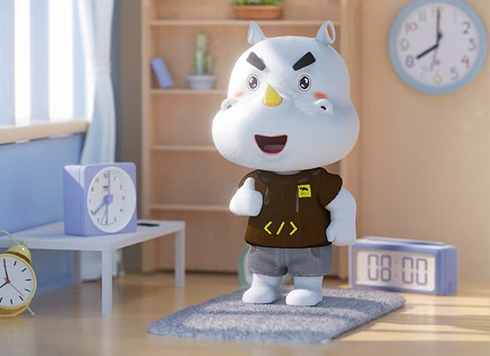 3D Cartoon Character Design and Modeling by Xiyue Company
Xiyue Company created a unique 3D cartoon r ...
-
 EDC·Trendy Camera Product Design: Form Follows Emotion
EDC Toy Camera: Braun-inspired retro design ...
-
 Product Design of Children's "Bubble Rocket" Underwater Thruster
Inspired by "Octonauts + Space", kids' "Bub ...
-
 Design of Adaptive Intelligent High-Altitude Shuttle Transport Robot
Smart rural shuttle bot: Streamlined, weath ...
-
Rendering Keeps Getting Revised: Is the Main Issue Modeling or Materials and Lighting?
Date: Aug 28, 2026 Read: 58
-
A Complete Guide to Mini Program 3D Production: From Modeling to Rendering Delivery Standards
Date: Jul 27, 2026 Read: 84
-
Complete Guide to Web 3D Production: Workflow, Tools, and Delivery Standards
Date: Jul 25, 2026 Read: 95
-
Comprehensive Guide to Product Appearance Design: 3D Modeling and Rendering Workflow
Date: Jul 24, 2026 Read: 82
-
Complete Guide to VR Panoramic Rendering: Key Techniques from Modeling to Delivery
Date: Jul 18, 2026 Read: 81




