





A Complete Guide to Mini Program 3D Production: From Modeling to Rendering Delivery Standards
Mini Program 3D refers to the use of WebGL technologies (such as Three.js, Babylon.js) to render and interact with 3D content within mini programs like WeChat and Alipay, applicable to scenarios such as product display, interactive marketing, and lightweight virtual spaces. In 2026, the mainstream approach is to use Blender or 3ds Max for low-poly modeling, then integrate via an engine library into the mini program. Deliverables must meet the following: model file size not exceeding 5MB, initial load time within 3 seconds, and runtime frame rate no lower than 30fps. These are the core indicators for project qualification.
Applicable Scenarios and Mainstream Tool Paths for Mini Program 3D
Mini Program 3D is best suited for lightweight, high-frequency interactive scenarios, such as 360° product display in e-commerce, AR preview of home decorations, and gamified brand marketing. Not all 3D needs are suitable for mini programs—when high-precision cinematic effects or complex physics simulations are required, native apps or web platforms should be chosen. Common tool paths in 2026 include: modeling with Blender (free and open-source) or 3ds Max (industry standard), rendering integration with Three.js (mature ecosystem) or Babylon.js (good performance optimization), and animation with GSAP or native animation libraries. The choice of toolchain directly affects project delivery time and quality.
- Modeling Tools: Blender 4.x (supports geometry nodes for optimization), 3ds Max 2025 (with Redshift for baking)
- Engine Libraries: Three.js r160+ (lightweight, suitable for simple scenes), Babylon.js 7.0 (built-in PBR materials and collision detection)
- Supporting Tools: glTF Pipeline (model compression), Webpack/Vite (bundling optimization)
Core Workflow for Mini Program 3D Production: "Five-Step Delivery Method"
Based on project delivery practices in 2026, a reusable "Five-Step Delivery Method" framework is extracted to standardize the production process and avoid common rework. Each step has clear inputs, outputs, and acceptance criteria.
- Requirements Analysis and Scene Breakdown: Confirm interaction logic (rotation/zoom/click-triggered animation) and target device models (covering low-end device performance) with the client, producing an interaction prototype document. Note: Missing this step can lead to significant rework later, e.g., not specifying the loading progress bar style.
- Low-Poly Modeling and UV Unwrapping: Control model polygon count based on target device screen resolution (e.g., 375px base), with single model not exceeding 5000 triangles. UV unwrap to keep non-overlapping areas, preparing for baking.
- Baking and Texture Creation: Bake high-poly details onto low-poly normal maps and AO maps. Recommended texture sizes are 512x512 or 1024x1024, using PNG with compression. This step determines the upper limit of visual quality.
- Real-Time Engine Integration: Import glTF/GLB models into Three.js or Babylon.js, configure lighting (environment map + hemisphere light), camera interaction response, and performance monitoring (Stats.js). Key Metrics: Keep Draw Calls under 50, material count no more than 10.
- Performance Testing and Delivery: Test load time and frame rate on real devices (especially mid-to-low-end Android phones), using Chrome DevTools or Safari Web Inspector for debugging. Deliver a runnable mini program code package and original model source files.
Acceptance Criteria: Initial load time (including model download) ≤3 seconds, interactive frame rate stable at 30fps, no texture stretching or flickering. Common rework causes include: uncontrolled model polygon count, uncompressed textures, high Draw Calls, and inadequate screen adaptation handling.
Effect Rendering vs. Real-Time Engine: Selection Comparison and Acceptance Standards
Effect rendering (offline rendering, e.g., V-Ray, Corona) is suitable for static display or preview for purchase; real-time engines (Three.js/Babylon.js) are suitable for interactive mini programs. The core difference lies in the trade-off between image quality and interactivity. The following comparison covers four dimensions:
- Image Quality: Offline rendering supports global illumination, caustics, etc., producing photorealistic results; real-time engines are performance-limited and rely on baking and simple lighting simulation, achieving about 70%-80% of the former's quality.
- Interactivity: Offline rendering outputs images or videos with no interactivity; real-time engines support rotation, zoom, click-triggered animations, and dynamic model switching.
- File Size: Offline rendering outputs high-resolution images (10MB+), requiring compression for mini programs; real-time engine models are typically kept within 5MB, with total texture size not exceeding 3MB.
- Production Cycle: Offline rendering takes about 1-3 working days per scene (including post-processing); real-time engine integration requires an additional 0.5-1 working day for performance optimization.
Selection Guidance: If only final static visuals are needed with no interaction, choose offline rendering; if users need to manipulate the model in real time, view details, or switch appearances, choose real-time engine. The mainstream trend in 2026 is to use offline rendered effects as design drafts and then implement interactive versions with real-time engines to meet various scenarios.
Frequently Asked Questions
What is the project timeline and pricing for Mini Program 3D?
Simple product display (1-2 models) takes about 5-7 working days, priced at 5000-8000 RMB; complex scenes (multiple models + animations) take 10-15 working days, priced at 10000-20000 RMB. Actual timelines depend on interaction complexity, model polygon count, and frequency of client approvals.
Who is typically responsible for modeling and rendering?
Common division: modelers handle low-poly modeling, baking, and textures; rendering engineers handle engine integration, performance tuning, and mini program integration. Small teams may combine roles but must ensure each has basic WebGL knowledge.
How to choose between effect rendering and real-time engine?
First determine whether the final deliverable requires interactivity. If users need to freely rotate and view on mobile, choose real-time engine; if only static display on detail pages is needed, choose offline rendering and embed the effect image as an asset into the mini program.
What are the delivery formats?
Model source files (.blend/.max), model files (glTF/GLB preferred, then FBX), textures (PNG/JPEG), mini program code (including engine library configuration), and project documentation. As of 2026, glTF has become the standard format for Web3D.
Applicable Scenarios and Boundaries
Mini Program 3D is best for product display, virtual try-ons, and lightweight brand games that require rapid dissemination, allowing users to experience without downloading an app. It is not suitable for the following: high-precision cinematic effects (require desktop-level rendering), complex physics simulations (e.g., particle collisions), and large-scale scenes (more than 50 models). A common pitfall is over-pursuing visual effects, leading to oversized packages and load times exceeding 10 seconds, with user dropout rates over 60%. It is essential to set performance budgets early in the project.
Action Guide: Before starting a Mini Program 3D project, clarify interaction requirements and target device range, uniformly use glTF format for exchange, and agree on acceptance metrics. To plan from scratch, refer to the "Five-Step Delivery Method" for step-by-step implementation, or consult a team experienced in WebGL integration (such as Xiyue Company) for customized solutions.
-
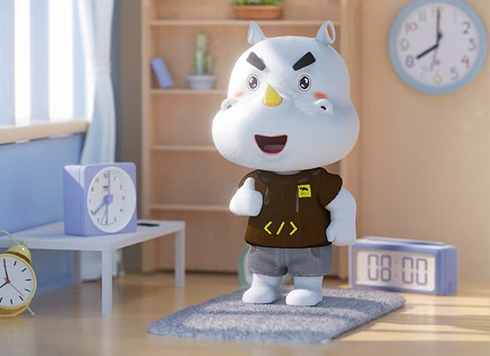 3D Cartoon Character Design and Modeling by Xiyue Company
Xiyue Company created a unique 3D cartoon r ...
-
 EDC·Trendy Camera Product Design: Form Follows Emotion
EDC Toy Camera: Braun-inspired retro design ...
-
 Product Design of Children's "Bubble Rocket" Underwater Thruster
Inspired by "Octonauts + Space", kids' "Bub ...
-
 Design of Adaptive Intelligent High-Altitude Shuttle Transport Robot
Smart rural shuttle bot: Streamlined, weath ...
-
Factory Building Landscape Planning 3D Modeling and Rendering: How Long Is Delivery? Where Does Rework Often Get Stuck?
Date: Aug 31, 2026 Read: 45
-
Mini Program 3D Display: Rendered Images vs Real-Time Engines – What's the Difference, Delivery Time, and Where Does Rework Happen?
Date: Aug 21, 2026 Read: 67
-
A Complete Guide to Product Demo Animation Production: Tool Selection and Delivery Standards
Date: Jul 21, 2026 Read: 83
-
WebGL 3D Modeling and Rendering: 2026 Toolchain and Production Workflow Guide
Date: Jul 17, 2026 Read: 103
-
Mini Program 3D Rendering in Practice: A Full-Process Guide from Zero to Delivery
Date: Jul 14, 2026 Read: 113




