VR panorama sent to a WeChat group: client on the subway says it feels floaty and blurs when spinning fast on a phone—re-render first or check tiles first?
Conclusion: When a VR panorama feels floaty or blurs during fast rotation on a phone, the common cause is not simply insufficient resolution; it is misalignment between panorama pixel density, tiled chunk loading, and gyroscope viewing parameters. Based on 2026 project delivery experience, first have the client screen-record and isolate the issue by device, then decide whether to adjust interaction, re-tile, or re-render; this usually saves one to two rounds of full-batch re-rendering.
First separate 'feels floaty' from 'blurs when turning fast': they are two different issues
Feels floaty means the image does not keep up with the hand when the phone turns, and it may drift slightly after stopping; this is commonly related to gyroscope damping, viewport FOV, and browser rendering frame rate. Blurs when turning fast means texture decoding cannot keep up or tile levels lag during rapid rotation; this belongs to loading and texture pipeline issues. Mixing the two often leads to adding resolution immediately, which makes files heavier and the first screen slower.
When diagnosing, first have the client screen-record and note whether it blurs when static or only when rotating; if it blurs when static, check the source image and compression; if it blurs when rotating, check tiles and the first screen. If it only appears on low-end Android devices, check device memory and decoding capability first, and do not attribute it directly to the renderer.
- Blurs even when static: Check the source image's long edge, compression quality, and close-range seams first, not tile size.
- Blurs only when rotating: Check tile size, first-screen fallback image, and number of network requests first; the common cause is lagging high-definition chunk loading.
- Drifts after stopping: Check gyroscope damping, viewport FOV, and page scroll conflicts first; the common cause is interaction parameters that are too sensitive.
Three-layer check for mobile VR panoramas in 2026
Splitting the problem into the image layer, tile loading layer, and interaction layer is useful because the three layers determine sharpness, response speed, and motion sickness respectively, while change cost runs from high to low. First check whether the interaction layer can be solved with parameters; do not rush back to rendering. Once the image layer is re-exported, tiles and the hotspot table usually need to change with it.
- Image layer: Back-calculate per-eye pixel density from the viewing device's screen width and viewport FOV; for 2:1 equirectangular panoramas, the common per-eye long edge is 4K to 8K. Use the upper end for scenes with more close-range detail and the lower end for distant scenes. Check whether stretching at the zenith and bottom edges is acceptable.
- Tile loading layer: Split tiles by the first-screen viewport, load a central low-resolution fallback image first, then fill high-definition chunks according to rotation direction; a single chunk is commonly 512 to 1024 pixels, and too many chunks increase requests. When opening inside WeChat, control single-image file size.
- Interaction layer: Adjust gyroscope damping, maximum rotation speed, viewport FOV, and hotspot response delay together; an FOV that is too narrow amplifies the sense of rotation, while one that is too wide makes things look small and distant. A common approach is to start with conservative damping, then downgrade by device tier.
Each layer has a different acceptance criterion: the image layer looks at static screenshot sharpness, the loading layer looks at seconds from first open to being able to rotate, and the interaction layer looks at whether a full continuous rotation feels dizzy. Only after all three pass should you discuss adding effects; otherwise interaction problems are easily misdiagnosed as rendering problems.
Where delivery often gets stuck: a trade-off between rendering and tiling
Projects commonly face constraints like these: the client provides only daytime footage, the deadline is about one week, the panorama must be forwarded directly in WeChat, and phone models range from budget Android devices to flagship models. The approach is to first produce a 2:1 equirectangular panorama base image, back-calculate the long edge from mainstream phone viewports, then cut central fallback chunks and high-definition chunks, with hotspots attached only to the low-resolution image. As a result, first-screen open time can be pressed into an acceptable range, but close-range ground seams and overexposed light strips often need one more repair round.
The cost is that tiling and hotspot configuration add delivery items. If camera height, seam positions, and hotspot numbers are not written into the checklist early, changing one point later will trigger re-export of the whole tile set; experience suggests half a day to two days extra. At delivery, first verify camera height, where the stitching seam falls, and whether hotspot numbers match the floor plan. Archive the tile directory and hotspot table together with the panorama; this reduces the chance that source files cannot be found during a second delivery.
Direct full-image export vs tiled chunks: which is less likely to cause rework?
Direct full-image export means giving the viewer one 2:1 panorama image, while tiled chunks means loading chunks by viewport. The difference is not advanced versus basic; it is about different viewing scenarios. Using the wrong scenario commonly results in an image that is clear on a computer but stutters after two rotations on a phone, and the client may think the rendering was not done well.
- Loading speed: Full-image first screen is limited by single-image file size and may spin on weak networks; tiled first screen fetches only central chunks and is commonly faster, but too many chunks increase requests.
- Sharpness: A full image enlarged to close range easily hits its limit; tiles can add high definition along the line of sight, making close range more stable.
- Maintenance cost: Changing one place in a full image means re-exporting one image; tiled delivery requires re-cutting the directory and hotspot table, so maintenance is heavier.
- Best fit: Full image suits computer-based presentations, few viewpoints, and stable networks; tiled chunks suit phone-based WeChat forwarding, many viewpoints, and mixed low-end devices.
If you only need to show the client a few static panoramas on a computer, direct full-image export is enough; if the panorama must be rotated continuously on a phone and sent to a group, tiled chunks are more reliable. In terms of experience range, tiled delivery adds about half a day to two days of configuration time compared with direct full-image export, but it reduces the explanation cost caused by first-screen waiting on weak networks. Re-rendering a single viewpoint commonly takes 1 to 3 working days; 5 to 8 viewpoints commonly take 1 to 2 weeks, depending on revision rounds and hotspot count.
Applicable scenarios and boundaries where it does not apply
VR panorama tiled delivery is suitable for: indoor show flats, exhibition halls, cultural tourism sites, and cases that need to be opened in WeChat and viewed by non-technical people; when viewing devices are mixed and networks are uncontrollable, tiles and fallback images provide a safety net. For the client, being able to rotate, click, and open without spinning matters more to acceptance than a few hundred extra pixels on the long edge of a single image.
Situations where it is unsuitable or unnecessary: real-time material changes, free walking, multi-user collaborative editing, or simply viewing two or three static images on a computer; adding tiling increases delivery items and maintenance cost. If the project requires six-degree-of-freedom walking inside a VR headset, an ordinary panorama is not enough, and a separate real-time 3D solution is needed. This boundary should be stated clearly before quoting to avoid forcing a panorama into an interactive walkthrough later.
FAQ
If a VR panorama feels floaty on a phone, must it be re-rendered?
Not necessarily. Adjusting gyroscope damping, viewport FOV, and tile levels improves most cases; consider re-rendering only when source-image pixel density is genuinely insufficient and static screenshots also look blurry.
Does more tiling make a VR panorama clearer?
No. Too-small chunks increase request count and can be slower on weak networks; a common approach is to cut central fallback chunks and high-definition chunks by the first-screen viewport, keep the chunk count within a maintainable range, and then downgrade by device tier.
When a VR panorama spins on first open in WeChat, should I compress the image or change format first?
First check single-image file size and whether the first-screen fallback image is missing, then consider compression quality and tiling; format is not a single variable, and on weak networks making the central chunks appear quickly matters more to acceptance.
If low-end Android blurs when rotating fast but flagships are normal, is that a delivery defect?
It depends on the agreed acceptance device scope. If mixed-device viewing is agreed, fallback images and device tiers should be prepared; if only computer viewing is agreed, phone performance can be confirmed separately as an optimization item.
What files should VR panorama delivery include so later viewpoint changes do not cause rework?
Commonly include the 2:1 panorama, tile directory, hotspot configuration, and camera height list; hotspot numbers correspond to the floor plan, so when one viewpoint changes you can locate which chunks need re-cutting.
In action, first have the client screen-record and note the device model, then use the three-layer check to locate whether the issue is image, loading, or interaction; adjust parameters first where possible, then decide whether to re-render or re-tile. Applicability boundary: if real-time material changes, free walking, or six-degree-of-freedom roaming inside a headset are required, VR panorama tiling is not suitable; evaluate a real-time 3D solution separately and do not force a panorama to carry interaction requirements.
-
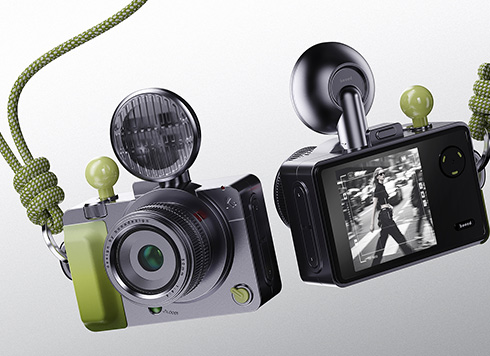 EDC·Trendy Camera Product Design: Form Follows Emotion
EDC Toy Camera: Braun-inspired retro design ...
-
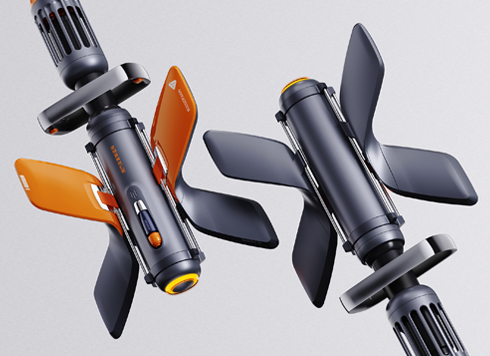 Product Design of Children's "Bubble Rocket" Underwater Thruster
Inspired by "Octonauts + Space", kids' "Bub ...
-
 Design of Adaptive Intelligent High-Altitude Shuttle Transport Robot
Smart rural shuttle bot: Streamlined, weath ...
-
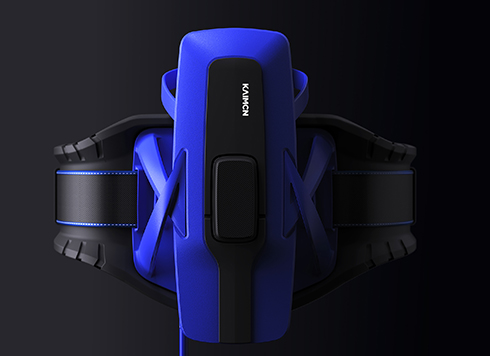 "Effortless" Exoskeleton Wear: Unleash Ultimate Freedom in the Sea
"Unfelt Wearability" & "Bionic Power" redef ...
-
If product photos are shot at an angle and the client gives only one overall length, which dimension should be used first as the baseline in appearance modeling to avoid drift?
Date: Nov 23, 2026 Read: 4
-
UE5 textures blur and frames stutter late in the render while the client pushes for 4K: reduce textures first or turn off Lumen?
Date: Nov 22, 2026 Read: 15
-
Only Phone Selfies and One Voice Clip for AI Digital Human 3D Modeling, but It Needs Real-Time Live Streaming—Is Detailing the First Version for Close-Ups a Waste?
Date: Nov 21, 2026 Read: 22
-
Client says the daytime view outside the floor-to-ceiling window is washed out and the room is too dark to see the furniture—should we tone down the exterior or add interior lights first to reduce rework?
Date: Nov 20, 2026 Read: 25
-
The structural engineer sent a STEP assembly with parts named Part1 and Part3, and the client wants to change the main color halfway through the product demo animation—is it still possible to add part naming?
Date: Nov 19, 2026 Read: 36