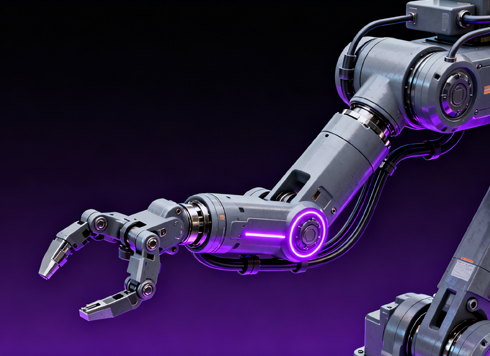
The client suddenly wants the homepage Three.js hero animation cut into a 4K launch event opener. Will a direct screen recording hold up in editing?
Conclusion: In most cases, if the Three.js animation from the homepage hero is delivered as a direct screen recording for a 4K launch event opener, it will fall apart on the editing timeline. Web 3D is rendered in real time, frame rate follows device load, canvas pixels are commonly 1920 to 2560 wide, and system screen recording adds another layer of real-time encoding loss. Based on 2026 delivery experience, a more reliable path is to first make the animation driven by fixed frame numbers, then export it frame by frame offscreen as an image sequence for the editor; only internal review, quick group sharing, or low-resolution social versions can rely on screen recording.
Why it looks smooth in the browser but gets soft and stuttery in a 4K source
Browser animation advances frame by frame through refresh callbacks, and the same animation has different frame rates and time steps on a high-refresh display and an office laptop. The pacing you see on your own computer is not the pacing recorded and handed to the editor; once frames drop, it will visibly hitch on a 25 or 30 fps final timeline.
The recording chain itself also introduces loss. System screen recording or third-party tools mostly combine real-time capture with real-time encoding; bitrate, scaling algorithm, and whether the cursor and notifications are mixed in all depend on device and software settings. It may look fine when sent to a group chat, but once scaled up on a 4K timeline, soft edges, blocky gradients, and banding in shadows are common costs of the recording chain, not necessarily a sign that the animation itself is bad.
- Inconsistent frame rate: Real-time rendering has floating frame intervals, while editing needs a constant frame rate.
- Insufficient pixel density: When a web canvas is scaled up to 4K source footage, it commonly looks soft.
- Irrelevant elements mixed in: Cursor, loading indicators, debug panels, browser borders.
- Different color standards: The web follows sRGB, while final videos often use Rec.709; direct recording easily shifts the overall color.
I usually follow 'define use case first, lock the timeline second, choose export channel last'
Source footage is for downstream use, so ask clearly how downstream will use it before touching code and export. If the order is reversed, a common outcome is finishing a frame-by-frame export and only then discovering that the client wants a few-second corner logo version with an alpha channel, making the earlier export wasted.
- Define use case: Confirm placement, final resolution and frame rate, duration, whether an alpha channel is needed, and whether it must hit beats with the BGM.
- Lock the timeline: Change the animation from following refresh rate to following frame number, advance with a fixed timestep, and fix seeds for random numbers and particle initial values so every frame is reproducible.
- Choose the channel: Based on use case, choose one path among screen recording, frame-by-frame offscreen export, and rebuilding in DCC or the engine; do not force one channel to meet every requirement.
The second step is the dividing line. When the animation still accumulates intervals directly through refresh callbacks, exports are not reproducible; after switching to a fixed timestep, the same frame number draws the same image, which is what makes frame-by-frame capture possible. Do not over-engineer the third step either: for footage used only as internal reference, spending two days building an offscreen export pipeline is not worthwhile.
Screen recording, frame-by-frame export, rebuild in engine: typical ranges for timeline and cost
Based on common project delivery practice in 2026, these three channels differ clearly; the recommended order for judgment is 'use-case requirements first, budget and timeline second, content form last.'
- Direct screen recording: Typical timeline is half a day to 1 working day, with low cost; frame rate floats, resolution is limited by device and canvas size, and an alpha channel is usually unavailable. Suitable for internal review, quick group sharing, and low-resolution social versions.
- Frame-by-frame offscreen export: Use a headless browser to capture screenshots or read pixels frame by frame at fixed frame numbers, then composite with ffmpeg. The experience range for timeline is commonly 2 to 5 working days, depending on duration, number of machines, and whether an alpha channel is needed; final output can reliably be 2K or even 4K with a constant frame rate. Suitable for launch event openers, fallback website videos, and versions that need repeated editing.
- Rebuild in DCC or the engine: Typical timeline starts at 2 weeks, and modeling and materials need to be rebuilt. The quality ceiling is high, with access to true volumetric light, depth of field, motion blur, and complex fracturing. Suitable for film-level shots or large-screen key visuals.
A common mistake is using screen recording to cover a 4K opener, or using the real-time web version to cover a film-level shot. The former shows its limits when scaled in editing, while the latter requires repeated lighting fixes during rendering; neither path saves time. In terms of cost, the incremental cost of the latter two commonly falls in the range of a few thousand to tens of thousands of RMB, with differences mainly from duration and quality requirements.
On delivery: two days to make a 4K opener, what usually gets stuck is textures and post-processing
A common combination in projects looks like this: the client sees the Three.js animation in the homepage hero and suddenly says it is needed as a launch event opener two days later, with a 4K delivery spec. The constraints are that web-version textures are generally compressed to 1K to 2K, post-processing glow intensity is tuned to on-screen perception, and the animation includes a subtle mouse-following parallax. If the first move is to deliver a system screen recording, the usual result is soft edges on the main subject after it is cut in, blown-out highlights, and hitches during push-ins; the cost is going back to do frame-by-frame export, commonly taking 2 to 3 extra working days, plus retuning glow and contrast to fit the source. A more reliable approach is to check three things as soon as the request arrives: whether textures are sufficient at the target resolution, whether post-processing parameters will overshoot at the export size, and whether the animation has interactions that depend on real-time input.
The first two determine whether assets need to be supplemented back in the model side, and the third determines whether it can run offline directly. Based on the experience range, cases that need texture supplementation account for a significant proportion, and this work often takes longer than the export itself. Putting this check before quoting is easier than putting it before delivery.
What can be done and what should not be forced: applicable and non-applicable boundaries
The cost-effectiveness of turning Three.js animation into video depends on the content form. It suits motion design with clear geometry, simple materials, and orderly camera work; once the content itself depends on real-time global illumination and volumetric effects, the web version cannot support final footage.
- Suitable: Product structure breakdowns, UI-style motion, data visualization, flat or low-poly openers, and fallback videos for the homepage hero.
- Not suitable: Film-level advertising shots, close-ups requiring true depth of field and motion blur, complex fluids and fracturing, and narrative films with multi-camera long takes.
- Conditionally possible: Alpha-channel corner logo animation and lossless sequence delivery require separate handling in the export stage and reserved time.
The judgment line can be summed up in one sentence: If the footage's persuasiveness depends on lighting and material detail, do not expect the real-time web version to make up for it; if it depends on structure and rhythm, frame-by-frame export from the web version is usually sufficient.
What to check for acceptance, and what counts as common rework
It is best to align acceptance criteria with the editor before work starts, rather than discussing them after the final video is done.
- Constant frame rate: Exactly 30 or 25 fps, with no sudden speed changes.
- No duplicate or dropped frames: Sample several frames from the beginning, middle, and end for comparison; the image should change continuously.
- Resolution and pixel ratio: Confirm it is the final video resolution, not a blurry upscale of canvas size multiplied by device pixel ratio.
- Color standard: Check once in the editing software to confirm there is no overall green cast or grayness.
- Head and tail frames are editable: Leave half a second to one second of stable margin at both ends for music sync.
- Alpha channel: A version with alpha must be output separately; ordinary video files usually cannot carry it.
Rework causes cluster into four types: dropped frames in screen recording causing incorrect rhythm, blurry textures at 4K, glow and depth of field being overexposed or too soft at the export size, and duration being half a beat off from the client-provided audio track. The first three are technical issues; the fourth is mostly because a confirmed audio track was not obtained at the start.
FAQ
When a web 3D animation is recorded directly, what mainly goes wrong on a 4K timeline?
Commonly, insufficient canvas pixels, floating frame rate, and recording encoding loss add up; after scaling, edges look soft and highlights become blocky. In 2026 projects, most such source footage is sent back by editors for re-export.
If we only do the export and do not change the model, how many working days does it usually take?
For frame-by-frame export and compositing of a 10 to 20 second animation, the experience range is 2 to 5 working days; if the original animation is driven by real-time refresh, switching to a fixed timestep commonly adds another 1 to 2 days.
If the client only wants one MP4, is an additional sequence still needed?
For most editing scenarios, MP4 is enough, but confirm the codec and bitrate; when the client needs secondary color grading or text overlays, it is common to provide a ProRes or lossless sequence as well, with alpha output separately.
If the animation has mouse-following parallax, how should it be handled during export?
Offline export cannot preserve real-time mouse input. A common approach is to change the parallax into a fixed trajectory on the timeline or turn it off; if it must be kept in the footage, confirm the trajectory direction and amplitude with the client in advance.
With a limited budget, can we record one version first to meet the deadline and supplement it later?
Internal review or low-resolution social versions can be recorded first, but for 4K opener source footage, it is not recommended to skip this step; if the screen-recorded version is sent back and frame-by-frame export is added later, the schedule commonly takes 2 to 3 extra working days.
If you have this kind of request on hand, it is advisable to first confirm with the client where the video will be shown, what size it will be, and whether an alpha channel is needed, then decide between screen recording and frame-by-frame export; for footage with high lighting requirements and a short timeline, setting expectations upfront is easier than fixing things at the final video stage. Xiyue Company also usually follows this order in connecting web 3D with video source delivery: align on the use case first, then start work.
-
 EDC·Trendy Camera Product Design: Form Follows Emotion
EDC Toy Camera: Braun-inspired retro design ...
-
 Product Design of Children's "Bubble Rocket" Underwater Thruster
Inspired by "Octonauts + Space", kids' "Bub ...
-
 Design of Adaptive Intelligent High-Altitude Shuttle Transport Robot
Smart rural shuttle bot: Streamlined, weath ...
-
 "Effortless" Exoskeleton Wear: Unleash Ultimate Freedom in the Sea
"Unfelt Wearability" & "Bionic Power" redef ...
-
If product photos are shot at an angle and the client gives only one overall length, which dimension should be used first as the baseline in appearance modeling to avoid drift?
Date: Nov 23, 2026 Read: 4
-
UE5 textures blur and frames stutter late in the render while the client pushes for 4K: reduce textures first or turn off Lumen?
Date: Nov 22, 2026 Read: 15
-
Only Phone Selfies and One Voice Clip for AI Digital Human 3D Modeling, but It Needs Real-Time Live Streaming—Is Detailing the First Version for Close-Ups a Waste?
Date: Nov 21, 2026 Read: 22
-
Client says the daytime view outside the floor-to-ceiling window is washed out and the room is too dark to see the furniture—should we tone down the exterior or add interior lights first to reduce rework?
Date: Nov 20, 2026 Read: 25
-
The structural engineer sent a STEP assembly with parts named Part1 and Part3, and the client wants to change the main color halfway through the product demo animation—is it still possible to add part naming?
Date: Nov 19, 2026 Read: 36