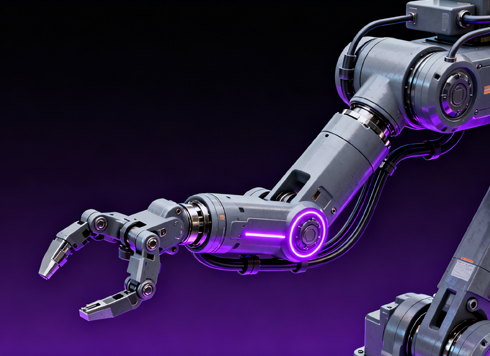
Exhibition screen vs. website: why do white shells and transparent parts look dirtier on the big screen, and should you check the source file or the on-site player first?
Conclusion first: in most cases, you do not need to re-render the whole animation, and a single version for all channels is not recommended. Viewing distance, screen brightness and gamut, player decoding, and on-site sound conditions differ considerably between exhibition large screens, websites, and mobile devices. When the same video is shown in both places, the common result is overexposed white shells, gray transparent parts, or crushed shadows. Based on common 2026 project delivery practice, a reliable approach is one high-quality master, two distribution versions, plus a one-page playback card to fix on-site variables; build modeling and texture precision for the more demanding exhibition end first, then reduce for the website end. Whether this is worth doing depends on the number of delivery endpoints and whether anyone is on site to adjust playback; the boundaries are explained at the end of the article.
Why the same video looks like two different videos on a large screen and a website
The reason is usually not rendering quality, but playback conditions. Front-row exhibition viewers are often 2 to 4 meters from the screen, pixels are enlarged, and dark details, noise, and texture seams are more visible; mobile phone screens are only around 6 inches, viewers are 20 to 30 cm away, and compression blocking and motion smear are more likely to show. Screen brightness is high and gamut is often close to P3. The same file transcoded from an sRGB master can easily show overexposed white surfaces and gray transparent parts on the screen; on-site ambient sound is often above 70 dB, so voiceover is easily masked. Therefore, picture and sound must be handled separately, and transcoding cannot be done only once.
How to implement 'one master, two distribution versions, one playback card'
Splitting delivery into three layers is because image quality and whether it can actually play on site are two different things: the master handles the former, distribution versions handle the latter, and the playback card fixes on-site variables. When these are discussed together, the common result is either compressing the master along with everything else, or having to rework on site because the player does not recognize the codec.
- Master: high resolution, high bitrate, light compression, and a large amount of retained information, used as the source for further editing and transcoding; do not add opening titles, end credits, or hard subtitles, so it is easy to reuse.
- Distribution versions: one version for the website, WeChat Official Account, and e-commerce product detail pages; one version for exhibition screens. Transcode each for its target endpoint instead of adapting one file for both.
- Playback card: one page stating the file name, codec, resolution, frame rate, duration, volume reference level, loop method, and backup file location, for the on-site operator.
Based on 2026 project delivery practice, the additional work for a master plus two distribution versions typically ranges from half a day to one day for transcoding and checks; what it avoids is high-risk on-site incidents such as black screens, no sound, or gray-looking images.
Which end should determine modeling and texturing?
A common misconception is to set precision by averaging across delivery endpoints. A more reliable judgment is to build for the more demanding exhibition end first, then reduce for the lower end: large screens magnify bevels, gaps, screen textures, and the thickness of transparent parts, while small website screens swallow detail. For UI, indicator lights, and nameplates on the product, the texture edge length for screen areas has an experience range of 2K to 4K; small bevels get lost on small screens and become dirty edges when enlarged on large screens, so during modeling retain readable bevels for the large screen first; transparent covers and lamp covers need thickness and inner and outer layers, because single-sided planes commonly show gray edges on large screens. Counterexamples: high polygon count with only 1K textures still looks blurry when enlarged; abundant textures without bevels cause highlight bands to break on large screens.
How to choose between the exhibition version and the website version
The two versions are not about which is better, but about different failure modes: the large-screen version is prone to overexposure and players that do not recognize the codec; the website version is prone to slow loading from large files and subtitles that are hard to read on small screens. Aligning the items below reduces the chance of rework.
- Resolution: for exhibitions, output according to the screen specifications, typical range 1080p to 4K; websites are mostly 1080p, and if a vertical version is needed, produce a separate version.
- Bitrate: exhibitions typical range 30 to 80 Mbps; websites typical range 8 to 15 Mbps, balancing clarity and loading.
- Duration: exhibition loops typical range 30 to 60 seconds; websites can keep a full 60 to 90 second version.
- Sound: the exhibition version can remove voiceover to strengthen rhythm or provide a separate subtitled version; the website version keeps voiceover and subtitles.
- Checks: before delivery, watch once on each playback endpoint, focusing on whether white surfaces are overexposed, dark areas are crushed, and the player recognizes the codec.
Two common rework points at delivery and on site
Common constraints are receiving screen specifications only the day before the exhibition, or using the client's old player on site. The approach is to ask in advance about resolution, player model, H.265 support, and audio output, and to prepare an H.264 fallback file and a playback card, then run a full test playback before the opening. The common cost of skipping this step is a black screen or picture without sound on site; on-site transcoding and re-syncing can take an extra half a day to one day, and in serious cases the opening is missed. The second point is white shells and transparent parts: when the client's prototype is itself bright white, control highlight roll-off, give transparent parts reasonable roughness and environment reflection, and check against the playback endpoint before delivery; without this, white surfaces wash out and transparent parts look dirty on the large screen. The cost often falls on re-rendering a 15 to 30 second shot, with an experience range of a few hours to one day.
When this applies and when it does not
Cases where 'one master, two distribution versions, one playback card' is worth using: simultaneous exhibition large-screen and online delivery, product exterior with many details, many transparent and screen parts, and on-site playback handled by someone other than the production team. Conversely, for animations only shared in WeChat groups or used purely for internal review, a single regular 1080p file is usually enough; there is no need for an extra master and playback card, and the saved time is better spent on animation pacing and materials.
Boundary statement: when there is only one delivery endpoint and a dedicated person is responsible for on-site playback adjustment, the benefit of multi-layer delivery drops noticeably; if the video will later be cut into a shorter version, localized into another language, or delivered to other channels, the value of the master becomes apparent. The times and costs above are only experience ranges; verify against the actual project.
Frequently asked questions
Do the exhibition large-screen version and the website version always need separate transcoding?
In most cases, separate versions are recommended. Large screens are prone to overexposure and players that do not recognize the codec; websites are prone to large file sizes and slow start times. A common 2026 practice is to transcode the same master separately; the additional work typically ranges from half a day to one day, depending on video length and the number of checks.
How long does product demo animation production usually take?
Based on common 2026 timelines, a 15 to 30 second single-product exterior demo has an experience range of 2 to 4 weeks; projects that include internal structure cutaways, mechanism movement, or multiple revision rounds typically range from 4 to 8 weeks. The key variables are whether materials are complete and the number of revision rounds.
What format is the master delivered in?
A common experience-based practice is to deliver the master in an intermediate codec such as ProRes or DNxHR, and distribution versions as H.264 or H.265 MP4 files; the specific format depends on the contract and what the on-site playback device supports. Before delivery, check the codec and color tags.
What if the on-site player does not recognize the codec?
Bring an H.264 fallback file and a playback card, and run a full test playback before the opening. The common cost of not having a fallback is extra half a day to one day for on-site transcoding and re-syncing; in serious cases, it affects the opening schedule.
If you only deliver to a website, do you still need a master?
Not necessarily. When there is only one delivery endpoint and no later plans to cut it shorter or change the language, a regular 1080p file is usually enough; it is more worthwhile to spend time on animation pacing and material expression.
The next step is not complex: first clarify the resolution, player, and sound conditions for both delivery endpoints, then decide whether multi-layer delivery is needed; build modeling precision for the more demanding end first, then reduce downward. In our product demo animation project delivery, we usually review this playback checklist with the client before mold opening to avoid changes after rendering. If there is only one delivery endpoint and a dedicated person is on site for adjustment, it is more practical to focus energy on animation pacing and materials.
-
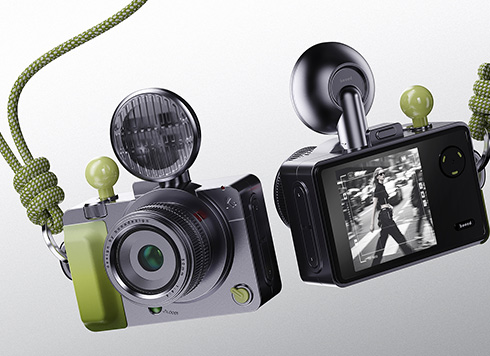 EDC·Trendy Camera Product Design: Form Follows Emotion
EDC Toy Camera: Braun-inspired retro design ...
-
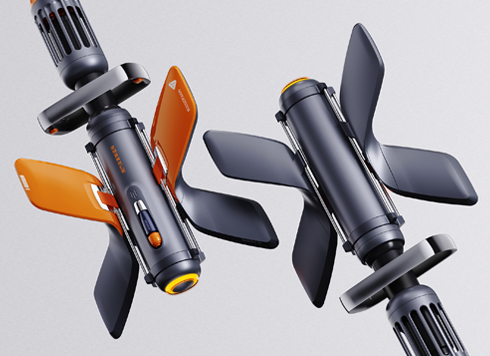 Product Design of Children's "Bubble Rocket" Underwater Thruster
Inspired by "Octonauts + Space", kids' "Bub ...
-
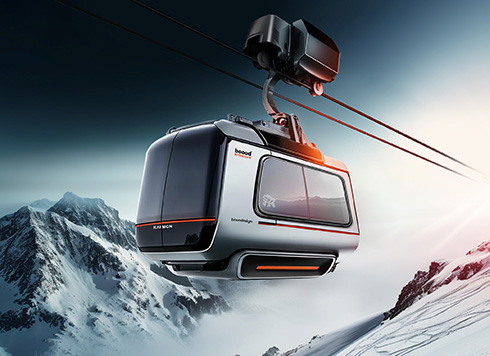 Design of Adaptive Intelligent High-Altitude Shuttle Transport Robot
Smart rural shuttle bot: Streamlined, weath ...
-
 "Effortless" Exoskeleton Wear: Unleash Ultimate Freedom in the Sea
"Unfelt Wearability" & "Bionic Power" redef ...
-
The structural engineer sent a STEP assembly with parts named Part1 and Part3, and the client wants to change the main color halfway through the product demo animation—is it still possible to add part naming?
Date: Nov 19, 2026 Read: 36
-
In product demo animation, prototype still frames look premium, but the final video moves like PPT slides—should you add motion previews first or increase render precision?
Date: Oct 13, 2026 Read: 93
-
Product demo animation: with only a sample and photos, if internal structure is skipped now, how many extra days does adding teardown shots later usually take?
Date: Sep 25, 2026 Read: 100
-
Static renders completed, then a demo animation is added—should the model be rebuilt or reused?
Date: Sep 7, 2026 Read: 169
-
Product Demo Animation Production: Workflow, Tool Selection, and Delivery Standards
Date: Aug 5, 2026 Read: 151