



Why do Word-pasted articles break font sizes and tables in the website CMS—and can a new editor fix it?
Start with the conclusion: When customers paste Word drafts into the website CMS and the published page has font sizes that jump around and tables that overflow the screen, in most cases the editor is not broken. What got pasted in alongside the text is Word's fonts, inline styles, and fixed-width tables. Based on common project practice in 2026, the usual combination is paste cleanup on the editor side, tag whitelist filtering on the server side, and an editing-side convention to paste as plain text first and then apply formatting. Used together, these three layers usually keep rework under control; if you only swap the editor and leave the other two layers untouched, the problem often comes back in a different form.
The root cause of the breakdown: it is not just text that gets pasted in
When Word copies content to the clipboard, it packages fonts, font sizes, line spacing, and indentation into a block of HTML with inline styles. These styles often take priority over the site's own stylesheet. It may still look normal in the CMS editing box, but it breaks as soon as the front end renders it. The outcome is determined by whether cleanup happens at the moment of pasting, not by the editor brand.
Based on delivery experience, a typical Word paste often brings in the following kinds of things. Checking them one by one makes it easier to locate the issue than saying vaguely that the styles are broken:
- Inline styles: font-family is written as DengXian or SimSun, and font sizes use pt instead of px, which tends to overflow on mobile.
- mso-prefixed attributes and o:p tags: private markup that only Word understands, which the site stylesheet cannot control.
- font tags and multi-level nested spans: once the nesting gets deep, changing one font size means changing a dozen places.
- Fixed-width tables: the width is hard-coded to several hundred px, which does not fit one mobile screen and the horizontal scrollbar cannot be dragged.
- Local image paths: src points to a local disk or temporary cache, so the image often breaks on the front end.
- Empty paragraphs and non-breaking spaces: paragraphs are separated by three or four empty p elements, making it hard to unify line spacing later.
Three layers of interception: handle issues where they occur
Putting all paste problems on the editor usually means both sides do a poor job: if the front end adds cleanup but the back end does not filter, dirty tags still enter the database; if the back end filters too aggressively, editors say all formatting is lost. Split into three layers, each with clear responsibilities, so that when something goes wrong there is a clear owner.
- Editor layer, at the moment of pasting: enable paste cleanup to remove Word-specific styles, font tags, and inline style, while keeping heading levels, lists, bold, links, and table structure. Common rich text editors generally provide a paste preprocessing entry point; check the specific configuration items against the chosen editor's official documentation rather than copying another product's parameters.
- Service layer, at the moment of saving to the database: filter by tag whitelist, allowing only p, h2, h3, ul, ol, li, strong, em, a, img, table, and necessary inline tags; keep only href, src, alt, and title attributes; narrow class to the few custom ones defined by the site.
- Editing layer, at the moment of human operation: agree to paste as plain text first, then use the toolbar to apply headings and lists; upload images through the media library instead of dragging them directly from Word.
Among the three layers, the service layer is the baseline and is generally not recommended to omit; the editor layer determines efficiency; the editing layer determines long-term results. If you do only the first two layers and ignore the third, a common outcome is that editors find it troublesome, bypass the editor, lay out the content elsewhere, and paste a screenshot instead. Then the formatting problem turns into an image problem.
What counts as acceptable can be checked against the following acceptance criteria:
- After pasting, inspect the HTML source: no inline style, no elements whose class starts with Mso, and no font tags.
- Heading levels are still h2 and h3, rather than a whole paragraph in bold p.
- All image src values point to the site media library, with no local paths or extremely long encoded strings.
- Pasted tables can wrap or scroll horizontally at mobile width and do not break the container.
Differences and costs of three approaches
For the same requirement, there are usually three approaches. The difference mainly comes down to development effort and subsequent revision count. The effort below is given as an experience range; actual values depend on project scale and content volume.
- Option A, keep formatting as-is: almost no development investment, but front-end styles conflict with the site fonts, mobile overflow is common, and every piece of content has to be adjusted manually. When content volume is large, revision cost keeps accumulating.
- Option B, force plain-text paste: what enters the database is relatively clean, but editors have to re-add headings, lists, and bold. Re-laying out a draft of about 2,000 Chinese characters commonly takes 20 to 40 minutes, and once staff change, no one is willing to follow it.
- Option C, paste style cleanup plus whitelist filtering plus operating conventions: development effort is commonly 1.5 to 4 person-days, including configuration, filtering rules, and testing; after editing habits are established, re-layout time per article can be reduced to a few minutes. This is a relatively common choice in 2026 projects, but not every site is worth doing it for.
If site content is mainly structured fields, such as product specification tables or project cases, the judgment standard should be reversed: this kind of content should not use rich text in the first place. Enter it as separate fields so that layout is not thrown off by a single paste.
Delivery scene: how to close it out when the budget is tight
A common situation in projects is that two or three people in the client's marketing department take turns updating the site, none of them have a technical background, and at acceptance they only say the CMS is hard to use, without anyone being able to explain exactly where it gets stuck. At handover, demonstrating the paste behavior in person and writing the whitelist into the handover document is less troublesome than fixing articles one by one afterward.
One experience shows how constraints affect the approach: the budget was concentrated on visual design, only a small amount of customization effort was left for the CMS, and the editor used a general-purpose component. The approach was to compress cleanup configuration and whitelist filtering into one or two working days, at the cost of having editors re-enter complex tables and special symbols in the text; spending an extra half day on training upfront meant that for most of the following year there was basically no rework for layout. In this kind of project, the typical range for CMS customization effort is 1 to 3 person-days. Beyond that range, it is worth re-examining whether the content update frequency justifies it.
A few common rework points:
- After style cleanup, all headings become body text: the cleanup rules are too aggressive and strip out h2 as well. The heading mapping needs to be explicitly preserved in the configuration.
- A table is pasted as an image: this is often because the original document used text boxes or too many merged cells, and the editor cannot restore it. Ask the editor to re-enter it using the CMS table component.
- Line spacing looks looser than the design: leftover line-height and pt-based font sizes are taking effect. Inspecting the element's inline styles with developer tools is faster than repeatedly changing the stylesheet.
- Pasted external links carry a string of tracking parameters: the link whitelist keeps only href, and parameters should be manually confirmed before being kept.
Applicable and non-applicable boundaries
Situations suitable for doing it: website content is maintained by non-technical colleagues, update frequency is stable at more than a few articles per month, the CMS uses a general-purpose rich text component, and the content is mainly long-form text with images. When all these conditions are met, the investment in paste cleanup and whitelist filtering can usually pay back within a few months.
Situations where it is not necessary to do much: the content is only a dozen or so static introduction pages, entered once by the delivery party, and hardly changed afterward; or the body is mainly structured fields, with rich text used only for a short introduction. In such projects, it is more worthwhile to spend the budget on templates and design; forcing in a complex editor instead increases maintenance burden.
The boundary can be summed up in one sentence: the cost of paste problems is not in the first fix, but in every update. The more frequent the updates, the more valuable front-end cleanup and back-end filtering become; the less frequent the updates, the more likely a single operating convention is enough. When Xiyue Company handles CMS handover according to enterprise project delivery habits, it usually writes all three layers into the same operating document, to avoid explaining only one of them.
FAQ
Why does a table pasted from Word become an image?
A common reason is that the original document used text boxes, floating objects, or a large number of merged cells, and the editor cannot restore it as a table structure. It is recommended to re-enter it using the CMS table component, or paste plain text first and then build the table manually.
After plain-text paste, all heading levels are lost. What is the easiest way to handle it?
You can paste plain text first and then set each paragraph as a heading using the toolbar; if the original text already used proper heading styles in Word, configuring heading mapping on the editor side usually preserves h2 and h3 after pasting.
The image is visible in the CMS but breaks on the front end. Where is the problem?
Most often the image src points to a local path or temporary cache. Upload the image to the media library and insert it again, and it will display normally on the front end. This item can be included in the acceptance checklist at handover.
Can switching to a better editor solve it once and for all?
Switching editors can improve paste cleanup capability, but if the server-side whitelist and editing habits do not keep up, dirty tags can still enter the database. Before switching, first confirm whether existing content needs batch cleaning; this part of the effort is often left out of the estimate.
If you are preparing for CMS handover, it is advisable to first take two real Word drafts and do a paste drill to see whether headings, lists, tables, and images survive cleanup completely, then write the whitelist and operating conventions into the handover document. For sites with infrequent content updates and one-time entry only, there is no need to add extra custom development for this.
-
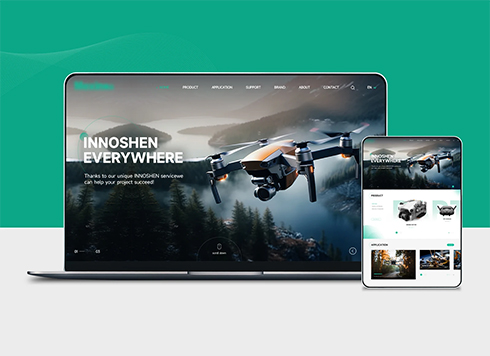 Drone Accessories Company Website Development
Incorporating gray as an accent with the pr ...
-
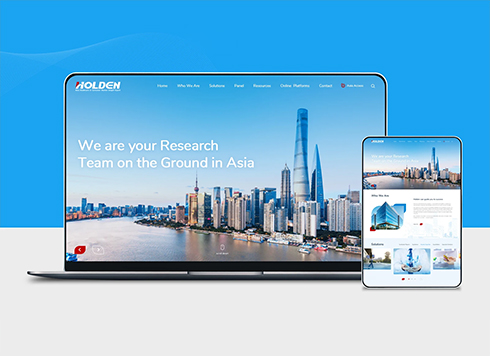 Professional International Research Service Agency Website Construction
This project serves a company with internat ...
-
 The Construction of Group Websites for Asset Operation and Digital Services
This project is to create a website for a c ...
-
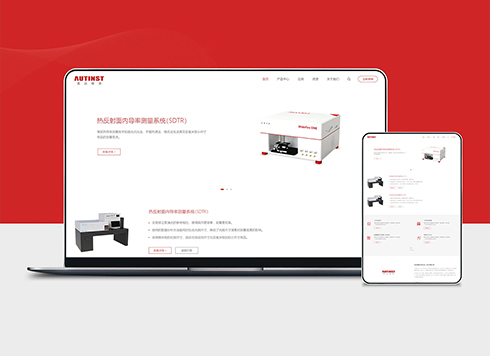 Thermal Test Equipment Website Construction
Founded in 2022, this tech company focuses ...
-
After a site redesign, the footer sitemap is full of old broken links. Should we delete the whole page—and will that remove indexed pages too?
Date: Nov 19, 2026 Read: 15
-
Client says the 404 page was redesigned three times to match brand colors, yet more empty links appeared in search—is the problem really the visuals?
Date: Nov 18, 2026 Read: 19
-
Client uploaded the raw corporate video directly to the website—sales says customers want the full film, and mobile visitors see it spin—should we compress it first or switch hosting?
Date: Nov 17, 2026 Read: 23
-
When people search our company name on Baidu, the top result is a “thank you” page after form submission that only says submission successful—does that mean the official website has a problem?
Date: Nov 16, 2026 Read: 26
-
If a client uploads a certificate photo and says the text is already in the image, whose problem is it when a screen reader cannot read it?
Date: Nov 15, 2026 Read: 31