



Client uploaded the raw corporate video directly to the website—sales says customers want the full film, and mobile visitors see it spin—should we compress it first or switch hosting?
Conclusion first: a raw corporate video is not recommended for direct upload to the website server as a web video. As a common 2026 delivery practice, place a compressed muted short version on the web page, put the full version on a third-party video platform or object storage plus CDN, and keep only a cover image, brief intro, and jump entry on the website. The test is not how clear it looks on export, but whether a visitor on mobile 4G can see a frame within three seconds and decide whether to keep watching.
First distinguish the two approaches: what is the difference between self-hosting and third-party hosting
Self-hosting means placing the mp4 file directly in the website server or the storage directory of the same host, so visitors play it in-site when they click. Third-party hosting means putting the video on a video platform, object storage plus CDN, with only a cover image, brief intro, and play button on the website. The difference is not only loading speed, but also brand exposure, traffic cost, and the effort to replace the video later.
Under 2026 project delivery habits, a 1 to 2 minute corporate video often has camera raw files in the hundreds of MB to over 1 GB range; to play smoothly on a web page, it usually needs to be compressed to the tens of MB range, depending on duration, clarity, and encoding. This is an experience range. The file size gap explains the spinning on a visitor's phone better than whether the server configuration is sufficient.
Three common approaches in a checkable comparison
- Self-hosted raw-file direct upload: Fewer launch actions, commonly finished uploading within half a day; but the web playback file needs to be compressed to the tens of MB range (experience range), otherwise the mobile first frame commonly exceeds three seconds; bandwidth grows with traffic, commonly tens to hundreds of CNY per month depending on traffic.
- Third-party video platform: Registration, upload, and getting the embed code commonly take 0.5 to 1 working day; there is a free quota, with usage-based billing after that, commonly tens to hundreds of CNY per month; replacing the video is fast, but related videos may be recommended after playback.
- Object storage plus CDN: First-time configuration of the player, domain, and cache commonly takes 1 to 3 working days; billed by traffic and requests, commonly tens to hundreds of CNY per month; the page stays clean, suitable for corporate sites that require brand consistency.
This comparison is not to make every project adopt the third option, but to see the cost first: self-hosting saves integration work, while later compression and repeated bandwidth investment are often underestimated; third-party hosting saves bandwidth pressure, but page cleanliness requires a separate tradeoff.
Why does the visitor's phone start spinning when the raw file is put up?
Spinning usually has more than one cause. In the order seen on delivery sites: first, the file is too large, and the phone must buffer a large chunk before a frame appears; second, the server's outbound bandwidth is small, and when more people watch at the same time, they slow each other down; third, there is no cover first frame, so the player can only pull video data first; fourth, browsers restrict autoplay, especially on mobile and in data-saving mode, and scripts are blocked as soon as they trigger, which looks like a freeze.
On a delivery site, we encountered this constraint: the marketing department sent a raw file of about 1 GB and wanted full-screen autoplay on the homepage, with only a few days left in the delivery cycle and no editing budget. Our approach was to capture a cover image first, compress a 720p muted looping short clip for the homepage, and link the full version to a video platform as an entry. After launch, the client asked for the raw file to be placed as-is, and the back-and-forth added about a week of rework. The cost of such rework is usually much higher than compressing one more short version at the start; web playback files are commonly kept within tens of MB (experience range), and anything beyond this typical range needs re-compression.
- Check first frame: Open the page on mobile 4G; if a frame cannot appear within three seconds, it fails.
- Check size: For a one- or two-minute corporate video, the web playback version is commonly kept within tens of MB (experience range); beyond that, re-compress.
- Check behavior: If visitors close it two seconds after opening, and completion rate is low, the start is probably too slow or there is no muted autoplay.
Set the approach by use: ask three things before deciding placement
Deciding use before technology can save many detours. The same clip on the homepage hero, a product detail page, and a recruiting page meets completely different levels of visitor patience; first ask what task it serves, then decide what clarity to compress to and where to place it.
- Ask about use: brand image, product demo, workshop footage, or recruiting promotion. An image film can be short and looping; a demo needs pause and replay.
- Ask about visitor context: mostly desktop, or at an exhibition, construction site, or on mobile. Prepare a low-clarity version for weak-network environments.
- Ask whether data and lead capture are needed: if playback data is needed, choose self-hosting or a player with analytics; for brand display only, a third-party platform is enough.
- Decide placement: the homepage should only have a muted short version or a cover image plus play button; put detailed content on a separate page to avoid downloading a large file as soon as visitors enter.
- Keep a fallback: prepare a text intro, subtitle file, and a downloadable or QR-code viewing entry, so visitors still have a path if playback fails.
The easiest things to miss are visitor context and fallback entries. Before delivery, check which devices visitors mainly use, then decide asset specs; fallback entries are often treated as unnecessary until a player is incompatible with certain browsers and someone remembers to add them.
What to check before launch, and what counts as acceptable
Acceptance for a video page is not mainly about clarity, but whether it can be watched through. The pass line is: visitors can understand what the clip is about without extra action, and have a path to watch more if they want.
- Cover image: produce a separate image consistent with the video's first frame; do not let the player grab a black screen.
- Duration and size: the homepage version is commonly kept at 15 to 60 seconds, and the web playback file within tens of MB (experience range).
- Mute and switch: autoplay muted, with a visible sound-on button; do not make sound as soon as visitors enter.
- Subtitles and transcript: at least provide a one-sentence intro and section notes for quick scanning, and for visitors who cannot hear clearly.
- Mobile real-device test: go through it on a real phone over 4G, not only on office Wi-Fi.
- Third-party scripts: embedding an external player introduces the other party's scripts and cookies; if the page has a privacy statement, check it together according to the platform's current rules.
- Video replacement process: document where the video is, where the cover image is, and who has backend permission; otherwise replacing the video later means finding someone again.
Suitable scenarios and boundaries
Situations suitable for video: brand image needs atmosphere, product actions are hard to explain in text, workshops and production lines need to show real scenes, recruiting pages want candidates to feel the environment, and exhibition sites need looping playback. In these scenarios, video helps people understand and build trust, and is worth a separately compressed asset.
Situations where video is not necessary: product parameters can be written clearly in a few sentences, visitors are mostly on weak networks or intranets, the only asset is a few dozen seconds of B-roll but it must fill the homepage, or the team has no manpower to update videos later. The cost of website video is not in the first launch, but in every video replacement and every clarity adaptation; without ongoing maintenance capacity, a good image and solid copy are often more stable. Content such as internal training and dealer courses is better placed in an internal system that requires login, not on a public website.
FAQ
Will browsers block autoplay for a homepage video?
A common practice is that autoplay is allowed only when muted, and mobile data-saving mode may still block it; at delivery, implement muted autoplay with click-to-unmute, which basically covers most cases.
If the corporate video is on a third-party platform, will other people's videos pop up on the website?
Often yes; many platforms recommend related content after playback. When the page must be clean, use object storage plus CDN to self-host playback, or choose an embed method without recommendation slots, and check against the platform's current rules.
Do subtitles and transcripts in the video help website indexing?
Direct help is limited, since video content is not read to a high degree; but a transcript lets visitors scan quickly and supports accessible reading, making it a low-investment, stable-return item.
If there is only one 30-second asset, is it worth making it a video background on the homepage hero?
It depends on whether it serves an atmospheric role. If it is only looping footage, a compressed short clip is enough; there is no need to use the full corporate video, and weak-network visitors are more likely to get stuck on the first screen.
If a decision is needed this week, first take a phone outside the office, go through 4G, open the existing video page, and time it: if it takes more than three seconds to show a frame, compress a short version first, add a cover image and text intro, and then discuss where the full film should go. Website video is not better when it is more complete; it is in place only when visitors can understand what you are saying within a dozen seconds.
-
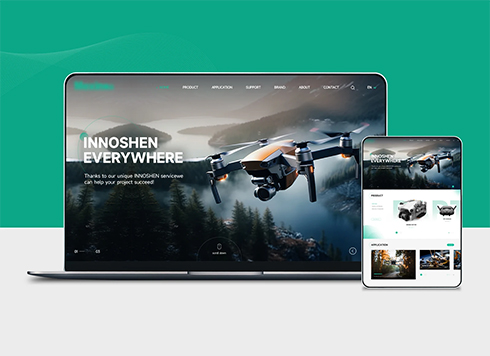 Drone Accessories Company Website Development
Incorporating gray as an accent with the pr ...
-
 Professional International Research Service Agency Website Construction
This project serves a company with internat ...
-
 The Construction of Group Websites for Asset Operation and Digital Services
This project is to create a website for a c ...
-
 Thermal Test Equipment Website Construction
Founded in 2022, this tech company focuses ...
-
When people search our company name on Baidu, the top result is a “thank you” page after form submission that only says submission successful—does that mean the official website has a problem?
Date: Nov 16, 2026 Read: 16
-
If a client uploads a certificate photo and says the text is already in the image, whose problem is it when a screen reader cannot read it?
Date: Nov 15, 2026 Read: 17
-
The client deleted a departing colleague's backend account, but their phone number can still reset the password—is that really cleaned up?
Date: Nov 14, 2026 Read: 24
-
A client says competitors’ websites let visitors pan around their workshops. Our workshop is still in production and cannot be cleared out—should we still shoot the panorama?
Date: Nov 13, 2026 Read: 24
-
English site left on machine translation, but sales cannot match product names in overseas inquiries—fix translations first or backend first?
Date: Nov 12, 2026 Read: 27