



After a company website redesign in Zhengzhou, Baidu still lists old product pages that open blank—will customers think the company is gone?
It matters, but in most cases the new site was not broken at launch. When doing enterprise website redesigns in Zhengzhou in 2026, after launch Baidu still lists old product pages and customers click through to blank pages or errors. There are usually three common causes: old links have no 301 redirects, old page paths were replaced with new ones that do not match, and redesign rules were not submitted in the webmaster platform. The judgment comes down to one thing: whether this old link brought clicks or inquiries in the past. If yes, redirect it one by one; if no, let it drop out of the index naturally—this costs less than adding a pile of rules.
1. First distinguish whether old pages are “not yet replaced” or “really gone”
Search engine index updates have their own rhythm. From new site launch to the old links being largely replaced, the experience range is usually a few weeks to two or three months, depending on crawl frequency, the number of old pages, and the site’s historical performance. For Zhengzhou companies in mining machinery, construction machinery, refractory materials, and building materials, old sites have often run for five or six years, with product pages spread across hundreds of models. After a redesign, it is common to see “the new site is already live, but search still shows old titles and old images.”
The way to tell them apart is basic but effective: type the old URL directly into the browser address bar and see what it returns. A 404 means the page is really gone; a jump to a new page means the rules are already working and search just has not caught up; old content still showing means the old site or old directory was never taken offline. The three cases require completely different fixes; mixing them together tends to make things messier.
- Index lag: the old page already returns 404, but search results have not updated yet; this is a matter of time—just wait for crawling
- Broken paths: old product page paths do not match the new site and no redirect rules are configured, so customers land on empty links
- Reused titles: the new site still uses old title templates, so search engines temporarily cannot tell which page is current
- Migration not submitted: redesign rules, sitemap, and dead links were not submitted, leaving search engines to guess
2. Sort old pages into three types, then decide redirect granularity
A convenient approach in redesign projects is to 301 the whole site to the homepage. The cost is fairly obvious: customers click through from search results wanting a specific machine or specification, but land on the homepage and often leave immediately; redirecting many pages uniformly to the homepage can also be treated as a soft 404.
We handle them in three types, based on whether the old page had organic clicks and external citations in the past 6 to 12 months. Both can be checked in the webmaster platform and access logs:
- Old pages with traffic: 301 them one by one to the matching page on the new site—one-to-one, not merged into category pages
- Old pages with backlinks but low traffic: at minimum redirect to the corresponding product category or section page to preserve the external citation entry point
- Old pages with neither traffic nor citations: take them offline directly, using 404 or 410 plus sitemap cleanup; no need to write rules for them
The reason for this split is practical: one-by-one redirects require a manually built mapping table, and the workload rises linearly with the number of old pages, while the pages that truly need one-to-one handling are usually only a small subset. Filter first, then act—this can narrow the scope from “all pages” to “key pages” and avoid wasting effort on discontinued models. Picking pages by impression often misses exactly the few that carry inquiries.
3. On the ground in Zhengzhou redesigns: mixed models, missing logs, and how to implement the mapping table
In Zhengzhou redesigns, common constraints are that the old site has no access logs connected, old admin accounts can no longer be found, and product models are numerous and mixed. Our usual approach is to have the client export the past year of impressions and clicks from the webmaster platform, merge them by URL, and at the same time map out the old site’s section structure and compare it item by item with the new site’s sections. The experience range for this step is 3 to 7 working days; skipping it also has a cost. Typical rework after launch includes adding redirect rules, resubmitting the redesign, and waiting for another index round—easily dragging on for two or three weeks in total.
Industry differences are also obvious. For Zhengzhou companies in mining machinery, construction machinery, refractory materials, and similar sectors, product pages are spread out by model. If one mapping goes wrong, a customer searching for a certain model clicks through and sees a different machine—and the inquiry breaks at that point. So the mapping table should be built at three levels—“model—series—category”—rather than guessed from page titles. Our local project habit is to go through it with the client’s sales team: models the sales team recognizes are prioritized for one-by-one handling; unrecognized ones first go to the series page and are filled in during a second phase. As a result, after the first batch of redirects goes live, customers coming from search basically land on matching pages; the rest can be filled in in batches without blocking the launch date.
4. How do the four approaches compare: redirects, homepage redirects, keeping old pages, and taking pages offline?
No single approach works for everything. Redesign scale, the number of old pages, and whether old models are still being sold all change the conclusion. Below is a comparison based on common project situations; the numbers of redirects and timelines are experience ranges, and actual cases depend on the total number of pages on the old site.
- One-by-one 301 redirects: suitable for old pages with clicks and backlinks. The common volume is dozens to hundreds; sorting and checking usually takes about 2 to 5 working days. Rules take effect once live, but replacement in search takes additional weeks
- Site-wide redirect to homepage: suitable for emergencies, such as preserving entry points before a trade show. Used long term, it raises bounce rates and does not help pass authority from old pages
- Keep old pages and only change the visuals: suitable for projects with already clear structure and unchanged paths. The cost is maintaining two template sets; future changes must be made in both places
- Take pages offline directly: suitable for discontinued models and expired campaign pages. The risk is that if there are external links, you are closing the entry point yourself—before taking a page offline, check clicks and backlinks in the webmaster platform
Costs can also be compared: the labor for one-by-one 301s is mainly in checking—common projects with dozens of redirects take one or two days, while projects with hundreds take three to five days; site-wide homepage redirects cost almost no labor, but the cost shows up in bounce rate and later rework. What really saves money is not doing fewer redirects, but filtering out unnecessary redirects first.
The spot-check standard is simple: two weeks after launch, randomly open 20 old URLs in a browser. They should land on relevant pages on the new site or a clear offline page—not blank pages, errors, or a uniform redirect to the homepage. If the spot check fails, the mapping table is not finished; at that point, the cost of adding rules is far lower than waiting for customers to report it.
5. Where this applies and where it does not
This approach fits several actions: redesigns, domain changes, switching website-building systems, section restructuring, and product line removals—especially for Zhengzhou manufacturing and trading companies whose old sites have run for more than three years and have over a hundred product pages. Its value is not in whether the pages look good, but in not losing the search entry points already accumulated during the redesign.
Conversely, some cases do not need it: if the old site has been live for less than a year and has only dozens of pages in total, matching the main sections is enough; one-by-one redirects are not cost-effective. If old pages never had organic clicks or external citations, spending days on a full mapping is wasted work. If the redesign only changes colors and paths stay unchanged, the need for redirects is inherently low.
One boundary sentence: as long as an old link still brings in customers or external citations, it is worth handling one by one; if it has neither, letting it exit naturally costs less.
Frequently asked questions
Do discontinued old product pages still need dedicated redirects?
Check whether it had clicks and backlinks in the past. If it has external citations, redirect it to the same series or category page; if it has neither, a 404 plus sitemap cleanup is enough—no need to write separate rules for a discontinued model.
After redirect rules are configured, how long does Baidu take to replace old links?
There is no fixed time; the typical range is a few weeks to two or three months, depending on crawl frequency and the number of old pages. During this period, keep the sitemap updated and redesign rules submitted, and do not repeatedly change paths—frequent changes amount to re-queuing.
Can we shut down the old site first during a redesign and open it after the new site is ready?
Not recommended. A safer order is to make the new site live and accessible first, configure redirect rules, and then switch DNS. Closing first and launching later easily creates a window when the whole site is unreachable, which both customers and search engines will hit.
How long does a company website redesign in Zhengzhou usually take?
A showcase-style company website redesign commonly takes 4 to 8 weeks, including content organization and redirect mapping; for companies with many old pages and models that must be checked one by one, extending to 8 to 12 weeks is also common. The timeline is mainly driven by materials and mapping, not page design.
If a company website has just been redesigned and search still lists old pages, one thing can be done first: export old URLs with clicks from the past year in the webmaster platform, go through them by the three types, and prioritize the few that carry inquiries. This method is not cost-effective for companies whose old site is less than a year old and has very few pages—matching the key sections is enough.
-
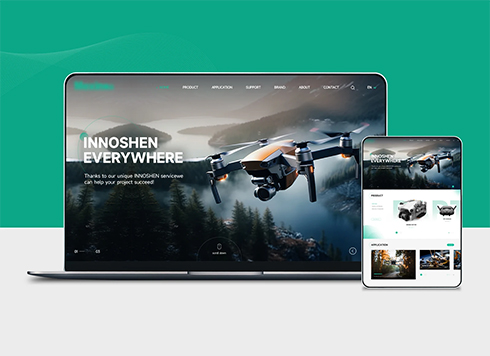 Drone Accessories Company Website Development
Incorporating gray as an accent with the pr ...
-
 Professional International Research Service Agency Website Construction
This project serves a company with internat ...
-
 The Construction of Group Websites for Asset Operation and Digital Services
This project is to create a website for a c ...
-
 Thermal Test Equipment Website Construction
Founded in 2022, this tech company focuses ...
-
Company Name Includes “Henan” but Clients Ask If You’re Local to Zhengzhou: What Should the Homepage Put First?
Date: Oct 22, 2026 Read: 79
-
Is a price calculator reliable on a Changsha company website when customers ask 'how much does this equipment cost' first?
Date: Nov 10, 2026 Read: 11
-
A Wuxi company website product page shared to a WeChat customer group shows only a URL: complete page metadata first, or get a verified official account first?
Date: Nov 9, 2026 Read: 22
-
Qingdao company website with 20–30% Korean customers: what is the difference between translating the whole site into Korean and starting with a few pages?
Date: Nov 8, 2026 Read: 29
-
Ningbo company website: when customers open a product page in WeChat and have to pinch-zoom, should you adjust the template first or rebuild from scratch?
Date: Nov 7, 2026 Read: 23