


A product page shared to a client group shows the homepage image and title on the card—is that a mismatch?
When a customer forwards a product page to a client group and the card pulls the company homepage image and title instead, it is usually not a tag typo. The inner page head tags are not output separately: the template hard-codes one generic set, or the head does not update after front-end route changes, so the crawler still gets the homepage version. Based on common 2026 delivery experience, making og:title, og:description, and og:image into backend fields that can be filled per item improves the share of cards that match their pages; but this is not work worth doing for every page, and the boundaries are covered separately below.
When a card pulls the homepage, which layer usually fails?
A share card is essentially the platform making a second summary of the page: the crawler visits the URL, picks a title, description, and image from the HTML head, caches them, and then renders the card. It reads the HTML the page actually outputs, not the content summary filled in the backend editor, and not the screen you see. So page displays correctly and crawler reads correctly are two different things.
- Title layer: og:title is read first; only when it is missing does the crawler fall back to the title tag. If the template hard-codes title as the company name, every inner page card shows the company name.
- Description layer: og:description is read first; if missing, meta description is used; if both are missing, the crawler cuts the opening of the body text itself.
- Image layer: og:image is read and must be a full https URL that is publicly accessible. If it is written as a relative path or an http URL, the browser can see it, but the crawler cannot read it.
- Reachability layer: if the page is blocked by a login wall, regional restriction, or firewall UA rule, the crawler gets a 403, and the card cannot be discussed further.
When an inner page pulls the homepage, the most common causes fall under the first and third items: the head template is one shared copy for the whole site, the product page has no output logic of its own, and the crawler naturally reads the homepage set of values. Front-end rendered sites add another layer: head tags are inserted later by script, and the head the crawler sees is an empty shell.
Troubleshooting order: four steps, from cheap checks to expensive ones
On site, do not start by asking the client to replace images or change the design. Order by cost from low to high. The first two steps take a few minutes to self-check; the last two touch server configuration, so put them later and they will not be mistaken for not fixed properly.
- View page source, not the rendered view: right-click to view source and confirm whether this product page head has its own three og tags or is exactly the same as the homepage.
- Open the image URL in incognito: paste the og:image URL directly into an incognito window. It passes only if the image appears; also check dimensions and file size.
- Check crawler reachability: whether the page requires login, whether there is a full-page redirect script, and whether the CDN or WAF blocks unfamiliar UAs.
- Rule out cache: send a link with a random parameter again. If a new card appears, the change is live, and what remains is waiting for the old cache to expire.
A qualified delivery standard is concrete: the source shows the inner page's own three tags, the image opens in an incognito window, and after sending a link with a parameter the card content matches the page. Only when all three are met is the fix complete. If only the first two are met, the client will still follow up after delivery.
One sitewide tag set vs. per-page fields: what is the difference?
When the client says every page card must match, first separate the two approaches. Their one-time investment and ongoing maintenance are not on the same level.
- Approach A, shared template: the whole site uses one set of tags; change the template and it is done. One-time investment is commonly half a day to one day (experience range), and maintenance is basically zero afterward. The cost is that dozens of product page cards look the same, and whichever one the client forwards looks like the homepage.
- Approach B, per-page fields: in the backend, add a group of share title, description, and image fields for products, cases, and articles; the front end outputs them by field and falls back to shared values when empty. Initial setup commonly takes 2-4 working days (experience range), plus an extra layer of editorial maintenance.
- The cost sits in different places: A puts the cost into development once; B spreads the cost to every piece of content entered afterward, so if editors do not fill the fields, it is as if the work was not done.
The counterexample is also clear: if the client content team has only one or two people and there are hundreds of product pages, forcing B usually leaves fields largely blank, fallback logic triggers, and the cards still end up as the shared set. For this type of project, A is the more common choice, with manual configuration for a few priority pages.
Where it is worth doing and where it is not
Per-page configuration fits when product pages, case pages, and article pages are genuinely forwarded frequently by sales and customers in WeChat, and the pages themselves are publicly accessible. Export sites also apply: platforms such as WhatsApp and LinkedIn read the same set of og tags, so configuring once benefits multiple places.
- No need to do it per page: intranet previews, direct IP addresses, and pages visible only after login—even if cards are made, no one will forward them. For pure showcase sites where visitors mainly enter directly from search results, the shared template set is basically enough.
- Doing it is wasted: if the whole site is purely front-end rendered with no pre-rendering or server-side rendering, the head the crawler gets is empty. In this case, either add a rendering solution first or clearly state in advance that card results are not promised.
- Configured but unreadable: the image is a 3,000-4,000 pixel large image exported directly from a design file; the crawler times out and also has no image. It looks unconfigured, but it is actually configured and just cannot be read.
A rework scene involving one horizontal image crop
I encountered this once in a project: the client found in a sales group that a forwarded product page had no image and asked for it to be fixed the same day. The constraints were that we had only one 1920×600 horizontal banner, no square asset, and the client had no verified official account. The approach was to first add the three tags, crop the banner centered into something close to square, keep the main subject in the central safe area, and compress the file to a few hundred KB. As a result, the old card still appeared in the group that day, the client thought it had not been changed, and after two rounds of explanation, we finally verified it with a link carrying a random parameter. The cost was half a day of communication and one unnecessary revision. The lesson was to verify with a parameterized link ourselves after the change before asking the client to look.
FAQ
How large should the og:image be?
In experience, the side length should be no less than 300px and the subject should be centered; for horizontal images, 1200×630 can be used as a reference. Square or near-square images are safer in most card styles, and the file should be kept within a few hundred KB.
The tags are changed, so why does WeChat still show the old image?
Crawl results are cached, and refresh commonly takes a few hours to one or two days (experience range). Send a link with a random parameter once; if a new card appears, the change is live.
Without a verified official account, can I set the title and image on the card myself?
No, you cannot force it. You can only influence the default crawl result through the og tags in the page. Which image is ultimately chosen and how the title is written are decided by the platform, and behavior also differs across client versions.
Why does every inner page pull the homepage title?
Because the head tags are output by a sitewide shared template, or the head does not update with routing after front-end rendering. You need to reserve fields for each piece of content at the template layer, or output the head separately for each URL at the pre-rendering or server-side rendering layer.
Action guide: check three things first—whether the product page source has its own three og tags, whether the image URL is a publicly open https absolute URL, and whether the card updates after switching to a link with a random parameter. Only after all three pass should visual optimization be discussed. Also state the applicable boundaries in advance: pages that require login, sites that are purely front-end rendered without pre-rendering, and requests to fully specify share copy without a verified official account are all outside what can be promised.
-
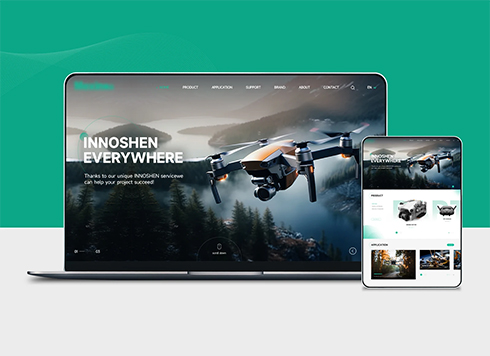 Drone Accessories Company Website Development
Incorporating gray as an accent with the pr ...
-
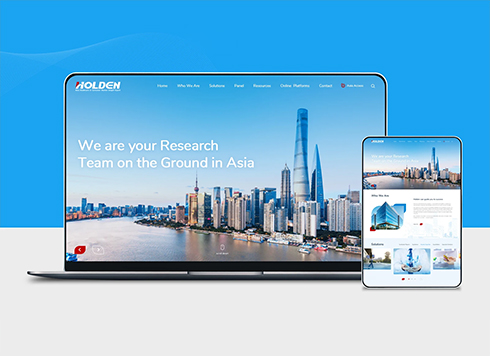 Professional International Research Service Agency Website Construction
This project serves a company with internat ...
-
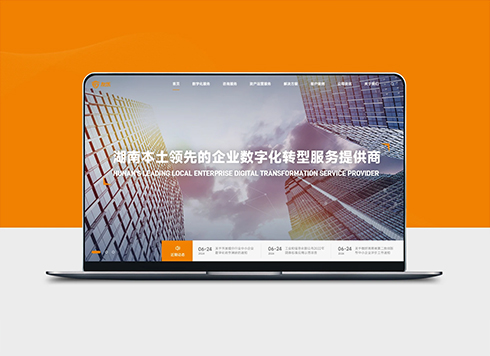 The Construction of Group Websites for Asset Operation and Digital Services
This project is to create a website for a c ...
-
 Thermal Test Equipment Website Construction
Founded in 2022, this tech company focuses ...
-
Our custom website link shared in WeChat keeps showing the default title and thumbnail — did we miss a setting?
Date: Sep 20, 2026 Read: 188
-
A client sends screenshots of a dozen English spam messages a day on the website inquiry form: should sales add a CAPTCHA now, or will overseas visitors abandon the form halfway—which comes first?
Date: Nov 10, 2026 Read: 10
-
Client wants to delete the ugly Cookie notice at the bottom of the website, but analytics scripts are still running—will removing it make things hard to explain?
Date: Nov 9, 2026 Read: 22
-
After switching the site to HTTPS, the product page map is blank and live chat does not pop up: should I check the certificate or the page resources first?
Date: Nov 8, 2026 Read: 26
-
A client sent a logo screenshot with a white background on WeChat and wants it as the tab icon—will converting it directly to ICO create a white box?
Date: Nov 7, 2026 Read: 27