



A client sent a logo screenshot with a white background on WeChat and wants it as the tab icon—will converting it directly to ICO create a white box?
A client sent a logo screenshot with a white background via WeChat and said they want to use it as the browser tab icon. Converting it directly to ICO will often produce a white background square or jagged edges. The problem is not the conversion tool but that the source image has no transparent channel, the graphic has not been simplified, and page declarations and cache are not aligned. Based on typical project delivery experience in 2026, a safer order is to first obtain a transparent-background PNG or vector source file; if that is unavailable, redraw a simplified version based on the main shape and primary colors; finally verify layer by layer across file, declaration, cache, and device. If you only convert the format without verification, the white box is usually discovered by the client only after launch.
1. First clarify which set of “small icons” the client means
The same brand graphic is fetched through different entry points and mechanisms in browser tabs, bookmarks, mobile home screens, WeChat share cards, and Windows shortcuts. When the client says “it is still the default globe,” first ask which device and which entry point they are looking at; this can save half of the wasted revisions. Based on typical project delivery experience in 2026, most cases of “not changed” are simply that only one of the sets was changed.
- Tabs and bookmarks: mostly fetch favicon.ico from the site root, or icon declarations in the page head.
- iOS Add to Home Screen: mostly uses a separate touch icon declaration, with a typical size range around 180×180.
- Android and some browsers: often reference manifest declarations such as 192×192 and 512×512.
- WeChat share cards: mostly determined by the page share image and fetching strategy, and are not the same thing as favicon.
These four entry points have different image-fetching rules and different acceptance standards. Writing “which platforms must be covered” into the acceptance criteria at delivery is more effective than explaining repeatedly after launch.
2. Converting a white-background JPG directly to ICO commonly causes three types of problems
Logos saved from WeChat are often JPGs with a white background and no transparent channel. When such images are converted directly to ICO, the problem is usually not the conversion tool but what is missing in the source image itself.
- White background square: It may look acceptable on a light tab bar, but when the browser switches to dark theme, or the icon is placed in a bookmark with a background color, the white edge shows.
- Jagged edges: JPG carries compression noise, and when scaled down to 16×16 or 32×32 without anti-aliasing, the edges easily become fuzzy.
- Blurred main shape: Logos with small text or multi-color gradients often become unrecognizable when scaled down directly.
A workable approach is to first request a transparent-background PNG or vector source file; if unavailable, redraw a simplified graphic based on the main shape and primary colors, remove small text, and explain to the client that the simplified version is not the full logo, so it is not later treated as a mistake.
In terms of format, a common 2026 practice is “one ICO as fallback + a set of PNGs covering home screens + optional SVG.” Give sizes as experience ranges: 16×16, 32×32, and 48×48 for tabs and bookmarks; around 180×180 for iOS home screens; 192×192 and 512×512 for Android and manifest scenarios. The acceptance standard is not more sizes being better, but that common entry points open without blur, transparent backgrounds do not turn black, and the icon is still recognizable at the smallest size.
3. Four-layer alignment: check file, declaration, cache, and device in order
When the icon does not display, a common cause of rework is that design replaced the new image and development replaced the file, but the client still sees the old one. Split the problem into four layers, each with verifiable actions, rather than guessing.
- File layer: The icon file actually exists and is accessible; entering the root favicon.ico URL directly opens it, returns normally, and does not redirect to a login page.
- Declaration layer: Check whether the icon declaration paths in head are relative or absolute, whether they point to old files, and whether multiple declarations conflict with each other.
- Cache layer: Browsers, CDNs, and reverse proxies may all cache icons; temporarily changing the file name or adding a query parameter can be used for verification, but it is not recommended as a long-term solution.
- Device layer: Verify separately with a browser that has never logged in, an incognito window, and a mobile home screen; checking only on your own computer can easily lead to misjudgment.
Each layer has a different acceptance standard: the file layer checks whether it opens, the declaration layer checks whether it points correctly, the cache layer checks whether new visitors see it normally, and the device layer checks whether the actual entry points the client uses have updated. Only after all four layers pass should you discuss whether the icon looks good.
4. At delivery: what to do when the client only gives one WeChat screenshot
A common situation is: the client sends a logo screenshot with a white background via WeChat and says to replace the icon with this one; there are only one or two days before launch, and there is no separate design item in the budget. With these constraints, converting directly to ICO is easier, but after launch the white box and jagged edges will likely be treated as “you did not do it properly.”
Based on common delivery practice, do three things first: first, ask the client to confirm whether they have a transparent-background PNG or vector source file, and if not, record it in writing; second, when source files are unavailable, redraw a simplified version based on the main shape and state in the delivery notes that it is a simplified version; third, add a separate item to the acceptance checklist to check tabs, bookmarks, and mobile home screens in a new browser and an incognito window. The cost is an extra half a day to one day for communication and export; the benefit is one less round of rework after launch.
There are also cases where it was not contained. In one project, only the PNG declaration was changed, and the old ico in the root directory was not handled, so returning visitors still saw the default icon; in the end, a file replacement and cache explanation were added, and the schedule shifted by half a day to one day (experience range). The cost of this type of problem is mainly not technical but in the order of checks.
5. Cost comparison and applicability boundaries of several approaches
Not every site needs a full icon set. Common approaches fall into three tiers; effort estimates are given as experience ranges for quoting and scheduling reference:
- Option A: Put one accessible favicon.ico in the root directory. Typical effort is under half an hour; suitable for small sites, test sites, and short-term campaign pages; the trade-off is that it may look blurry on mobile home screens and high-DPI screens.
- Option B: ICO + a set of PNGs + home screen icon declarations. Typical effort is half a day to one day, including source image confirmation and export; suitable for brand official websites and sites with multi-device access.
- Option C: Add SVG and dark mode adaptation on top of B. Typical effort is one to two days, provided there is a complete VI and usable design resources; without source files, it is easy to make something that looks roughly similar but has unclean edges.
Applicability boundaries depend on three points: whether there is an independent brand graphic, whether visitors will return across multiple devices, and whether the site will be added to home screens or bookmarks. If two or more points apply, a basic combination is usually worthwhile; if only one applies, one accessible ico fallback is simpler. Internal test sites, campaign single pages that will only be up for a few days, and small sites that only use a text mark do not need a separate export process for icons.
One more point to clarify in advance: favicon mainly affects recognition and trust, not search ranking; writing it into a contract as an optimization item can easily disappoint both sides.
FAQ
Can a white-background JPG converted directly to ICO actually be used?
Technically it can be converted, but it often shows a white box and jagged edges, especially in dark theme. It is acceptable as a temporary placeholder; for an external official website, request a transparent-background PNG or vector source file first.
Which takes priority: the root favicon.ico or the icon declaration in the page?
Different browsers do not follow exactly the same image-fetching rules. A common practice is to configure both and point them to the same graphic. Configuring only one can also display, but when changing images, old files can easily cover the new declaration.
The tab on my own computer has changed, but the client says they still see the old one—where should I start?
First check the cache layer and ask the client to view it in an incognito window or on another device, then determine whether the CDN or reverse proxy still has the old image. After confirming, decide whether to replace the file name.
The icon added to the mobile home screen is a white background square—is it the same as the tab icon?
No, they are not the same set. Home screen icons mostly use a separate touch icon declaration, with different size and padding requirements from tabs, and need to be exported separately; changing favicon alone will not affect it.
Can the company logo simply be scaled down for the icon, or is a simplified version really necessary?
Logos with small text or many gradients easily become blurry when scaled down. A common practice is to keep the main shape and primary colors and remove small text to make a simplified version. The simplified version needs client confirmation to avoid being treated as a mistake.
When the client is pushing to change the icon, first check the four steps: “the file opens, the declaration points correctly, the cache has refreshed, and the client’s entry point has updated,” then decide whether to redo the graphic. For corporate official websites in 2026, most of these problems are not design capability issues but misalignment among source image, declaration, and acceptance criteria. Small sites without brand graphics and with very low traffic do not need to invest design hours in it; official websites with an independent VI and multi-device returning visitors are worth including icons in the acceptance checklist.
-
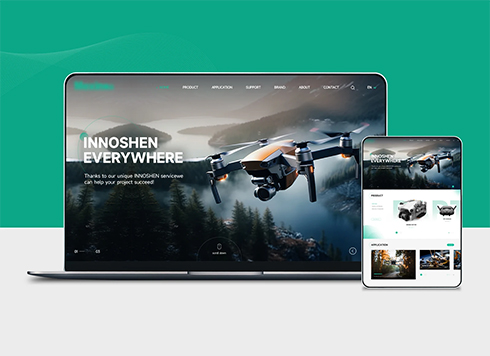 Drone Accessories Company Website Development
Incorporating gray as an accent with the pr ...
-
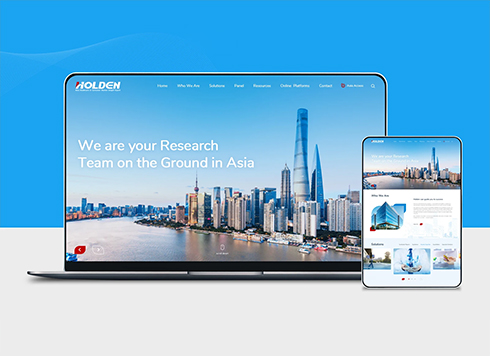 Professional International Research Service Agency Website Construction
This project serves a company with internat ...
-
 The Construction of Group Websites for Asset Operation and Digital Services
This project is to create a website for a c ...
-
 Thermal Test Equipment Website Construction
Founded in 2022, this tech company focuses ...
-
The company website domain is about to expire, but the registrant email is a former colleague's QQ mailbox I can't open—should I renew first or change the registrant first?
Date: Nov 6, 2026 Read: 15
-
A competitor took product images from our website and put their own watermark on them—if we only have compressed files left, can we still prove who took the photos?
Date: Nov 5, 2026 Read: 21
-
Client switched business email provider and website inquiry notifications stopped arriving—should we check the website first or the email provider?
Date: Nov 4, 2026 Read: 28
-
Client sent over a Chinese font package downloaded from a font website and said to use it for headings—if we host it directly on the server, should we keep proof?
Date: Nov 3, 2026 Read: 33
-
If buyers can’t find prices on our product pages and ask competitors instead, will showing a starting price just get screenshotted for comparison?
Date: Nov 2, 2026 Read: 35