


Client switched business email provider and website inquiry notifications stopped arriving—should we check the website first or the email provider?
Conclusion first: When website inquiry notifications suddenly stop arriving, it is usually not because the website form is broken, but because the sending path was not updated together with the mailbox. Based on 2026 project delivery experience, after a client switches business email providers, changes recipients, or a host adjusts its sending policy, notifications commonly begin to delay, land in spam, or bounce within 1–3 business days; at this point the backend generally still keeps records, and the problem lies in the sending and delivery stages, not the collection stage. Test each of the three stages—storage, sending, and delivery—once before deciding whether to touch code; the cost is usually lower than one rework cycle.
If it broke only after the mailbox switch, the break is most likely in sending
From the moment a visitor clicks submit on an inquiry to the moment sales sees it in the mailbox, there are at least four stages: browser submission, server-side storage, server-side sending, and recipient-side filtering. When a client says “we switched the mailbox,” what changed is often only the recipient address in the last stage, while the earlier configuration still points to the old account—old SMTP account, old sender address, and old domain authentication records, none of which were touched.
That is also why troubleshooting should work backward from the end. Reinstalling plugins and changing code right away commonly costs you by breaking parts that already worked and adding another round of regression testing, while the real cause may simply be one missing DNS record. Identifying which stage is broken is more useful than rushing to assign blame: for configuration-layer issues, the email provider and the website delivery party each own one part, so locate the issue first and divide the work afterward.
- Collection stage: Whether the form can be submitted and whether any error message appears.
- Storage stage: Whether the data is actually written to the backend and whether it was mistakenly discarded by anti-spam rules.
- Sending stage: Which account the server uses, which port, and under whose name the notification is sent.
- Delivery stage: Whether the recipient judges the message as promotional or suspicious and puts it in spam or rejects it outright.
Three-stage diagnosis: what evidence to check at each stage
The reason to split the path into storage, sending, and delivery is that the evidence source for each stage is completely different: the backend list, sending logs or bounces, and the actual inbox result. The three pieces of evidence can mutually rule out causes; skipping any one stage makes it easy to misjudge a configuration problem as “the website was not built properly.”
- Check storage first: Look through the backend inquiry list and find that test submission. If a record exists, collection and storage are working, so move on; if no record exists, the problem is in the form or anti-spam policy, so fix that layer first.
- Check sending next: Verify whether the sending account has been switched to the new mailbox, whether the port is blocked by the host, and whether the sender address and authenticated account are on the same domain. A common failure at this step is that an SMTP authentication error is silently swallowed, leaving no visible abnormality on the page.
- Check delivery last: Send the same test notification separately to a mailbox on your own domain, a common public mailbox, and the client’s actual inbox, and observe whether it is blocked only at one recipient domain or lands in spam.
After these three steps, you can usually narrow it down to a specific layer within half an hour to an hour. Note that the test must be triggered by a real submission; clicking “send test email” in the backend alone is not enough—the two may use different channels, and a successful test does not mean visitor submissions also work.
Delivery case: changing only the recipient address took an extra afternoon
One case stands out. The client’s IT team provided only the new mailbox account and password and asked us to finish changing the recipient address that day; sales had already gone three days without notifications and was asking in the group chat whether someone had tampered with the website. The constraints were clear: restore it the same day, avoid downtime, and avoid asking the client to apply for new resources.
First, we exported the backend inquiry list to confirm that leads from the gap period were still there, and then changed the configuration: switched the sending account to the new mailbox, added SPF and DKIM records according to the provider’s documentation, changed the default sending port to an encrypted port, and finally ran a real submission test from three different recipient domains. Based on the experience range, this configuration itself commonly takes between 1–2 hours and half a day; if domain DNS is managed by a third party and record changes require approval, it commonly stretches to 1–3 business days.
It was restored that afternoon. There were two costs: first, leads from the gap days needed a manual follow-up round; second, we left the client a two-minute self-test note so they could run it themselves the next time they switch mailboxes. After this case, we made “backend record + email notification” a fixed dual-channel requirement on the form acceptance checklist—if either one is missing, it does not pass.
Host direct sending, business email SMTP, and third-party delivery: how do they compare?
Not every website needs third-party email delivery. The decision depends on inquiry volume, whether someone watches the backend every day, and how much it costs to lose one lead. The three options differ mainly in delivery controllability and integration cost; the figures below are typical ranges, not exact quotes.
- Host-provided sending: Almost no extra cost, and configuration commonly takes half an hour to 1 hour; delivery relies on the host IP reputation, there is little documentation to check when problems occur, and the chance of landing in spam is relatively high.
- Business email SMTP: The cost is usually already included in the mailbox, and configuration commonly takes around 1 hour; suitable for a few to a few dozen inquiries per day, and higher volume tends to hit sending rate limits.
- Third-party email delivery service: Billed by volume; for small projects the experience range is commonly several hundred to several thousand RMB per year; integration includes domain verification and commonly takes half a day to 2 business days, in exchange for clearer bounce and delivery statistics.
The trade-off can be very simple: if inquiries are the main source of conversion and no one watches the backend every day, make the delivery stage solid; if leads mainly come from phone calls and third-party platforms, it is usually enough for the email channel to achieve “a backend record exists and notifications generally arrive.”
When it applies and when it does not
This troubleshooting approach suits the situation where “the form can be submitted, the backend has a record, but people do not receive notifications,” which is essentially a configuration-layer problem. Conversely, if form submission itself shows an error, or there is no record at all in the backend list, fix collection and storage first, and do not spend time on email configuration.
- Worth checking first: A business mailbox or host was changed recently, recipients were changed, inquiries are the main lead source, or multiple people/groups receive notifications.
- No need for major changes: A pure showcase site has no form; messages go through a third-party form tool and sending is the tool provider’s responsibility; inquiry volume is extremely low and someone checks the backend on a fixed daily basis.
- Where the boundary is: Assuming the form code is fine, rewriting the form will not improve deliverability. Delivery is a configuration issue of domain authentication and the sending channel, not a development-layer issue; forcing code changes only adds regression risk.
How should we judge whether these notifications are acceptable?
The pass line should not be set by “I can receive it in my test,” but by repeatable and verifiable criteria. The following points can be written into the acceptance checklist and also used as a self-check list after switching mailboxes or hosts.
- After a real submission, the notification arrives within minutes (the experience range is commonly 1–5 minutes), and the backend keeps a record at the same time.
- At least two different recipient domains pass real testing, not just the client’s single mailbox.
- The sender displays a recognizable company or department name, not garbled text or an unfamiliar address.
- There is a fallback when sending fails: visible in the backend and exportable, without relying on whether a particular email is delivered.
- Keep a short self-test procedure after switching mailboxes or hosts so the client can run it internally.
Frequently asked questions
If the backend has a record but the mailbox did not receive it, does that mean the website was not built well?
No, it is not a problem in the collection stage; it belongs to the sending or delivery stage. First verify the sending account, domain authentication, and bounce records, and then determine whether the recipient has filtered it out.
Can we still recover inquiries from the gap period after switching mailboxes?
Most can. The backend generally still has records, so export them and do a follow-up round; what is truly lost is the time when no one was watching notifications, so the earlier you handle it, the better.
Does using a free public mailbox to receive inquiry notifications make a big difference?
It commonly does. Free mailboxes filter unfamiliar sender domains more strictly, and shared access makes it easy to miss messages; for receiving inquiries from external visitors, using a mailbox on your own domain with proper authentication is recommended.
If the host blocks the default sending port, can the website still send notifications?
Most shared hosts do not open the default sending port; the common approach is to switch to an encrypted port provided by the provider, or to use the encrypted channel of a third-party delivery service directly.
Should inquiry notifications also add SMS or WeCom alerts?
Businesses with high inquiry volume and strict response-time requirements can add them as redundant channels; for low volume with someone checking the backend every day, it is more cost-effective to first make email delivery solid.
Next time a client switches mailboxes, changes hosts, or changes recipients, test the storage, sending, and delivery stages once each before deciding whether to touch code; the cost is usually lower than one rework cycle. This approach applies to websites that rely on email notifications to drive inquiry follow-up; if leads mainly come from phone calls or third-party platforms, weigh the investment according to the actual channel mix.
-
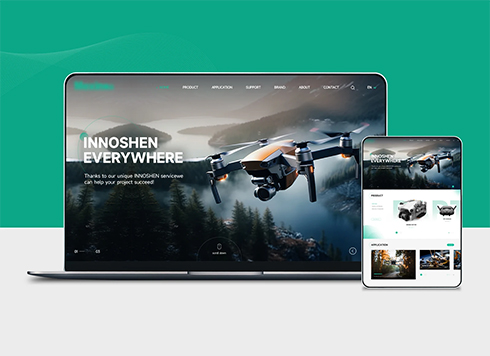 Drone Accessories Company Website Development
Incorporating gray as an accent with the pr ...
-
 Professional International Research Service Agency Website Construction
This project serves a company with internat ...
-
 The Construction of Group Websites for Asset Operation and Digital Services
This project is to create a website for a c ...
-
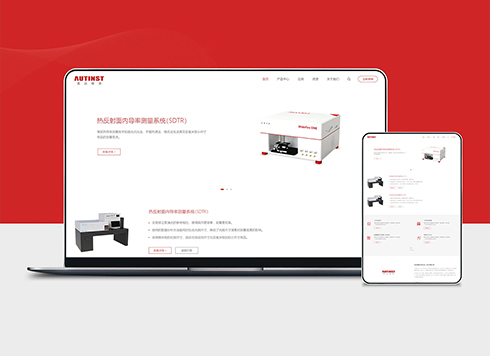 Thermal Test Equipment Website Construction
Founded in 2022, this tech company focuses ...
-
Client sent over a Chinese font package downloaded from a font website and said to use it for headings—if we host it directly on the server, should we keep proof?
Date: Nov 3, 2026 Read: 10
-
If buyers can’t find prices on our product pages and ask competitors instead, will showing a starting price just get screenshotted for comparison?
Date: Nov 2, 2026 Read: 16
-
Custom website development: the client says embedding a third-party online appointment tool is enough, but the store needs consultant-based scheduling—will this cause rework?
Date: Nov 1, 2026 Read: 37
-
If the website backup and the website are on the same server, can that daily backup still be used after the service provider reinstalls the system?
Date: Oct 31, 2026 Read: 36
-
Client says their office computers still run old systems and the website shows a blank screen—they insist on IE compatibility. Is it still OK to take this job now?
Date: Oct 30, 2026 Read: 44