



If buyers can’t find prices on our product pages and ask competitors instead, will showing a starting price just get screenshotted for comparison?
Bottom line first: Whether to show prices on official website product pages is usually not a choice between showing all prices or none at all, but about tiering by product. For standard products with uniform specifications and a typical one-year transaction price fluctuation within 10%–20% (experience range), showing a price range or starting price is usually more beneficial than harmful; for custom products, configure-to-order pricing, or products with large price swings, it is safer to keep “request a quote” and explain the variables that affect price. Based on 2026 corporate website delivery experience, any page with a price must have someone responsible for updating it; otherwise, outdated prices damage trust more than showing no price at all.
Four checks first: can your product show a price, or will showing one create trouble?
To decide whether you can show prices, don’t start with whether competitors do. Start with your own price structure. On the same official website, it is common to show prices for standard consumables and use “request a quote” for project-based equipment. Before delivery, run through these four checks with sales; it saves more time than arguing first about whether to show prices at all.
- Price stability: If the one-year transaction price fluctuation is within 10%–20% (experience range), a listed price is less likely to go stale; beyond that range, customers can easily use an old page against you.
- Configuration simplicity: If one model has only one specification or a fixed bundle, the price can be stated clearly; if one model has multiple configurations or options selected on demand, the price span is commonly several-fold, so only a starting price fits.
- Comparability: If customers can screenshot your page and compare it directly with competitors, and you can clearly explain where you are more expensive and where you are cheaper, showing a price is a plus; if you cannot explain the difference, showing a price makes you a reference point for competitors.
- Decision process: If individual or small B2B customers can decide from the page, a listed price shortens the path; if the process involves tenders and requires proposals and formal quotations, page prices basically do not enter the decision.
You do not need to pass all four checks before showing a price. A common approach is to show a range price once “price stability + configuration simplicity” pass, and use request a quote for the rest; for products that pass none of the four, using request a quote on the page is not embarrassing—the real loss is leaving a long-outdated price on a homepage recommendation slot.
Split “show or not show” into three tiers; it is normal for all three to coexist on one website
Instead of arguing repeatedly between showing and not showing prices, divide product pages into three tiers. Sales can accept it, and customers will not go through the whole site without seeing a single number.
- Listed price tier: for stable-price items such as standard products, parts, consumables, and software subscriptions. State the unit, whether tax is included, whether shipping or installation is included, and add a line that the final order prevails. This tier is especially vulnerable to long periods without updates, so the backend needs a place where prices can be changed quickly.
- Range price / starting price tier: for products with optional configurations and different prices by volume. Give a starting price or typical range, then list 2 to 4 main variables that affect price, such as quantity, material, specification, and lead time. Do not make the range so wide that it loses reference value; writing only “starting from 10,000” and writing “depends on configuration” look much the same to customers.
- Quote-only tier: for project-based, non-standard custom, or businesses that require on-site surveys or solution design. Next to the request-a-quote button, state which parameters are needed and how long a reply takes; the typical range is 1 to 3 business days. Explain not showing a price as a process, not as hiding something.
After tiering, there is one more action: write the tiering result into the content maintenance agreement—who changes prices for products that show prices, and how often they are checked. A common practice is to update when prices change and recheck quarterly. If delivery only includes pages and not this agreement, prices will be outdated six months later, and all the earlier discussion about standards is wasted.
Compare the three approaches side by side: where does maintenance cost differ?
Comparing listed prices, range prices, and quote-only on the same dimensions is more useful than praising any one approach in isolation. Below are common situations by applicable object, customer perception, maintenance frequency, and main risk; specific figures are experience ranges.
- Listed price: for standard products, parts, and subscriptions; customers perceive it as direct and decide quickly; maintenance frequency is typically updating before a price change takes effect, and completing changes within one week at the latest; main risks are outdated prices and competitor price comparison.
- Range price / starting price: for categories with optional configurations and volume-based negotiation; customers perceive it as “there is a reference but I am not locked in”; maintenance frequency is typically a quarterly check; the main risk is making the range so vague that it is as good as not writing one.
- Quote-only: for project-based, non-standard businesses that require on-site surveys; customers perceive it as more conservative, and some visitors who want to avoid hassle will leave; maintenance frequency is typically a semiannual check; main risks are uneven inquiry quality and high sales explanation cost.
A more practical question when choosing is: will this product’s transaction price change within a year, and roughly by how much? If the answer is close to “basically unchanged,” listed pricing is less problematic; if the answer is “every project is different,” forcing a listed price only creates trouble for yourself.
On the delivery site: marketing wants transparency, sales fears screenshots—which products to price first?
A common situation in projects is this: the client’s marketing department wants prices shown on product pages for transparency, the sales department worries about competitors screenshotting prices for comparison, and all they have is a pile of model lists without unified pricing. Based on our common approach in corporate website delivery, first agree to price only 3 to 5 flagship models in homepage recommendation slots, and only show starting prices; keep request-a-quote entry points on other product pages, and make the price field a module that can be edited in bulk in the backend. The cost is usually one extra sales confirmation meeting and one revision; if this confirmation is skipped, the common result is that sales privately asks to remove prices two weeks after launch, and because the change involves multiple page templates, the rework is much larger than agreeing on the standard at the beginning. The typical range for flagship models is 3 to 5, and the typical price-check cycle is updating when prices change and reviewing quarterly.
Where it applies and where it does not
Showing prices is better suited to official websites with a high degree of standardization, frequent repeat purchases, and customers coming from search or e-commerce price comparison; it is not suitable for project-based businesses that treat price as a negotiation lever. This boundary is best written into the requirements document at project kickoff, rather than conceded temporarily before launch.
- Suitable: fixed models, common parts, low unit price, short decision chain, and someone on the team who can update pages within one week after a price change.
- Not necessary: one order, one negotiation; prices fluctuate widely with the solution, and even if shown they cannot be explained clearly; customers are mainly tenders and government or enterprise procurement, where page prices do not enter the decision.
- Alternative: when there is no content maintenance capacity, it is better to clearly state what information is needed for a quote and the response time than to put a number on the page that no one manages.
Whether to show prices on an official website is essentially a content maintenance capability issue, not a courage issue; without an update mechanism, any listed price will sooner or later become a liability.
FAQ
If an official website product page only says “request a quote” and shows no price, will it look unprofessional?
No, as long as the quote process is clear: which parameters are needed and how long a reply takes. What really looks unprofessional is a page with only one line saying price is negotiable and no next step.
If we show a price and customers use screenshots to negotiate it down, what should we do?
Add wording to the page price such as starting price, reference price, and subject to final configuration and order, and let sales explain according to that standard; if price differences are frequently used as pressure, the product should be moved back to the range-price tier.
Is there any way to prevent competitors from copying our prices?
A price page is public information by nature, and screenshots and scraping cannot be stopped technically. A more realistic approach is to publish only the starting price and the variables that affect price, and keep exact quotations in the quote process.
After a price adjustment, how quickly must the official website pages be updated?
A common practice is to update before the new price takes effect and finish within one week at the latest; if the same product appears in multiple places, the backend should have one field that can be edited centrally, avoiding page-by-page changes.
For implementation, start with a product tiering list: classify flagship models, standard parts, and project-based equipment into the three tiers—listed price, range price, and quote-only—then confirm who is responsible for price changes and how often to check. This approach suits teams with a clear product line and someone to maintain it; if even the model list is not yet unified, clarifying the basic information first is more worthwhile than rushing to put numbers on pages.
-
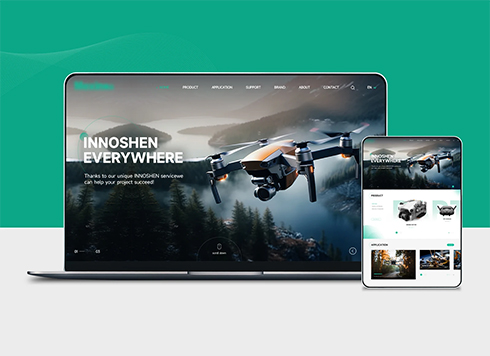 Drone Accessories Company Website Development
Incorporating gray as an accent with the pr ...
-
 Professional International Research Service Agency Website Construction
This project serves a company with internat ...
-
 The Construction of Group Websites for Asset Operation and Digital Services
This project is to create a website for a c ...
-
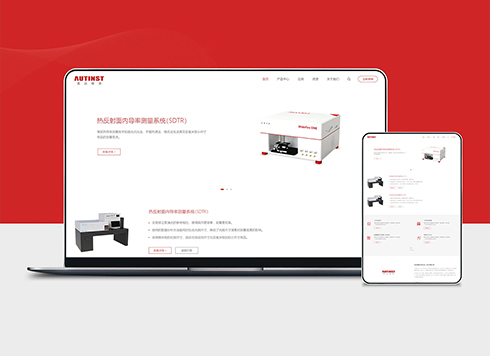 Thermal Test Equipment Website Construction
Founded in 2022, this tech company focuses ...
-
Custom website development: the client says embedding a third-party online appointment tool is enough, but the store needs consultant-based scheduling—will this cause rework?
Date: Nov 1, 2026 Read: 17
-
If the website backup and the website are on the same server, can that daily backup still be used after the service provider reinstalls the system?
Date: Oct 31, 2026 Read: 24
-
Client says their office computers still run old systems and the website shows a blank screen—they insist on IE compatibility. Is it still OK to take this job now?
Date: Oct 30, 2026 Read: 29
-
Client says the trade show brochure PDF is enough to post on the website, but buyers close it on mobile—should specs become web pages?
Date: Oct 29, 2026 Read: 37
-
A client says competitor websites all have a ‘quote cart’ and insists we add one, but we only have a few dozen products—will it just be decoration?
Date: Oct 28, 2026 Read: 39