



If a client gives the website's PDF brochure to AI to extract specs, can those numbers be used directly in a quote?
Conclusion first: when a client gives the website's PDF brochure to AI to extract specs, the extracted numbers usually cannot be used directly in a quote. A common 2026 situation is that even if the brochure is publicly downloadable and its text is selectable, it is mostly treated as an attachment. What AI extracts is often a string of data detached from model, unit, and operating conditions, and cross-page tables are also prone to row misalignment. If the answers are to line up, key specs need to return to the HTML body and be marked as the same version as the brochure.
AI reading a PDF and AI reading web page body are not the same thing
PDF is a layout file, not a content file. Its reading order relies on coordinates; cross-page tables, two-column layouts, headers and footers easily mix into the body; scanned copies have no text layer and are, to machines, just an image. Answer engines want fragments that can stand alone as sentences, while a table row in a brochure with only numbers and units, lacking the full model name and applicable conditions, is hard to excerpt into a sentence.
Even if some platforms support PDF parsing, citations lean more toward HTML pages with headings, paragraphs, and update dates. Platform support scope and update cadence for PDFs differ; check official documentation and do not treat one test result as a general conclusion. Being downloadable does not equal being citable; these are two stages.
- PDFs with a text layer: may be read, but segmentation quality depends on whether the layout is regular
- Scanned or image-based PDFs: text is basically unreadable; content often can only be guessed from the file name
- Cross-page tables and two-column layouts: common row errors and lost headers; values are easily mismatched
- Download button copy: e.g., “Click to download the product brochure,” does not constitute spec content and is usually not treated as evidence
Where AI extraction of brochure specs most often goes wrong
Client questions are often very specific: how much power a certain model has, what its protection rating is, how long lead time is, whether it can be used in a damp workshop. These questions need a one-sentence answer. Brochure information is often presented in tables, while the web page only says “see the product brochure”; AI cannot find a complete sentence to excerpt and can only answer “please refer to official materials,” which from the client's perspective is no answer. Some clients also hand the original brochure file directly to AI to organize into a comparison table; the resulting numbers have inconsistent units and still need manual checking afterward.
A common scene on delivery projects: the client has only a tens-of-pages product brochure, no structured spec table, and launch is compressed to about three weeks. The approach is to first pick the ten most-asked models, extract six to eight decision specs for each into an HTML table, put the remaining models behind a materials download, and mark the brochure version number and update date at the download entry. As a result, the first version missed two fields, protection rating and operating temperature; the client's technical department returned it for a revision round, and the schedule slipped four or five days. Based on experience range, in projects with a brochure but no spec table, this kind of rework is not uncommon; the cost usually falls on schedule rather than fees.
- Common case 1: page only says “see the brochure for specs”; AI has no sentence to excerpt
- Common case 2: spec table is made as an image; text cannot enter the text layer
- Common case 3: web page model naming is inconsistent with the brochure; entities do not match
- Common case 4: certifications only say “complete,” without specific items, so they cannot be verified
Move brochure specs back to the web page in three layers
The reason for three layers is practical: AI excerpting favors self-contained paragraphs, and the client's decision itself is layered—first whether it can be selected, then whether it can be used, and only then the full materials. If the three layers are mixed into one paragraph, the paragraph becomes long and is easily cut off mid-sentence during extraction.
- Decision layer: for each flagship model, pick 5–8 must-see selection specs, such as dimensions, power, material, capacity; make them a separate paragraph, with the full model name at the start of the paragraph so the whole paragraph can be excerpted.
- Boundary layer: clearly state operating condition limits, certification items, and unsuitable conditions in short sentences, specifically answering follow-up questions like “can it be used in my scenario?”
- Materials layer: keep the PDF download entry, but label the version number, update date, and applicable model range, so people who need deep verification know which version they are looking at.
Each step needs one alignment with the client's technical department: unified units, tables with headers. The decision layer determines whether it can be cited; the boundary layer determines whether the answer goes off track; the materials layer determines whether the client still trusts the numbers on the web page after going through the materials. In 2026 projects, spec pages with all three layers complete usually see a noticeable drop in repeated model questions to customer service, but the premise is that web page values and the brochure stay consistent; when the two do not match, the rule for which side to change first must be set first.
What counts as qualified, and how two approaches compare
The qualification line is not whether the page looks good, but whether spot checks line up. It is advisable to self-test with real client questions: give AI a question like “can model X be used in a sub-zero environment” and see whether it cites your spec paragraph or a competitor's comparison page. If it does not line up, first check whether the paragraph is self-contained and whether units are complete, then consider a redesign.
- Each flagship model has its own HTML paragraph, with the full model name at the start
- Spec tables have headers and units; images are not used instead of text
- Web page values are consistent with the brochure, and the brochure is marked with a version date
- Sample 3–5 models and do one cross-check with real questions
Two common approaches can be compared like this:
- Option A, PDF brochure only: lower AI citability; clients must download before checking; maintenance changes only one place; redesign workload is small; suitable for sites with few models and specs that are not the core of decisions
- Option B, HTML spec page plus PDF download: higher AI citability; clients can compare directly on the page; maintenance requires syncing two places; redesign workload is medium; suitable for sites with many models where B2B selection depends on specs
Based on experience range, moving 10–20 models into HTML spec paragraphs commonly takes 3–7 working days; a materials download page only usually takes 1–2 days. Fees commonly fall in the typical range of several thousand to just over ten thousand RMB, depending on the number of models, whether product photos need to be reshot, and whether the technical department needs to confirm item by item. These are experience ranges, subject to actual counting, and should not be directly applied to other projects.
Applicable and non-applicable boundaries
Suitable cases: B2B sites with many models, where specs are the basis for client selection, and sales or customer service are often asked for specific values—especially industrial parts, equipment, and consumables. For such sites, writing decision specs as HTML paragraphs usually brings more direct benefit than printing another brochure; the brochure returns to its original role—complete materials, not the only entry point.
Cases where it is unnecessary should also be stated clearly: specs are technical materials only for signed clients, and public disclosure brings competitive risk; the total number of models is within 5 and can be explained on one page; the brochure itself is a scan and there is no source file, so digitization must come first before discussing citation. If specs involve trade secrets, or there are so few models that one page can explain them, there is no need to split out a spec page just for AI. This is not about saving effort, but about avoiding writing details that should not be public into crawlable pages. In addition, for specs with serious consequences such as load-bearing, anti-corrosion, and electrical safety, the web page should only provide a summary, and the final reference should be written confirmation.
FAQ
If text in a PDF can be selected and copied, can AI definitely read it?
Being selectable only means there is a text layer; extraction is still affected by layout. Cross-page tables and two-column content are prone to row errors, and the excerpt may not correspond to the correct model; the web page body is still needed as a fallback.
When the numbers AI extracts do not match, is the problem usually in the brochure or the web page?
Most often the two sides use inconsistent definitions: units, model naming, and applicable conditions each say something different. Unify these three fields first, then determine whether the issue is in extraction or the materials themselves are outdated.
Should the spec page list all models?
A common approach is to first write the 10–20 most-asked models and keep materials downloads for the rest. Moving everything is time-consuming; starting with high-frequency models makes it easier to see changes in client questions in the short term.
Is it okay to copy tables from a PDF directly onto a web page?
It can be a starting point, but three things must be added: full model name, header units, and applicable conditions. Without these three, the table is just a pile of numbers on the page, and after extraction it is easily misread as another model.
If specs change but the brochure has not been reprinted, which version will AI answer from?
It usually prioritizes crawlable web page body text with an update date. When changing specs, change the HTML first, then sync the brochure, and mark the version date on the page to reduce definition gaps caused by two versions coexisting.
In action, it is advisable to first pilot with 3 of the most-asked models: write one HTML spec paragraph per the decision layer, clearly mark units and version date, and after two or three weeks review whether customer service records and AI answers have changed. The scope is limited to B2B sites where specs are the basis for selection; for pure brand display sites, or cases where specs involve confidentiality clauses, this step is not necessary.
-
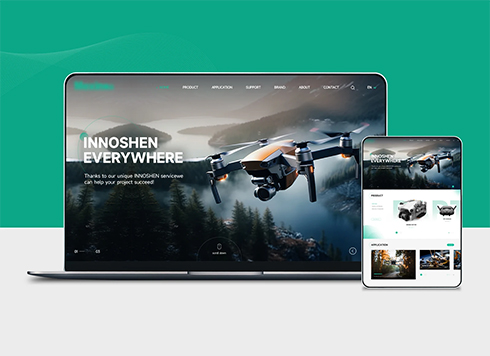 Drone Accessories Company Website Development
Incorporating gray as an accent with the pr ...
-
 Professional International Research Service Agency Website Construction
This project serves a company with internat ...
-
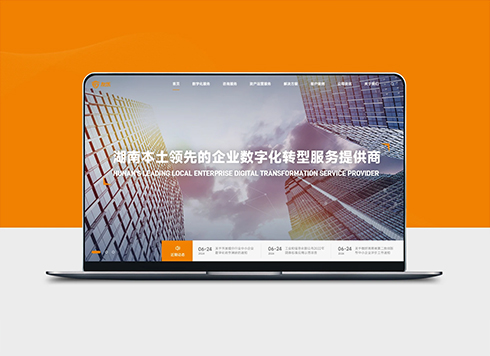 The Construction of Group Websites for Asset Operation and Digital Services
This project is to create a website for a c ...
-
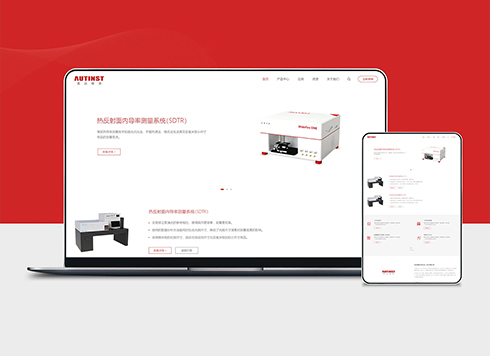 Thermal Test Equipment Website Construction
Founded in 2022, this tech company focuses ...
-
A customer asks AI whether your website quote calculator’s number can be used directly as a quote—can a page that only says “online estimate” answer that?
Date: Nov 7, 2026 Read: 3
-
When a customer asks AI whether your quote includes tax and whether a special VAT invoice can be issued, where does finance get stuck checking the answer against the contract?
Date: Nov 5, 2026 Read: 21
-
When a customer asks AI what your company mainly does, and the homepage only says “diversified layout,” where will the answer come from?
Date: Nov 4, 2026 Read: 28
-
If customers ask AI whether old links 404 or redirect, is 'we support redesigns' on the website enough?
Date: Nov 3, 2026 Read: 23
-
A model discontinued two years ago: why doesn't deleting the product page stop AI from saying it's still for sale?
Date: Nov 2, 2026 Read: 28