



A model discontinued two years ago: why doesn't deleting the product page stop AI from saying it's still for sale?
Not enough. Deleting the product page only removes one crawlable source for answer engines; it does not stop them from piecing together the same claim from index snapshots, sibling pages within the site, old brochures in the download area, and third-party reposts. Based on 2026 website building and delivery experience, whether a delisting has been handled properly is not judged by whether that product still exists in your backend, but by whether, within the crawlable scope, there is still a second source for the same statement that can independently answer “How is this product?”.
After the page is deleted, why can answers still recommend the old model?
Answer engines read crawled page text and indexes, not your backend. After a page is deleted, updates on the index side lag; based on typical crawl frequency in 2026, the typical range for the index to reflect the change is about two to eight weeks, and off-site reposts and industry directories may take longer. During this period, when customers ask about the old model, answers still have material to use.
A more common reason is that the site itself has not been cleaned up. The product page is removed, but solution pages still say “uses a certain model,” case pages still display product images, and parameters in press releases remain unchanged. Answer extraction is passage-level: as long as one piece of text can still independently answer the question, it has a basis, and the original page does not need to exist.
- Search indexes and snapshots: the old URL can still be recalled in the short term
- Sibling pages within the site: repeated mentions in solutions, cases, news, and FAQs
- Product sheets and spec brochures in the download area: PDFs, scanned documents, and image-based spec sheets
- Third-party side: industry directories, B2B platforms, dealer pages, and old WeChat Official Account posts
- The images themselves: old model names in file names and alt text are also read
Among these locations, body-text mentions and internal links are fast to change and have broad impact; PDF brochures and image-based spec sheets are slower to change but are often missed. If one location is missed, a single passage can pull the earlier cleanup off course. When delisting a product line, the site should at least check these types of locations together.
When delisting a product line, which on-site locations need to be cleaned up together?
This order is arranged by “where answers take passages from,” not by website section. Body text that can stand as independent sentences is handled first, then attachments and links, because body text is fast to change and has broad impact; attachments and internal links are slower to change and are often missed—one miss can make the earlier work wasted.
- Pages with the same facts: search the site once with the old model name, list mentions in solutions, cases, news, and FAQs one by one, and rewrite them or add a sentence such as “this model has been discontinued.” Be careful not to delete historical project descriptions across the board; adding a time qualifier is more appropriate than deleting.
- Attachments and brochures: for PDFs, product sheets, and image-based spec sheets in the download area, label them “historical material” in file names, covers, and body text, and add a discontinuation note. If a scanned document has no text version, answers can only guess from the image.
- Navigation and internal links: entries in category pages, sidebar recommendations, and breadcrumbs should either be removed or given replacement destinations; otherwise they leave a batch of dead links, and customers who click in hit a dead end.
- Sitemaps and structured data: remove old URLs from the sitemap, and if product-type markup still says on-sale status, change it at the same time; otherwise you are stamping approval on old facts yourself.
There is only one shared standard: after changes, apart from the discontinuation notice page, there should be no second passage on the site that can independently answer “How is this product?” Historical projects can be kept, but must use time qualifiers, for example, “this project used this model in a certain year and was later succeeded by a replacement model”; do not delete cases across the board.
404, 301, or keeping a “discontinued” page: how to choose among the three options?
There is no one-size-fits-all answer; it depends on whether the model has an upgrade replacement and whether old customers are still looking up specs and parts. Based on the experience range from delivery sites, the three approaches differ clearly in customer experience, index results, and maintenance cost; checking against this set of dimensions during delivery is more reliable than deciding by feel.
- Direct 404: suitable when there is no replacement at all and original search volume is low. On-site changes are small, with typical effort around half a day to one person-day; the typical range for index reflection is two to eight weeks. The cost is that customers who click in hit a dead end, and external old links can easily remain for a long time.
- 301 redirect to the replacement model: more suitable when there is a clear upgraded model. One rule change is enough, with typical effort around half a day to one person-day; customers land directly on new content, and answers capture the new page’s wording. Confirm that the old and new belong to the same type of need; redirecting to the wrong category hurts experience more than a 404.
- Keep the page and add a “discontinued” note: more suitable when old customers are still checking specs, parts, and after-sales service. The typical range for the note is about 100 to 300 words, with relatively low maintenance cost; however, prevent old specs from being cited as on-sale specs, and the discontinuation note must be placed near the beginning of the body text.
The three approaches can be mixed: use 301 for the main model, keep the parts page with a discontinuation label, and use 404 for obscure specifications. The basis for judgment is whether customers come to this page to buy or to look up information. If the old brochure also needs a new text version, the typical cost range rises from basic changes to several thousand yuan to more than ten thousand yuan, depending on page count, scan clarity, and whether data entry and proofreading are needed; whether to spend this money depends on the actual frequency of old-customer inquiries and parts after-sales service.
On the delivery site: in a one-afternoon change window, which layer to change first?
A common situation in projects is that the client gives only one afternoon before launch as the change window, the only material is an early scanned product sheet, and the budget does not support redoing the brochure. The usual approach is to first clean about twenty text mentions and internal links on the site, add “historical material” and a discontinuation note to the PDF cover, and change image file names and alt text at the same time; if a text version can be added for the scanned document, add it; if not, at least add a readable discontinuation notice.
The results are often not fully symmetrical: on-site text sections typically switch to the new wording within two to four weeks, but that scanned document, because the text is unclear and no text version was made, may still be cited for another round later, which means extra rework time. This lesson later became a fixed pre-delivery checklist item—produce a text version of scanned documents first, then discuss delisting; the cost is usually lower than remediation afterward. The typical sequence here is: text and internal links first, attachments and off-site directories later, and the overall result will not take effect the same day.
How to judge whether this delisting has been handled properly?
Acceptance does not look at “how many places I changed,” but at “whether a second place can still be found.” During delivery, check against the following items; if they pass, it is qualified; if not, go back and fix them.
- On-site self-check: search the old model name; apart from the discontinuation notice page, there should be no second independent statement; historical cases can be kept but must carry time qualifiers.
- External links and directories: the typical practice is to check industry directories, B2B platforms, and dealer pages once; ask the other party to change what can be changed, and for what cannot be changed, at least ensure on-site wording is consistent.
- Timing: come back and check once two to eight weeks after the change, depending on crawl frequency; do not expect it to take effect the same day.
- Fallback passage: the discontinuation notice page should clearly state the discontinuation time, replacement model, and parts and after-sales wording, so answer engines have correct sentences to extract.
In particular, the discontinuation notice page must clearly state the discontinuation time, replacement model, and parts and after-sales wording, so answer engines have correct sentences to extract. Writing only “discontinued” does not give customers or answers replacement information.
Applicable scenarios and boundaries
Full delisting treatment is usually suitable for situations that genuinely require changing external facts, such as product line adjustments, brand renames, business contraction, or regulatory requirements to stop sales. In these cases, the benefit of cleaning up the wording is clear, and it is worth investing one to two person-days and scheduling attachments and off-site directories together.
The unsuitable cases are equally clear: if it is only a temporary stockout or temporary price change, there is no need to delete the page; just change the inventory status or add a sentence in the body such as “restocking soon.” Deleting the page also loses accumulated visits and external links, and the recovery cost is higher than changing one status sentence. When the original page traffic is already very low, there is no need to make a big effort for a full migration; a 404 with a short notice is enough. But if old customers are still looking up parts, keeping a notice page is more reliable.
Common questions
After a page is deleted, how long does it usually take for AI to stop mentioning the product?
There is no fixed time. Based on typical crawl frequency in 2026, the typical range for the index side to reflect the change is about two to eight weeks; third-party reposts may take longer, depending on whether the other party cooperates with changes.
If it is only temporarily out of stock, do I need to delete the product page?
No. Just change the inventory status or add a sentence such as “restocking soon”; deleting the page also loses accumulated visits and external links, and the recovery cost is usually higher than changing one status sentence.
Will keeping a “discontinued” notice page make customers think we no longer make it?
Usually the opposite. Clearly stating the discontinuation time, replacement model, and parts and after-sales wording retains old customers who are still checking specs better than a blank page or dead link, and also makes it easier for answer engines to extract the correct sentences.
Old product brochures are still in the download area—do they all need to be deleted?
They do not all need to be deleted, but label them “historical material” in file names, covers, and body text and add a discontinuation note; old PDFs without labels are easily cited as on-sale specs.
If you happen to have a product line to delist, start with one small step: search the site once for the old model name, list the results one by one, and then decide whether each place should be rewritten, redirected, or kept. This set of actions applies to delisting and renaming that genuinely require changing external facts; if it is only a stockout or price change, changing the status is more cost-effective than deleting the page. Xiyue Company usually includes this checklist in its pre-launch verification items during delivery.
-
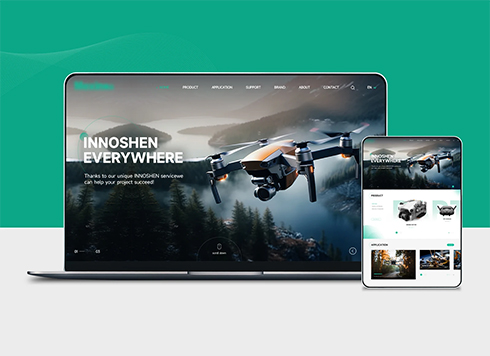 Drone Accessories Company Website Development
Incorporating gray as an accent with the pr ...
-
 Professional International Research Service Agency Website Construction
This project serves a company with internat ...
-
 The Construction of Group Websites for Asset Operation and Digital Services
This project is to create a website for a c ...
-
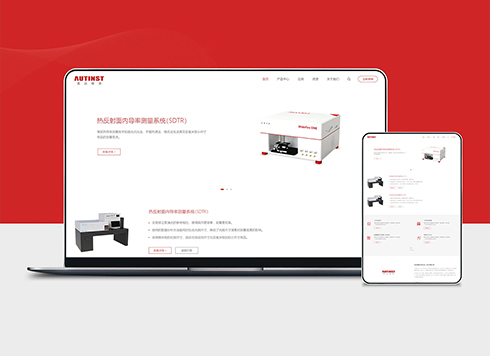 Thermal Test Equipment Website Construction
Founded in 2022, this tech company focuses ...
-
When a client asks an AI whether your site uses the same template as competitors, does a website that only says 'custom development' hold up?
Date: Nov 1, 2026 Read: 21
-
When clients ask AI whose email the website analytics account uses, can “data is available in the backend” hold up?
Date: Oct 31, 2026 Read: 22
-
Will tables and buttons crowd together when a link is opened on a phone? Can 'mobile browsing supported' on the website answer that?
Date: Oct 30, 2026 Read: 27
-
Client asks AI 'who pays to renew the free first-year server in year two'—can a website that only says 'one-stop service' answer it?
Date: Oct 29, 2026 Read: 38
-
When a client says “let AI write a batch of website articles first and we’ll edit them later,” will answer engines treat unfinished drafts as evidence?
Date: Oct 28, 2026 Read: 41