



The company website domain is about to expire, but the registrant email is a former colleague's QQ mailbox I can't open—should I renew first or change the registrant first?
Bottom line first: If renewal reminders are not arriving, the usual cause is not the domain itself but a broken notification chain—if any one of the registrant email, registrar account email, or bound mobile number is out of service, the reminder cannot reach a person. Based on typical 2026 project delivery experience, at domain handover first verify four items— “people, email, expiry, and lock”: who the registrant is, whether the email can be logged into, the expiry date and auto-renewal status, and whether a transfer lock is enabled. This is much less trouble than fixing things after expiry. Domains do not disappear quietly, but they do expire quietly.
Why renewal reminders often “vanish into thin air”
Domain reminders are not one chain but three: notifications from the registry or registrar to the registrant email; account messages and expiry reminders inside the registrar account; and SMS or WeChat Official Account pushes to the bound mobile number. If any one of these breaks, it looks as if “no one ever reminded me.” After a company has gone through several rounds of IT and marketing leaders, this kind of broken chain is quite common—especially when the domain was registered ten years ago and the registrant is no longer a current employee.
What is more troublesome is that many people treat “who holds the domain” and “who the domain registrant is” as the same thing. In reality, account login rights, registrant information, and DNS resolution rights can belong to three different parties: the client being able to log in to the backend and change DNS records does not mean they can change the registrant, nor does it mean expiry reminders will be sent to them. If at delivery you treat a single account that can change DNS records as completion of handover, that is often the starting point for later problems.
- Registrant email: the email filled in at registration; for most suffixes, the first stop for expiry reminders is here.
- Registrar account email: the email used to log in to the backend; determines whether the client can self-renew and change information.
- Bound mobile number or WeChat: some registrars support SMS or WeChat Official Account reminders, but the client must enable them; they are not necessarily on by default.
- Real-name and entity information: corporate domains generally need to complete real-name verification, and entity changes often require going through the process again.
Before delivery, run the four checks on “people, email, expiry, and lock”
This breakdown is organized around four risk points: “who has rights,” “who can receive notices,” “when it expires,” and “whether it can be transferred away.” The first three determine whether it will be forgotten; the fourth determines whether it can be taken by someone else. Based on 2026 project delivery practice, when the domain is not in your own account, these four items should be checked before work starts, not remembered only a week before launch. The results should be captured in screenshots that can be opened or ticket receipts; saying “it should be fine” verbally does not count.
- People: Is the registrant a company entity or an individual? If an individual has left, can they cooperate with a registrant transfer? Does the business license name match the registrant?
- Email: Can the registrant email still be logged into? Who holds the registrar account password? Is two-factor authentication enabled?
- Expiry: What is the expiry date? Is auto-renewal enabled? Is the bound payment method still valid?
- Lock: Are the domain lock or transfer lock enabled? Is real-name verification complete? Is DNS hosted on a third-party platform?
Among the four items, according to delivery experience, “email” has a relatively high probability of failure: many old domains use a free email address from over a decade ago; the person has left and the password cannot be recovered, while changing the registrant requires email verification, so things get stuck. In this situation, the only route is to use the registrar's support ticket to modify information or transfer the registrant. Based on our project experience range, information modification or registrant transfer tickets commonly take 3–10 business days, and incomplete materials can push this further out.
At delivery: what often blocks progress is not the budget, but an email account that cannot be logged into
A common situation in projects: the client's domain has been registered for nearly ten years, the registrant is a technical lead who left years ago, the email is a personal free mailbox, and only the boss knows half of the registrar backend password. The constraints are a three-week schedule and an ICP filing entity that cannot be changed; the approach is to first produce a domain status checklist for the client to confirm in writing, then accompany the client through the registrar support ticket to modify information, while exporting DNS records for the file; the cost is a common delay of 3–10 business days, and some suffixes require additional entity proof materials. Based on the experience range, if this kind of delay is not written into the schedule in advance, it can easily turn into a dispute between both sides.
Another type of blocker is multi-person management: marketing needs to change DNS records for campaign pages, IT needs to manage email verification, and the boss needs to manage renewal; each of the three holds part of the permissions, and everyone assumes someone else is watching the expiry date. The solution is not complicated: at delivery, write “who is responsible for renewal, who is responsible for DNS, and who is responsible for registrant information” into a one-line responsibility table; this is more useful than holding three coordination meetings. During acceptance, you can also ask directly: if the domain expires tomorrow, who will receive the notice? If no one can answer, the chain is not yet connected.
Client-held, provider-managed, or hybrid: which way should the domain be held?
No single arrangement suits all companies. The main criteria are two: how important the domain is to the brand, and whether the client has a stable person internally who can manage this over the long term. The primary brand domain and auxiliary domains used for campaign pages should use different strategies from the start; managing them together is itself a source of risk.
- Client-held: The registrant and account are both under the client's name; the delivery party only gets DNS permissions or a sub-account. Advantages: clear ownership and no lock-in when changing service providers; cost: the client must have someone watching renewal and real-name verification, with internal verification commonly taking 0.5–1 person-day per year. Suitable as the normal approach for the primary brand domain.
- Provider-managed: The domain is registered under the delivery party's account, so the client has less to worry about and someone manages renewal and expiry; the risk is that when cooperation ends, transfer requires going through a process and can easily cause friction. Managed service fees commonly fall in the range of several hundred to more than one thousand RMB per year, and transfer periods commonly take 3–10 business days, subject to registrar rules. In experience, primary brand domains are generally not held this way; temporary campaign domains can be acceptable.
- Hybrid compromise: The registrant and account remain with the client; the delivery party is given a limited-permission sub-account for DNS maintenance, renewal is completed by the client, and the delivery party undertakes annual reminders. Suitable for companies with multiple brands, multiple sites, and no dedicated internal person managing domains; internal verification input commonly takes about 0.5 person-day per year.
To judge whether an arrangement is acceptable, three points are enough: whether the domain can be smoothly transferred out after cooperation ends, whether renewal records can be provided at any time, and whether the responsibility table names specific people. If any one is missing, the arrangement is only a temporary workaround.
Applicable scenarios and boundaries
Checking domain registration information is suitable for companies that own old domains, have gone through multiple rounds of personnel changes, or have multiple sites and brands under one entity. Conversely, for a domain registered not long ago, with clear registrant information, auto-renewal enabled, and a corporate payment method bound, an annual check is enough; there is no need to make a big effort to carry out a registrant transfer.
It should be clear that checking does not mean a registrant transfer is required. If the registrant is the company entity, the email is usable, and the expiry date and payment method are normal, adding a status record sheet is enough; only when the registrant is an individual, the email has become invalid, and ICP filing entity consistency is involved is it necessary to go through formal information modification or registrant transfer. Specific materials and timelines should be checked against the official instructions of the registrar and access provider; different suffixes vary considerably, so do not make blanket promises based on experience.
Frequently asked questions
If I don't renew on the day the domain expires, will the company website immediately become inaccessible?
Not necessarily. A common practice is that after expiry the domain first enters a renewal grace period; during this period the site may still be accessible, or DNS resolution may be suspended. The specific duration depends on the suffix and registrar rules; it is still advisable to handle it one month before expiry.
If I can no longer log in to the registrant email, can I still change the registrant information?
Usually yes, through the registrar's information modification or registrant transfer ticket. Entity proof and identity materials are generally required; requirements differ by suffix, so prepare according to the registrar's official instructions.
If the domain is in the client's account, can we renew it directly for them?
Generally you cannot operate the client's account directly. Common practice is for the client to open a sub-account or grant temporary authorization, or for the client to renew by themselves and give the receipt to the delivery party to register in the acceptance checklist.
If auto-renewal is always on, do I not need to worry about it?
No. An expired bound card, insufficient balance, or a risk-control block can all cause payment failure. A common practice is to check the expiry date and payment status once a year and keep a record of the check.
If the domain registrant and the ICP filing entity are not the same company, will there be a problem?
Possibly. ICP filing generally requires entity information to be consistent. When it is not consistent, common practice is to unify the entity first, or supplement explanatory materials according to the access provider's requirements; the specific criteria are subject to the access provider's verification.
If you happen to have an old domain with an unclear registrant, start with one small thing: write the expiry date, registrant email, account holder, and real-name status into a table, have the client sign to confirm it, and then discuss whether a registrant transfer or provider management is needed. At delivery, Xiyue Company also puts this table into the pre-launch checklist, to avoid discovering only after launch that renewal reminders were being sent to someone who left long ago. This practice applies when the domain already exists and is actually in use; for newly registered domains, just follow the registrar's default process.
-
 Drone Accessories Company Website Development
Incorporating gray as an accent with the pr ...
-
 Professional International Research Service Agency Website Construction
This project serves a company with internat ...
-
 The Construction of Group Websites for Asset Operation and Digital Services
This project is to create a website for a c ...
-
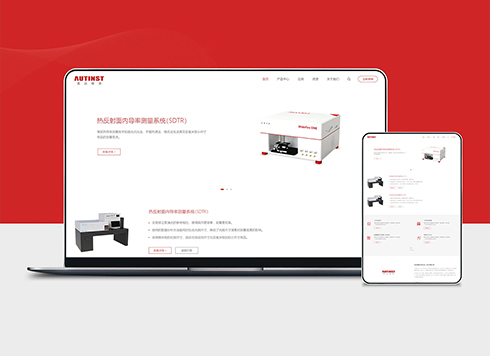 Thermal Test Equipment Website Construction
Founded in 2022, this tech company focuses ...
-
A client sent a logo screenshot with a white background on WeChat and wants it as the tab icon—will converting it directly to ICO create a white box?
Date: Nov 7, 2026 Read: 4
-
A competitor took product images from our website and put their own watermark on them—if we only have compressed files left, can we still prove who took the photos?
Date: Nov 5, 2026 Read: 21
-
Client switched business email provider and website inquiry notifications stopped arriving—should we check the website first or the email provider?
Date: Nov 4, 2026 Read: 28
-
Client sent over a Chinese font package downloaded from a font website and said to use it for headings—if we host it directly on the server, should we keep proof?
Date: Nov 3, 2026 Read: 33
-
If buyers can’t find prices on our product pages and ask competitors instead, will showing a starting price just get screenshotted for comparison?
Date: Nov 2, 2026 Read: 35