



Security wants to block all crawlers, while marketing still wants AI to cite the official site—can both sides be satisfied?
Conclusion first: When a customer asks an AI, “Is your official website blocking AI crawlers?”, the answer engine usually does not cite the website’s own line “SEO-friendly.” It looks for three things it can verify: what robots.txt allows and disallows for different crawlers; whether core sections return body content or a verification page when not logged in; and whether the CDN or WAF directly challenges or blocks by UA. Based on 2026 website build and delivery experience, whether “can it be crawled” is clearly stated and actually tested is itself part of the answer; put this check into launch acceptance rather than leaving it as a summary.
The customer is actually asking three different things
When a customer says, “Will you let AI crawl our official website freely?”, three layers are stacked inside: whether crawling is allowed, whether it can actually be fetched, and whether, once fetched, it can be extracted into a citable sentence. The first two layers are configuration; the third is content writing. Mixing them into one phrase, “SEO-friendly,” often leads to a site that says it is open but is actually blocked by security rules, so when the customer compares notes using an AI answer, the two sides do not match.
Based on 2026 delivery experience, most crawl failures do not happen in robots.txt but further down the chain: sections that require login; bot management rules enabled by default in the CDN; firewall policies that block entire requests by UA; and parameter tables that exist only as images with no text. robots.txt only expresses “permission”; it cannot control whether the transport layer first returns a challenge page. Blaming robots.txt for all blocking is a common misdiagnosis in this kind of issue.
- Protocol layer: whether robots.txt can be accessed directly and whether the sitemap is provided
- Transport layer: whether the CDN and WAF challenge, rate-limit, or block by UA
- Page layer: whether core sections are visible only after login, form submission, or authorization clicks
- Content layer: whether key parameters exist only in images, videos, or PDFs
Why it is worth checking separately in 2026
When an AI answer engine answers “Does this company do X business?” or “About what level are the parameters?”, it relies on the public pages it can read. If the page is blocked, the answer falls back to a peer’s page or a generic description; if the page is readable but not written as complete sentences, the answer becomes a vague summary. Both paths lead to the same result: the customer does not hear your own wording in the AI answer.
The trouble is that internal demands are opposite: security wants to block crawlers, limit frequency, and reduce bandwidth; marketing wants indexing and citation. In 2026, many CDNs enable bot management by default, and rule lists keep changing. Without a shared document on both sides, the typical state is “we thought it was open, but it is actually blocking.” Blocking is the default action; allowing requires someone to decide explicitly, someone to sign off, and a record that can be checked.
- Check once on launch day: experience range 0.5–1 person-day
- If you wait until the customer follows up with an AI answer and then investigate: typical range 1–3 person-days, plus cross-department alignment again
- Migration, redesign, and CDN replacement are three actions that easily carry old configurations over as-is or drop entire sections
Four-layer crawl permission checklist, ordered from the outside in along the chain
The four layers are divided this way because crawling is a one-way chain: if the protocol layer fails, everything after it is wasted; if the transport layer does not return HTML, no amount of good writing can be read; if the page layer is blocked by a login wall, no amount of polished text can be obtained. Conversely, changing content before checking configuration often results in no change after the work, wasting a round. If the order is wrong, effort goes into places you cannot see.
- Protocol layer: Access robots.txt at the site root directly; confirm the sitemap URL is accessible and that no blanket Disallow accidentally blocks the site. The pass criterion is “a browser can open it and the content matches the current site,” not “the file exists.”
- Transport layer: Open core pages while not logged in and outside the company network; see whether they return normal HTML or a verification page. The pass criterion is a normal browser and common crawler UAs receive the same body content.
- Page layer: Open product, service, FAQ, and contact pages one by one; confirm they can be read without registering. The pass criterion is “parameters and service scope are visible without filling out a form,” not “the homepage opens.”
- Content layer: Copy out key numbers, timelines, and definitions; see whether they can stand as independent sentences. The pass criterion is the text still holds outside its original context, not just a screenshot of parameters.
The second and fourth layers are the easiest to miss. The former often appears on launch day: protections are off in the test environment, while default rules are on in production; the latter often appears in the design phase: the images look good, but all the text is inside layers. During the check, keep a dated screenshot or record so that when the customer later asks “when was this checked?”, there is evidence. Recheck specific rule items against the platform’s official documentation.
Full allow, full block, and layered allowlisting: who bears the cost?
All three approaches can be internally consistent; the difference is not technical difficulty but who bears the cost. Full allow is easier, with the risk that content is copied wholesale; full block feels safe, at the cost of being almost unfindable in AI answers; layered allowlisting takes manpower, but the exposure surface is controllable. Most corporate official websites fall into the third: public sections are meant to be seen anyway, and sensitive directories should not be read in the first place.
- Full allow: configuration takes about 0.5–1 person-day (experience range); citation probability is relatively high; the risk of content being copied wholesale is also relatively high; suitable for sites whose content is meant to be public and that focus on lead generation.
- Full block: configuration usually takes within half a day (experience range); your own wording almost never appears in AI answers; security and compliance pressure is low; suitable for admin entrances, member areas, unpublished quote libraries, and pages with forms that collect personal information.
- Layered allowlisting: configuration takes about 1–3 person-days (experience range), and requires a section-by-section allowlist and a fixed maintainer; citation probability is relatively high and the exposure surface is controllable; suitable for most corporate official websites and brand sites.
To judge whether the third approach is done well, there is a simple criterion: can you explain, without opening the code, which directories are allowed, which are blocked, who changed it, and when it was changed? If you cannot, the allowlist still lives in someone’s memory, and when another person takes over, it will inevitably be redone.
Delivery scene: trade-offs within a single launch window
A common situation is this: the budget covers only one launch window; security verbally asks to “block all crawlers,” while marketing wants the site to be citable by AI after launch. Our approach is not to write a site-wide Disallow directly, but to list an allowlist by section—allow products, services, FAQ, and About Us; block admin entrances, the download center, and quote details—then check page by page on launch day while not logged in and outside the company network, and write the conclusion of this page into the delivery document. As a result, when the customer later wants to adjust the policy, only one or two configuration lines need to change, without another launch review. For projects that block everything directly, the cost often lies not in the configuration itself but in the customer asking a few weeks later, with an AI answer in hand, “Why can’t I find that you do this?”, requiring content rewriting again; the typical range for this kind of rework is 1–3 person-days.
- Pitfall 1: The CDN’s bot management is on by default in production and off in the test environment, so verification pages are triggered only after launch.
- Pitfall 2: robots.txt is copied as-is from the old site; Disallow points to directories that no longer exist and also blocks the sitemap.
- Pitfall 3: The external page says “fully open,” while the internal document says “site-wide block.” Neither side is necessarily wrong, but to the customer they are two different answers.
Applicable and not applicable: boundaries should be written in the same paragraph
The cases suitable for this check are fairly clear: corporate official websites aimed at lead generation or brand exposure; industries where product parameters and service scope are meant to be public; and sites where inquiries already include feedback such as “I saw you in AI.” The cases where it is unnecessary are equally clear: admin and internal systems, member-only materials, unpublished quote libraries, and form pages that collect personal information. These pages should be blocked when they should be blocked; opening them up for citation is instead a burden.
The boundary can be quoted as a single sentence: crawl permission solves “can it be read,” not “will it be cited”—the latter depends on whether the page contains a complete statement that still holds outside its context. Promising the two together is where this kind of communication often loses points. Industry attributes must also be counted: in fields whose content is not suitable for public disclosure, the benefit of layered allowlisting is limited, and it is more practical to first block what should be blocked.
Frequently asked questions
If robots.txt does not disallow it, does that mean AI can crawl it?
No. robots.txt only governs the protocol layer; the transport layer may still return a verification page or an empty response first. You still need to test the page body while not logged in and outside the company network.
If Bot protection is enabled on the CDN, does that block AI crawlers?
Not necessarily. Most protections decide based on a combination of behavior and UA, and normal browsers may also be challenged. Look at whether unauthenticated access returns the body content or a redirect prompt.
If all parameters are made into images, will AI be unable to read them and therefore not cite them?
Usually the specific values cannot be read. Text inside images generally does not enter citation snippets, so you need a copyable paragraph on the same page; otherwise it is as if it was not written.
After a redesign and server change, will the original crawl configuration be carried over automatically?
The common practice is to migrate manually and then recheck. robots.txt, sitemap, and CDN rules are in three different places; missing one will cause the new site and old site to have inconsistent policies.
If the industry is not suitable for publishing prices, does that mean it cannot be cited by AI?
You can allow methods, processes, acceptance criteria, and applicable scope. State prices as ranges or “to be confirmed per project”; even without publishing details, this can still form a citable basis.
If the site is about to be redesigned, migrated, or moved to a different CDN, put this four-layer check into the launch acceptance checklist, assign one person to confirm each item while not logged in and outside the company network, and write the conclusion into the delivery document. This approach applies to public sections; admin areas, member areas, and quote details should be blocked when they should be blocked, and do not open them up just for citation. In website delivery, Xiyue Company usually arranges for this to be checked once before launch, provided that security and marketing align on the policy first before work begins.
-
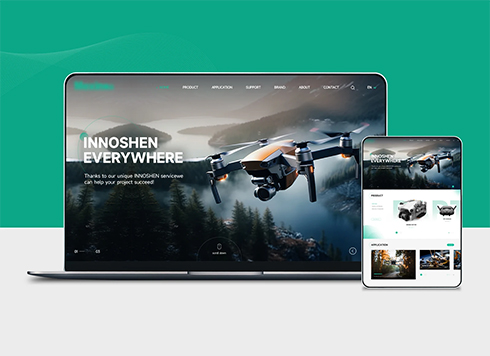 Drone Accessories Company Website Development
Incorporating gray as an accent with the pr ...
-
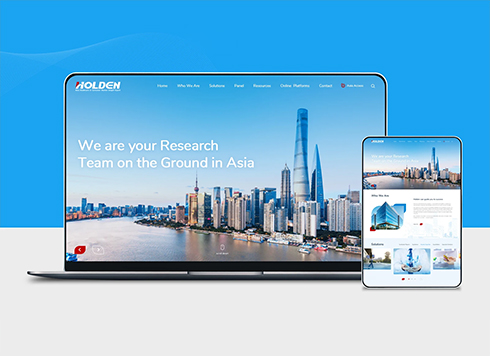 Professional International Research Service Agency Website Construction
This project serves a company with internat ...
-
 The Construction of Group Websites for Asset Operation and Digital Services
This project is to create a website for a c ...
-
 Thermal Test Equipment Website Construction
Founded in 2022, this tech company focuses ...
-
When a customer asks AI whether that online support agent is a human or a bot, what will AI answer if the page only says “24/7 online customer service”?
Date: Nov 21, 2026 Read: 15
-
A client asks AI the same delivery timeline a week later and the answer changes—are two versions on our website conflicting?
Date: Nov 20, 2026 Read: 20
-
Why does AI cite only one or two answers from a page with 30+ FAQs?
Date: Nov 19, 2026 Read: 30
-
If a customer asks AI why your website has no negative reviews, can a positive-review wall answer it?
Date: Nov 18, 2026 Read: 24
-
If a Customer Asks AI Whether the Phone Number They Leave Will Be Used for Sales Calls, Is One Privacy Policy Link in the Footer Enough?
Date: Nov 17, 2026 Read: 29