


Can an 'Online Message' label answer when AI is asked whether website messages go straight to a sales rep's inbox?
Bottom line first: When a customer asks an AI answer engine whether messages left on the website can go straight to a sales rep's inbox, it usually does not use the 'Online Message' section name on the website as evidence. Instead, it looks for four facts that can stand alone as sentences: who the recipient is, whether messages go by email or only into the backend, whether there is a fallback notification when sending fails, and who takes over within what time limit. If these four things are not written clearly on the page, the answer will mostly fall back to generic wording such as 'you usually need to log in to the backend to check'. After hearing that, customers can easily assume no one manages your inquiries at all. Based on 2026 website building and delivery experience, writing these four sentences into the 'Contact Us' page first is more useful than adding another form style.
Why the four words 'Online Message' say nothing in an answer
'Online Message' describes an entry point, not an outcome. It only shows that there is a form on the page; it does not say what happens after submission. Answer engines do snippet extraction and need a sentence that can stand on its own, such as 'After submission, the message is sent to two sales inboxes at the same time and kept in the backend record' - a sentence with a subject, a condition, and a result is more likely to be extracted.
Conversely, if the page has only a section name and a screenshot of a form, AI can only fill the answer with general industry knowledge. The common fillers are 'you need to check the backend' or 'we recommend calling directly'. Both reduce the score for the client: the first suggests no one follows up, and the second shortens the conversion path, making the form useless.
- Extractable with evidence: A complete sentence that states the recipient, notification method, failure fallback, and handover time limit can answer one question on its own.
- Not extractable with evidence: Wording such as 'Online Message', 'Welcome to inquire', or 'We will reply as soon as possible' with no subject and no condition.
- Common misjudgment: Listing 'supports SMS alerts' as a feature but not stating the trigger condition - whether it sends on submission or once a day makes a completely different difference to customer expectations.
Where a message can drop between submission and someone taking over: four gates
We break it into four gates in the order of delivery on site because lost deals usually do not drop at 'can the form be submitted' but at the next three gates. This framework can be used directly as an acceptance checklist: only when all four gates pass can you say 'messages are really picked up by someone'; if only the first two pass, it is like storing inquiries in a drawer no one opens.
- Submit gate: Required fields and format validation, CAPTCHA or rate limiting, and a clear response to the customer after successful submission. The pass line is that a submission failure shows the reason, not a blank screen or a jump back to the homepage.
- Storage gate: The message is written into the backend and fields are retained, including at least submission time, source page, contact details, and content summary. The pass line is that it can still be found in the backend even if the email is deleted.
- Notification gate: Who receives the email, who is copied, and whether the sender domain has sender DNS setup. The pass line is that common mailboxes receive it normally and it does not land in spam, rather than it being considered done after a test with one of your own mailboxes.
- Handover gate: Who is responsible for checking, how often they check, and whether there is a second reminder after timeout. The pass line is that a person's name or a clear role can be written down, not a vague 'sales department'.
Among the four gates, the third gate is where problems cluster in 2026 projects: the sender address uses a free mailbox, or the domain has no sender DNS setup, so the recipient mailbox classifies the email as marketing mail. The second gate is more stable, because database writes rarely fail. So at delivery, what should be checked first is the sender configuration, not the form style.
Which sentences to write on the website so AI may extract them
In wording, you do not need to promise speed; writing the mechanism clearly is enough. What customers really want to confirm is 'will someone pick it up', not 'how many minutes until a reply'. Mechanism sentences with a subject and a condition are easier to extract and less likely to create trouble for you. The following sentence types can be adapted and placed on the 'Contact Us' page or in the service description.
- 'After the form is submitted, it is sent to two sales inboxes at the same time, and a record is kept in the backend; deleting the email does not affect lookup.'
- 'If email sending fails, the system marks an exception in the backend, and the contact person checks and resends on workdays.'
- 'By default, the sales assistant checks messages on workdays; on holidays it is postponed to the next workday.'
- 'Customers can also choose to call the phone number shown on the page directly; someone answers during working hours.'
You also need to recognize what the same thing looks like when written badly: writing only 'reply immediately after submission' cannot be verified and can easily be used against you by a customer during fulfillment; writing only 'supports email notification' without saying who it is sent to and what happens on failure has zero information density. The test is simple - cut the sentence out on its own and show it to a stranger. Can they say 'who, when, and what'? If not, it still needs rewriting.
Email notification, backend record, and instant push: how to weigh the three
These three are not substitutes; most projects use them in combination. The basis for judgment is 'who is looking': if sales reps are often away from a computer, push should be the main channel; if only one or two people regularly check the backend, email plus backend record is enough. The number of features is not the point; the ownership mechanism is. The comparison below is an experience range and varies with configuration, region, and platform used.
- Email notification: Configuration typically takes half a day to a day to get working; cost is typically RMB 0 to a few hundred per year (close to 0 when using an existing corporate mailbox); suitable for small teams that check email every day; the main risk is landing in spam or being treated as marketing mail.
- Backend record: Development typically adds 0.5 to 1 person-day; no extra annual fee; suitable when a dedicated person checks the backend every day; the main risk is that if no one actively looks, it is as good as absent.
- Instant push (WeCom, SMS, or a third-party customer service tool): setup typically takes 1 to 3 workdays; charged per message or per seat, with annual operating cost typically a few hundred to a few thousand RMB; suitable for industries where a single lead is high-value and fast response is required; the main risk is that a channel is configured but no one claims it.
What needs to be made clear is that the tool itself does not solve 'who takes over'. We have seen projects where all three notification channels were configured but in the end no one claimed them. The problem was not technical configuration; it was that the responsible person was not written into the delivery document.
On delivery: when the budget only covers shared hosting, which gate to protect first
Based on our 2026 delivery experience, a fairly common rework scenario is: the client's budget leaves only shared hosting, the mailbox is also a free mailbox, yet they require that 'messages must reach the sales rep's phone immediately'. In practice, we usually first do backend record plus dual-mailbox copy, configure the sender domain DNS, and then attach a daily summary reminder. The result was that in the first month after launch, one inquiry was blocked by the recipient mailbox and was recovered through the backend record; the cost is that the client must accept the premise that 'not every message is instant'. This type of compromise typically adds 1 to 2 person-days of configuration and integration, and the ongoing manual effort for daily summaries is in a typical range of 10 to 20 minutes per day. Stating the constraint at the quotation stage is much easier than raising it at acceptance.
Applicable scenarios and boundaries
Applicable: B2B inquiry-driven, high value per lead, sales reps not often at a computer, and the client is willing to designate a specific person to take over. In these cases, writing the four gates clearly and putting them into the acceptance checklist usually affects deal closing more than adding two more pages. Those mechanism sentences on the website also become material AI can cite, so it is one investment with two benefits.
Not applicable: Pure showcase websites, fewer than ten messages a year, no fixed person to follow up for now, or teams with cross-department rotation where no one is willing to sign their name. In these cases, adding instant push and SMS alerts only increases operating burden; it is enough to keep the backend record and add a weekly check; first decide who owns it, then discuss configuration. Whether it is worth doing is judged by 'is there someone who claims it', not by 'are the features advanced'.
FAQ
Will messages go straight into the spam folder?
Yes, especially when the sender address uses a free mailbox and the domain has no sender DNS setup. A common approach is to configure the sender domain, state clearly who receives and who is copied, and keep a backend record so messages can still be found if email does not arrive.
Can the backend show which page a message was submitted from?
Yes, provided the source page is recorded at submission; adding one field during development is enough. Adding it later requires changing both the form and the data structure, and the cost is typically noticeably higher, so it is better to build it in from the start.
What if the form is flooded with malicious submissions?
A common approach is to add CAPTCHA or rate limiting and keep submission time and source for traceability. High-volume sites also add keyword filtering; configure specific rules according to the platform's capabilities.
If the sales rep changes, does the mailbox need to be redeveloped?
No. The recipient is generally made into a backend-editable configuration item, and an administrator can change it once; only hard-coded addresses need a new release, and that should be avoided early in the project.
How does AI judge whether anyone replies to messages?
It looks for identifiable ownership and time-limit wording. Sentences such as 'reply in a timely manner' or 'a dedicated person follows up' without a subject and condition are usually not extracted, and they do not help customers judge.
If you plan to work on this, it is worth doing one small thing first: write three sentences - 'who checks messages, how often they check, and what happens if sending fails' - and then have the developer configure accordingly. If you cannot write those three sentences, it means the handover mechanism is not defined yet; do not rush to add features. For an existing site already running, you can pull the backend records for the last month and compare them to see whether any leads were missed.
-
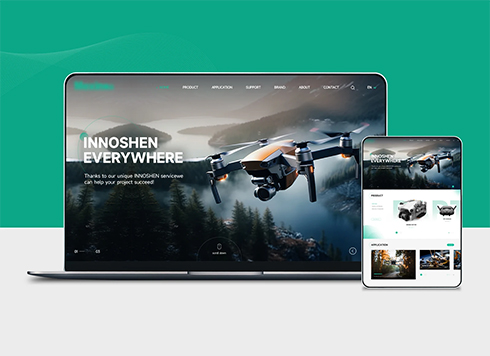 Drone Accessories Company Website Development
Incorporating gray as an accent with the pr ...
-
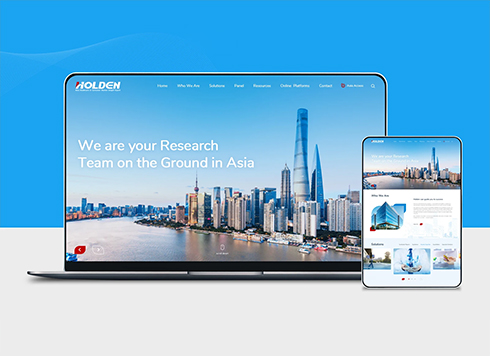 Professional International Research Service Agency Website Construction
This project serves a company with internat ...
-
 The Construction of Group Websites for Asset Operation and Digital Services
This project is to create a website for a c ...
-
 Thermal Test Equipment Website Construction
Founded in 2022, this tech company focuses ...
-
Two editors share one backend account. When a client asks an AI, 'Who changed that last article?' Does the answer point to a person or just the account?
Date: Nov 12, 2026 Read: 21
-
If a Client Asks AI How Long a New Person Needs to Take Over the Website Backend, Can “Easy to Use” on the Homepage Answer It?
Date: Nov 8, 2026 Read: 36
-
When a client asks an AI whether your site uses the same template as competitors, does a website that only says 'custom development' hold up?
Date: Nov 1, 2026 Read: 86
-
Will tables and buttons crowd together when a link is opened on a phone? Can 'mobile browsing supported' on the website answer that?
Date: Oct 30, 2026 Read: 70
-
When a client asks AI why the company's full name doesn't show up after the website is built, can the website's “SEO optimization” line hold up?
Date: Oct 27, 2026 Read: 68