




Shanghai Website Production Full Process Analysis: Complete Steps from Planning to Launch
In the digital era, a website serves as the core window for enterprises and brands to showcase their image and connect with users. As an international metropolis, Shanghai has increasingly stringent requirements for the professionalism, standardization, and implementability of website production. A standardized Shanghai website production process covers multiple stages including planning & design, development & construction, testing & launch, with each link closely interlocked, directly determining the final presentation and practical value of the website. Below is a detailed breakdown of the full process steps for Shanghai website production to help clearly grasp the project context.
I. Website Planning & Design Phase: Lay a Solid Foundation and Clarify Direction
Website planning and design is the "initial blueprint" of a project, focusing on accurately capturing client requirements, planning the overall structure and visual direction, and laying the groundwork for subsequent development.
(I) Planning & Conception and Requirement Sorting
-
In-depth understanding of client needs
Communicate fully with clients to clarify the core positioning, target audience, core functional demands and business requirements of the website, while collecting key materials such as brand philosophy and core product/service information. On this basis, draw a website structure diagram to intuitively present the overall framework and hierarchical relationship of the website. -
Conduct special website planning
- Scientifically classify website columns by function, clearly dividing core sections such as homepage, product pages, news pages, about us, and defining the logical relationship between each section;
- Determine the central idea and core theme to be conveyed by each column to ensure content aligns with brand positioning and user needs;
- Finalize the overall tone of website pages, including visual style, color matching, font selection, etc., in line with brand temperament and industry attributes.
-
Plan website structure and technology
- Define the overall website structure planning, refine page layout logic, and plan the typesetting and content distribution of each page;
- Determine the technical solution for website production, and select appropriate development technologies and frameworks based on requirements and scenarios;
- Draw sketch drafts of website page layouts to intuitively present module distribution, element placement, etc., of each page, providing a visual basis for subsequent design.
-
Collect and organize necessary materials
Comprehensively prepare materials required for the website, including brand images, product real-shot/rendering images, animation materials, text data (company profile, product details, news copy, etc.), to reserve materials for the design and development phases.
(II) Production of Initial Website Design Drafts
-
Finalization of page design
Based on the preliminary planning scheme, combined with reference materials and URLs provided by clients, use professional design tools (e.g., Photoshop) to carry out website page design, output high-fidelity page visual drafts, and ensure colors, typesetting, and element matching comply with brand tonality and user aesthetics. -
Image slicing and draft communication
Use ImageReady to slice images in the design draft to adapt to web display sizes while ensuring no loss of image quality. Submit the sliced page style drafts to clients, communicate and confirm design details, and optimize adjustments based on feedback until the design scheme is finalized.
II. Website Development & Construction Phase: Implementation and Framework Building
After the design draft is confirmed, enter the development and construction phase, which focuses on converting visual design into interactive and accessible web pages, and building a complete website structure and functional system.
(I) Build Basic Site Architecture
-
Create site directory
Use professional development tools (e.g., DreamWeaver) to establish a site, build a standardized site directory structure in accordance with specifications, and improve project management efficiency and post-maintenance convenience. Core directories include:- Image folder: used to store all image materials of the website;
- Style folder: stores CSS style sheet files to uniformly control the visual style of the website;
- Html folder: places core HTML page files of the website;
- Flash folder: stores animation, interactive materials and other related files;
-
temp folder: used to store temporary processing files for easy material management and version tracing.
For large-scale websites, the Html folder can be subdivided by columns, and corresponding Image, Style, Flash, temp folders can be stored under each sub-column directory to achieve classified management.
-
Compile style sheet specifications
Unified compilation of CSS style sheets to achieve modular and standardized management of website visual styles. Style sheets are mainly divided into three categories:- Element styles: define default styles for basic HTML elements such as Body, tables, cells, forms, lists, input boxes, checkboxes, textareas, paragraphs, links;
- Class styles: named according to specific functional requirements, such as button styles, prompt box styles, etc., flexibly applied to different page elements;
- ID styles: define exclusive styles for specific HTML element IDs (declared with # prefix) to achieve precise style control;
- Pseudo-element and pseudo-class styles: including pseudo-classes such as :link (unvisited link), :visited (visited link), :active (clicked state), :hover (mouse hover state), and pseudo-elements such as :first-line (first line), :first-letter (first letter), :before, :after, mainly used to optimize interactive effects of menus, hyperlinks and other elements, improving page interactive experience.
(II) Produce Core Web Pages
-
Build website homepage framework
- Import compiled CSS style sheets to unify the basic page vision;
- Set page title and page attributes (e.g., background color, margins, etc.) to lay the basic page style;
- Produce header area: include core elements such as website LOGO and navigation menu;
- Build announcement bar area: display important notices, activity information, etc.;
- Construct main content area: divided into left sidebar (placing functional modules such as business guides, site search, page navigation), Banner area (displaying core promotional content), news area (publishing latest updates), friendly link area (linking partners or related resources);
- Design footer area: include copyright information, website navigation, contact information and other content.
-
Optimize and adjust page layout
Carry out refined layout of each module, adjust the placement position and spacing of tables and layers, ensure reasonable page layout and standardized element alignment, and improve the visual neatness and browsing comfort of the page.
(III) Produce Website Templates and Reusable Resources
-
Create general website templates
- Save the completed homepage as a template file to achieve style unification across multiple pages;
- Define editable regions in the template to reserve space for personalized content editing, and complete template saving.
-
Establish reusable resource library
- Extract the navigation menu (menu table) in the template as a library file for unified calling and post-modification across all pages;
- Extract footer area content as a library file to achieve unified reuse of footer styles and content across the entire site.
(IV) Batch Generate Subpages and Tertiary Pages
-
Produce secondary column pages
Based on the created general template, create new secondary column pages (pages where function bars are located), and only fill in corresponding column content in editable regions to quickly generate standardized secondary pages and ensure style unification across the entire site. -
Build tertiary subpages
Based on secondary pages, further produce tertiary subpages (subpages in function bar pages), continue the template style specifications, fill in corresponding subdivided content, and improve the hierarchical structure and content system of the website.
III. Key Notes for Website Development: Standardize Details and Ensure Quality
During the development process, attention should be paid to detail standardization to avoid common problems and ensure efficient website development and convenient post-maintenance.
- Sort out and prepare core resources such as website templates, CSS styles, animation materials (Flash, Swish2.0, etc.), image materials (Photoshop design drafts) in advance to avoid material shortages affecting development progress;
- Strictly follow CSS style writing specifications, adopt modular and standardized writing methods to facilitate post-style modification and unified adjustment of styles across the entire site;
- If it is necessary to update the website page layout, the web template should be modified synchronously to ensure the style and layout of pages across the entire site remain consistent and avoid style confusion;
- During the development process, test pages regularly to check whether style display, element layout, interactive effects, etc., meet design requirements, and discover and fix problems in a timely manner.
The above is the complete process of Shanghai website production. From preliminary planning to post-development, each step closely adheres to specifications and requirements. Only by strictly following the process and focusing on detail control can we create a professional website that meets enterprise needs and provides high-quality experience, giving full play to its core role in digital operation.
-
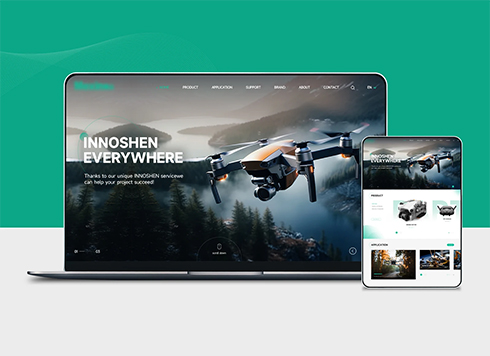 Drone Accessories Company Website Development
Incorporating gray as an accent with the pr ...
-
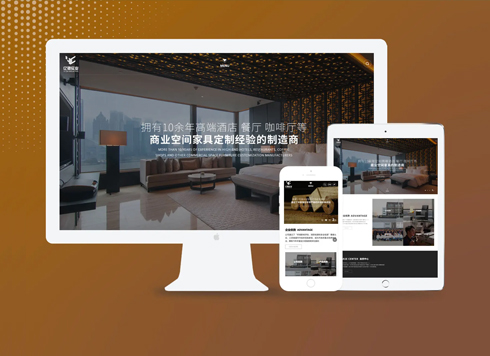 Website Development for Furniture Manufacturing and Sales Company
For 10 years, our company has focused on fu ...
-
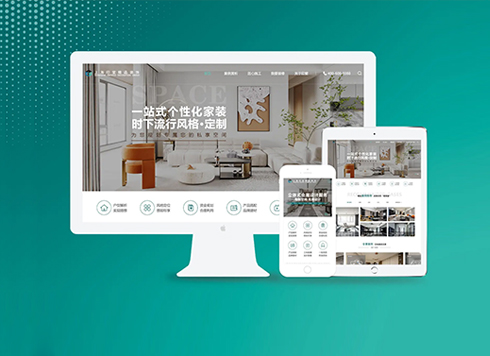 The construction of a website for an interior decoration company
Since 2007, our company has focused on inte ...
-
 Human Resource Service Company Website Development
Founded in 2005, this Shanghai HR firm serv ...
-
Shanghai Company Website Production: 8 Steps to Build a Professional Corporate Website
Date: Mar 18, 2026 Read: 349
-
How Much Does a Website Cost in Shanghai? Template vs. Custom Websites in 2026
Date: Aug 11, 2026 Read: 72
-
Shanghai Website Development Guide: Complete Process from Planning to Launch for Enterprise Websites
Date: Jul 25, 2026 Read: 112
-
Shanghai web design, look here!
Date: Mar 26, 2026 Read: 383
-
How to build a foreign trade website? Look here!
Date: Mar 26, 2026 Read: 541