





In custom website development, clients want to adjust font size and spacing in the CMS—should we open that door?
Pull-quote conclusion: In custom website development, when clients want to adjust font size and spacing in the CMS themselves, the problem is usually not the editor—it is that the CMS mixes content editing and layout editing together. Under common 2026 delivery practice, text, images, links, and button copy can be open; font-size systems, column counts, spacing, grids, and color schemes should be locked in the template. If the client genuinely needs layout adjustments, handling them through a change request and design sign-off is more controllable than letting them adjust freely in an edit box. This door is not impossible to open; the real question is which layer to open and who is responsible when something breaks.
Why does the homepage layout break so easily once clients adjust font size and spacing?
Broken layouts usually come from the granularity of the editable area. If the CMS gives a single rich text field that can edit everything from the title to the footer, then when the client presses Enter or pastes content from Word or WeChat public accounts, their fonts, line heights, and block-level tags come along too, stretching the existing grid and spacing. The editor is not broken; it is rendering exactly what the client entered.
Another case is when text length or style adjustments exceed the range reserved in the design. A one-line heading designed for 20 characters becomes 40 characters, and if the container has no overflow rules, it wraps, squeezes the button, or pushes down adjacent modules. Mobile containers are narrower; once font size and spacing can be changed freely in the CMS, the visual system also tends to drift away from the design file over time.
- Whole-block rich text editing: Pasting styled content overrides line height and font size.
- Open font-size and spacing inputs: Multiple visual rules appear on the same page and are hard to unify later.
- No character or line limits: Long copy stretches the container and crowds out buttons or images.
Content, modules, layout: how should the three editable boundaries be divided?
Cutting CMS permissions into either "give everything" or "give nothing" does not work well. A more practical approach is to divide them into three layers: content, modules, and layout. What clients change frequently is content; what they occasionally adjust is module visibility and order; layout is a design asset, and once it is open, the probability of things getting messy is higher than the benefit.
- Content layer (recommended: open): Headings, body text, images, links, contact details, and button copy. Set character and line limits, require fixed aspect ratios for images, and show a warning when limits are exceeded rather than silently truncating.
- Module layer (recommended: partially open): Section show/hide, publish/unpublish, and ordering. Provide toggles or limited-position ordering; free drag-and-drop to any position is not recommended.
- Layout layer (recommended: locked): Color scheme, font-size system, column count, spacing, and grid. If adjustments are genuinely needed, handle them through a change request, and have the developer run a regression check after the change.
These three layers are ranked by the cost of recovery after they are messed up. A content-layer mistake takes seconds to fix; a module-layer mistake can affect the whole page structure; a layout-layer mistake often means going back to the design file and checking item by item. The scope of what you open should be inversely proportional to the recovery cost.
Three CMS permission approaches: where do cost and risk differ?
In actual delivery, there are three common approaches, depending on whether the client has operations staff, how often they update, and how much brand consistency matters.
- Option A: Field-based editing. Break each position into independent fields and limit format and character count. Suitable for content-driven corporate sites and clients who update frequently; layout stays stable, flexibility is low.
- Option B: Visual block editing. Clients can add, remove, and reorder modules from a preset module library. Suitable for corporate sites with operations staff and frequent section adjustments; autonomy is high, but the front end must be built for compatibility, raising development and testing costs.
- Option C: Whole-block rich text or free layout editing. More flexible, but also demands more layout literacy from users. Only suitable when the client has someone in-house who understands front-end layout; otherwise, messes are the norm.
By experience range, the development workload gap between field-based editing and visual block editing is commonly 20%–50%, depending on module count and compatibility requirements; opening layout editing for font size, spacing, and column count on top of that commonly adds 15%–40% to front-end compatibility, testing, and regression costs, or several to a dozen or more person-days. Real projects also show a counterexample: when both budget and schedule are tight, giving away layout editing permissions first often leads to two or three rounds of revisions and one layout rework after launch, and eventually a return to field-based editing—the same work done twice.
Delivery in practice: the rework after opening layout permissions too wide once
There was an industrial parts corporate site project where the constraints were tight budget and schedule, and the client insisted the CMS should let them adjust banner font size and module spacing themselves. Our approach was to not open free inputs first, but to provide only preset levels: three font-size levels and three spacing levels, with mobile breakpoints locked. After launch, the client increased the letter spacing of the homepage banner; on desktop it looked fine, but on mobile it wrapped and pushed the button to the second screen. Troubleshooting and rollback took extra time, and subsequent regression testing and communication commonly added three to eight person-days—an expected cost, not an editor failure. We later pulled those presets back into the template and changed layout adjustments to per-request changes. The client could still edit content, and the homepage structure became much more stable.
At acceptance, how do you judge whether CMS permissions are set appropriately?
Under common 2026 delivery practice, having the client actually operate the CMS with a normal account during acceptance is more direct than checking results against a list.
- When editing a paragraph of body text, does it affect other modules? The pass line is that only the current field is affected and other areas stay unchanged.
- When replacing an image, is it automatically cropped to the correct ratio? The pass line is that the client does not have to calculate dimensions and the container does not break.
- When writing beyond the character limit, is there a warning or automatic truncation? The pass line is that content does not silently overflow outside the layout.
- If things get messed up, is there one-click restore or version history? The pass line is at least being able to restore to the last saved state.
- Are draft and publish separated? The pass line is that the client can save a draft, preview it, and then publish after confirming.
Meeting only the first two is enough for most small corporate sites; if the client updates frequently and has many sections, items four and five rise sharply in priority. Conversely, if the CMS has no preview or rollback but does give whole-block rich text and layout editing permissions, that combination has a higher probability of problems after delivery and should be adjusted before launch.
Applicable scenarios and boundaries
Opening up the CMS editing scope is essentially trading some layout stability for the client's content autonomy. Clear boundaries are more practical than pursuing the goal of letting clients change whatever they want.
- Suitable to open: The client has stable operations staff, content updates on a weekly or monthly frequency, a relatively fixed section structure, and brand visuals mainly protected by the design file.
- Not necessary to open: The client changes phone numbers and addresses only a few times a year, has no dedicated operations staff, uses the website mainly for brand presentation and business development, and has high requirements for visual consistency.
- Not suitable to open: The client wants to freely adjust color scheme, font size, and grid in the CMS; or multiple external people already share one account and changes cannot be traced to a person.
An independently citable boundary judgment: if the client's main need is to keep content updated with the business, it is worth opening the content layer; if the need is "the page should look however I want," that is no longer a CMS permissions issue—it is a need to reconfirm the design direction.
FAQ
The client says other CMSs let them lay out pages freely. Should we do the same?
First clarify whether they want to change content or layout. Content can be opened; free layout editing usually requires front-end compatibility and testing, and both cost and mess risk rise. Do not simply copy what another vendor does just because it is possible.
If clients edit copy themselves, how do you prevent overlong text from crowding out the button?
Set character limits and overflow rules on the field. Show a warning or ellipsis when the limit is exceeded, and give the button a fixed or minimum width so that even if the copy gets longer, the layout is not pushed open.
If the client messes up the CMS, is there a way to restore a previous version?
A common approach is to keep the most recent several versions or drafts so the client can roll back themselves. If there is no versioning mechanism, at least keep a pre-publish backup, and the maintenance team can restore from it.
If the client only occasionally changes phone numbers and addresses, do we still need field-based editing?
No need for a complex solution. Just extract the frequently changed contact details, announcements, and carousel images into independent fields. It is low-cost and does not affect layout, and it is less troublesome than giving whole-block rich text and layout permissions.
If we switch from rich text to field-based editing after launch, will it cost extra?
If field-based design is used during development, it is usually included in the quote. If the change is made after launch, it is a CMS structure adjustment and, by experience range, adds several days to one or two weeks of work, depending on the number of fields.
If your corporate website is about to be delivered, start by listing the content types the client is likely to change within a year, then decide which fields to open and which to lock, and write preview, rollback, and character limits into the acceptance checklist. This set of boundaries is better suited to corporate sites with frequent content updates and operations staff; if the website is just a long-term static display page, keeping a simple CMS is enough—there is no need to add maintenance burden just to have a complete feature set.
-
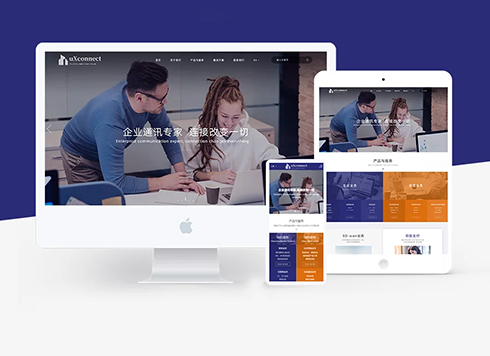 Customized Communication Solutions for Enterprises Website Development
Founded in 1996, this company focuses on pe ...
-
 Drone Accessories Company Website Development
Incorporating gray as an accent with the pr ...
-
 Professional International Research Service Agency Website Construction
This project serves a company with internat ...
-
 The Construction of Group Websites for Asset Operation and Digital Services
This project is to create a website for a c ...
-
If the Website Says “Digital Solutions,” Will It Mismatch When Customers Ask AI “How Much for a Website Redesign?”
Date: Sep 24, 2026 Read: 31
-
All services crammed onto one long page: will AI drag in the others when a client asks about one?
Date: Sep 23, 2026 Read: 38
-
In custom website development, a client pasted a WeChat article into the CMS. Days later the images all went blank—did we miss a setting?
Date: Sep 21, 2026 Read: 42
-
Custom website development: HTTPS is configured, but the client's mobile browser still says not secure—what is usually wrong?
Date: Sep 18, 2026 Read: 49
-
Custom website development: the client wants a Japanese version, but no one on our team speaks Japanese—can we take the job?
Date: Sep 17, 2026 Read: 43




