The client says the new server is all set up. Can we switch after importing the database and upload the tens of GB of images and attachments later?
Not recommended to switch first. In a website move, the real delays come from images, attachments, and static assets; the database is the smaller part: tens of GB of attachments over ordinary outbound bandwidth commonly take hours to a whole day to sync. If you change DNS first and send traffic over, you turn a few-minute window of broken images, failed attachment downloads, and failed back-end image uploads into several hours. Based on typical 2026 project delivery experience, for a well-prepared corporate showcase website migration, the experience range for front-end unavailability is 10–60 minutes, provided that both attachments and the database are already running on the new server—not “switch first and backfill later.”
What is wrong with “import the database first and upload attachments slowly later”
The idea makes logical sense—the database is small and exports quickly, while attachments are large and time-consuming. The problem is that their visibility is exactly the opposite: visitors do not perceive the text in the database, but attachments are the first thing they see when a page opens. Switching the database first and uploading attachments later leaves the gap visible online.
- Broken images: the new server does not have the corresponding files, requests return 404, and product pages and case study pages open with large blank areas.
- Downloadable content cannot be opened: brochures, manuals, scanned qualification documents, and similar attachments do nothing when visitors click them, which is often harder to explain than broken images.
- Back-end upload errors or overwrites: upload directory permissions and path case sensitivity are not checked, so operations staff are likely to fail when uploading images the next day; if both sides write, same-name overwrites can also occur.
- Rewrite rules not carried over: category pages and detail pages return 404 in bulk, and URLs already indexed in search engines drop accordingly.
There is another hidden cost: after switching the database first, the old site is still receiving form submissions and the new site is also receiving them, so data diverges. When attachments are finally uploaded and you want to merge, you have to compare manually; this work is usually larger than waiting an extra two hours for sync at the start.
Four things that determine the lower bound of the downtime window
When a client asks “can we have zero downtime,” the answer has to be broken down. In 2026 corporate website migrations, how short the window can be is determined by whichever of these four things is the bottleneck.
- DNS cache tail: a common practice is to lower TTL from the default of a few thousand seconds to 60–300 seconds 24–48 hours before the switch, but resolvers that have already cached still follow the old value to expiry; after the switch, some visitors still hit the old server, and the tail commonly lasts tens of minutes to several hours.
- Dual database writes: the old server can still write at the moment of the switch, which leads to “the back end cannot see the inquiry just submitted” or “an article was published twice.” Setting the old site to read-only before switching saves a lot of reconciliation work.
- Size of attachments and static assets: tens of GB commonly takes at least several hours to sync over ordinary bandwidth; this part is easily underestimated and is not suitable to leave until after the switch.
- Certificates and ICP access filing: the HTTPS certificate must be installed on the new server first; when changing hosting providers in mainland China, an ICP access filing change is usually required. This period is planned waiting time and cannot be compressed by the switch action itself.
If any one of these four is still unresolved, the window has to be measured in hours, not minutes.
The order: Prepare—Switch—Verify—Close out
The boundaries of the four stages are divided by responsibility: errors in the first two stages can still be rolled back, while errors in the last two can only be handled with backups and patience. The order is not recommended to be changed.
- Prepare: install the same runtime environment on the new server, sync the attachment directory first, then sync the database; also check upload directory permissions, path case sensitivity, rewrite rules, and scheduled tasks.
- Switch: confirm that the lowered TTL has been in effect for more than 24 hours, set the old site to read-only, and finally change DNS resolution to point to the new IP.
- Verify: bind the new IP in the local hosts file and go through items one by one—home page, category pages, detail pages, form submission, back-end login, attachment download, certificate, and rewrite rules.
- Close out: watch access logs and inquiry volume for 24–72 hours, confirm that the new server is actually receiving traffic, then shut down the old server; keep the old server for a period as a rollback option.
Leave a “do not proceed unless it passes” line at each step: do not switch if environment versions do not match, do not switch if attachments have not finished syncing, and do not switch if forms do not work on the new server. This line is more useful than verbal promises.
Cost and window comparison of three switch approaches
Not every corporate website is worth a complex approach. Based on common 2026 practices, the difference among the three paths is mainly cost and controllability, not whether the technology is new or old.
- Direct DNS change: low cost; preparation plus switch commonly takes half a day to a day; there will be a DNS tail of tens of minutes to several hours; suitable for content-focused showcase corporate websites with no real-time transactions.
- Reverse proxy or load-balancer canary release: higher cost; preparation cycle commonly 3–7 days; part of traffic can be sent to the new server first for validation; suitable for sites with clear traffic peaks, high inquiry volume, or member login.
- Nighttime maintenance outage: simplest; window commonly 1–2 hours; interruption is visible but controllable; suitable for scenarios with online payment or strong-consistency writes.
Which one to choose depends on what the client can accept: if they can accept a one-hour outage in the early morning, there is no need for canary release; if there are daytime ad campaigns and exhibition traffic, a maintenance outage is not suitable.
Delivery scene: an all-night migration stuck on attachments
In one project, the client gave only one overnight window, the site’s attachment directory was close to tens of GB, and the new server’s disk headroom was tight. At the time, the order was “attachments first, database second”; attachment sync did not finish until early morning, leaving only enough time to change DNS. The upload directory permissions were forgotten, and the next day all image uploads by operations staff failed, causing another half day of rework. Since then, this type of migration puts three things on the checklist first: attachment size, disk headroom, and directory permissions—better to spend an extra day syncing incremental changes in advance. The experience range for similar projects is: attachment sync accounts for more than half of the total migration labor hours, and if the handover checklist misses the permissions item, rework commonly takes half a day to a day.
When to shorten the window, and when not to force it
Suitable for shortening the window: pure showcase corporate websites, mainly content and inquiries, with daytime visitors but no real-time transactions, where the client’s tolerance for brief anomalies can be negotiated to “tens of seconds to tens of minutes.” For these sites, DNS change plus a nighttime window usually has a suitable return on investment.
Not necessary to force: sites with online payment, real-time member writes, or integrations with external systems—brief dual writes may create records that do not reconcile, and a nighttime maintenance outage is simpler; for limited budgets and sites with only a dozen or so pages, the cost of canary proxy may exceed the migration itself. In addition, changing hosting providers for mainland China hosting usually requires an ICP access filing change; check the specific materials and review time against the local provincial filing system and hosting provider notices, and do not schedule based on verbal promises.
Frequently asked questions
If we change DNS before attachments finish uploading, what will visitors see?
Mostly broken images and download links that do not open, while the page text is still there. For someone arriving from search, seeing a page missing images at first glance is harder to explain than a brief blank screen.
Can we import the database first and backfill attachments two days later?
Only before public traffic is switched over, and access to the new server must be restricted. Once public traffic arrives, missing images and missing attachments will be exposed at the same time, and the old site still receiving forms will cause data divergence.
For a corporate website move, how long is a normal interruption?
For a well-prepared showcase corporate website, the experience range for front-end unavailability is 10–60 minutes; if the attachment volume is large and an ICP access filing change is also required, it commonly extends to half a day or even across days.
When changing hosting providers in mainland China, do we need to file again?
Usually it is not a new filing but an ICP access filing change, replacing the access provider with the new hosting provider. Check materials and review time against the provincial filing system and hosting provider notices.
When can the old server be shut down?
It is recommended to shut it down only after the new server has run stably for 24–72 hours and access logs and inquiries are normal. Keep the old server as a rollback option; do not cancel it on the same day as the DNS change.
When you are being pushed to move the site, ask three questions first: how large is the attachment directory, how long an anomaly window can the client accept, and does it involve an ICP access filing change. Once these three are answered, the plan is basically set. If attachments are large, sync first and then switch; do not stretch the broken-image window into the next day just to save an hour or two.
-
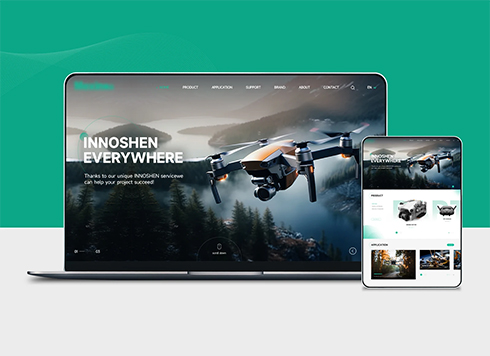 Drone Accessories Company Website Development
Incorporating gray as an accent with the pr ...
-
 Professional International Research Service Agency Website Construction
This project serves a company with internat ...
-
 The Construction of Group Websites for Asset Operation and Digital Services
This project is to create a website for a c ...
-
 Thermal Test Equipment Website Construction
Founded in 2022, this tech company focuses ...
-
A client says the .com for our Chinese company name was taken long ago—is launching the official site on .cn a mistake from the start?
Date: Nov 23, 2026 Read: 19
-
The final payment is not settled and the client is pressing for source code and backend account, while the contract only says 'one website'—should we hand them over?
Date: Nov 22, 2026 Read: 27
-
The website has been live for almost six months, but searching the full company name only brings up a job board—the robots.txt still has Disallow: / from testing. Is that what is blocking it?
Date: Nov 21, 2026 Read: 32
-
Why do Word-pasted articles break font sizes and tables in the website CMS—and can a new editor fix it?
Date: Nov 20, 2026 Read: 37
-
After a site redesign, the footer sitemap is full of old broken links. Should we delete the whole page—and will that remove indexed pages too?
Date: Nov 19, 2026 Read: 40