




Complete Guide to Corporate Website Development: Build Your Brand Official Website from Scratch with Ease
In the Internet era, a company website serves as its online "storefront". However, many small and medium-sized business owners think building a website is technically complex and costly. In fact, with a clear plan and the right approach, website creation is much simpler than it seems. This article systematically outlines the core steps and practical tips for building a corporate website, helping you create a professional site efficiently and affordably.
1. Choose Your Path: Self-Build or Outsourced Build?
There are two main ways to build a website: self-build and outsourced build.
-
Outsourced build: Custom development via agencies. Most are template-based with customization, offering richer functions and better design at a higher price. Suitable for companies with sufficient budget and high brand image requirements.
-
Self-build: Low cost, flexible and fully controllable. Two mainstream methods:
-
SaaS template builders: Use online platforms (e.g. Wix, Squarespace) to select templates, drag-and-drop edit and publish. Simple like building blocks, starting at a few hundred USD/year. Ideal for showcase websites.
-
Independent site (e.g. WordPress): Purchase domain and hosting, install open-source CMS, choose themes and plugins freely. Full ownership of code and data. Suitable for those with basic tech skills or long-term development plans.
-
Simple advice: Limited budget & basic functions → SaaS template builder; long-term operation & data independence → WordPress independent site; high-end customization & strong branding → professional web agency.
2. 4 Core Steps for Corporate Website Building
All methods follow these four basic stages:
1. Choose a domain name
A domain name is your online address. Prioritize .com for highest user recognition; use .cn or .net if .com is taken. Keep it short, memorable and related to your brand or business.
2. Select hosting (server space)
Hosting stores all website files and data. Key considerations:
-
Domestic vs overseas: Domestic hosting requires ICP filing (~20 days) but faster access; overseas hosting is filing-free, good for foreign trade or urgent launch.
-
Dedicated vs shared: Dedicated servers offer high performance at high cost; SMEs can use shared or cloud hosting (Alibaba Cloud, Tencent Cloud) for better cost performance.
3. Develop the website
This is the core stage. Choose based on budget and technical ability:
-
SaaS template builder: Platform subscription, drag-and-drop, fixed functions. 1–3 days, hundreds of USD/year.
-
Template self-deployment: Buy and deploy templates, more flexible than SaaS. 3–5 days, ~1,000 USD.
-
Site cloning: Copy and modify a preferred website design. 1–2 weeks, moderate cost.
-
Fully custom development: Built to exact requirements, unlimited functions. 1–3 months, high cost.
For most corporate showcase sites (home, about, products, news, contact), templates or WordPress themes are fully sufficient. For B2C e-commerce, evaluate carefully — selling on Tmall, JD and other platforms is often more cost-effective.
4. Deploy and launch
Upload website files to hosting, bind domain and configure the server. Additional backend setup:
-
Domain resolution and ICP filing (domestic hosting)
-
Basic SEO setup (keywords, TDK tags)
-
Webmaster tool verification (Baidu, Google Search Console)
-
Responsive testing (proper display on mobile, tablet, desktop)
Once complete, your website is accessible worldwide via your domain.
3. Process When Hiring a Web Agency
If you outsource to a professional agency, the process usually includes six stages:
-
Requirement discussion: Confirm site type (showcase / marketing / e-commerce), functions, page count and design style.
-
Select provider: Review portfolio, reputation and tech stack (e.g. WordPress-specialized teams).
-
Design approval: Agency provides homepage and inner-page mockups, revised until satisfied.
-
Frontend & backend development: Convert designs to interactive pages and build a CMS for self-content updates.
-
Testing & content entry: Add products, news and real content, test functions and fix bugs.
-
Launch & maintenance: Official release and agreed after-sales support (security updates, backups, troubleshooting).
Important reminder: Choose a reliable agency! Otherwise you may waste time and money on a buggy, uneditable website.
4. Quick Steps for Self-Build (WordPress Example)
For full control, WordPress (used by 43% of websites globally) is recommended. Steps:
-
Purchase domain + hosting: Alibaba Cloud, Tencent Cloud, SiteGround, etc.
-
Install WordPress: Most hosts support one-click installation.
-
Select a theme: Choose industry-suited themes from official repo or marketplaces (e.g. ThemeForest).
-
Install essential plugins: SEO, cache, security, contact form plugins, etc.
-
Create pages & content: Build home, about, products, blog pages and add text & images.
-
Optimize & launch: Set pretty permalinks, enable HTTPS, submit sitemap to search engines.
5. Summary: Full Lifecycle of Corporate Website Building
A successful website project follows this closed-loop process:
-
Define goals: Target audience? Problems to solve? Required functions?
-
Plan structure: Design navigation, page hierarchy and content layout.
-
Visual design: Match brand identity, focus on UI/UX.
-
Function development: Implement interaction, CMS and data collection.
-
Content optimization: Write high-quality copy, apply SEO (titles, keywords, internal links).
-
Test & launch: Check compatibility, performance and security.
-
Operation & maintenance: Update content, analyze data and drive traffic.
-
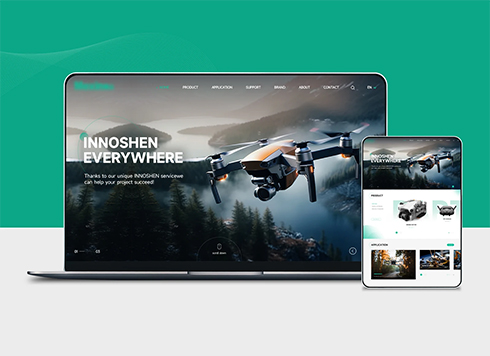 Drone Accessories Company Website Development
Incorporating gray as an accent with the pr ...
-
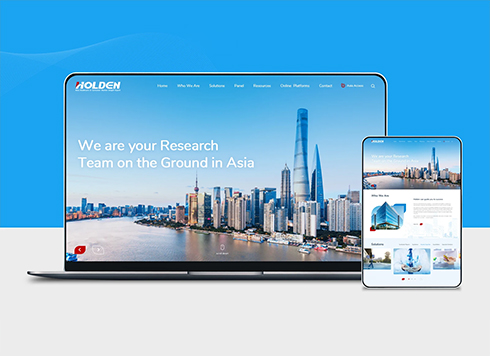 Professional International Research Service Agency Website Construction
This project serves a company with internat ...
-
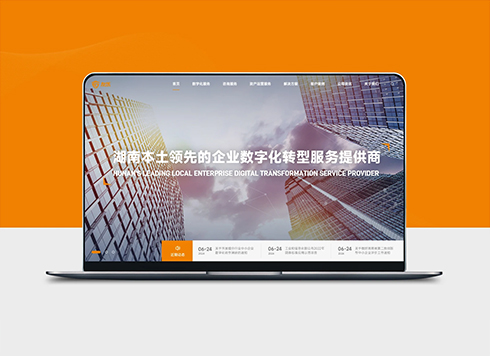 The Construction of Group Websites for Asset Operation and Digital Services
This project is to create a website for a c ...
-
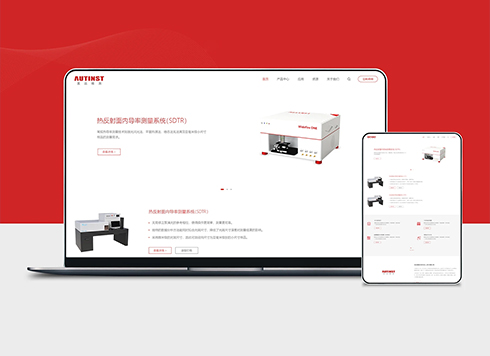 Thermal Test Equipment Website Construction
Founded in 2022, this tech company focuses ...
-
Shanghai web design, look here!
Date: Mar 26, 2026 Read: 411
-
Custom Website Development: Our News Center Has Been Inactive for Six Months—Should We Remove It Entirely or Keep It for Appearance? Marketing and Sales Disagree—Whose Call Is It?
Date: Oct 11, 2026 Read: 2
-
Custom Website Development: Should Official Site Whitepapers Download Directly or Require a Phone Number First? Sales and Operations Are Arguing—Whose Call Wins?
Date: Oct 10, 2026 Read: 11
-
Custom website development: when a client wants live chat on the corporate site, should you embed third-party code first or build it in-house?
Date: Oct 9, 2026 Read: 15
-
Website Custom Development: If a Client Wants to Collect Deposits on the Official Website, Should WeChat Pay or Alipay Be Connected First?
Date: Oct 8, 2026 Read: 16